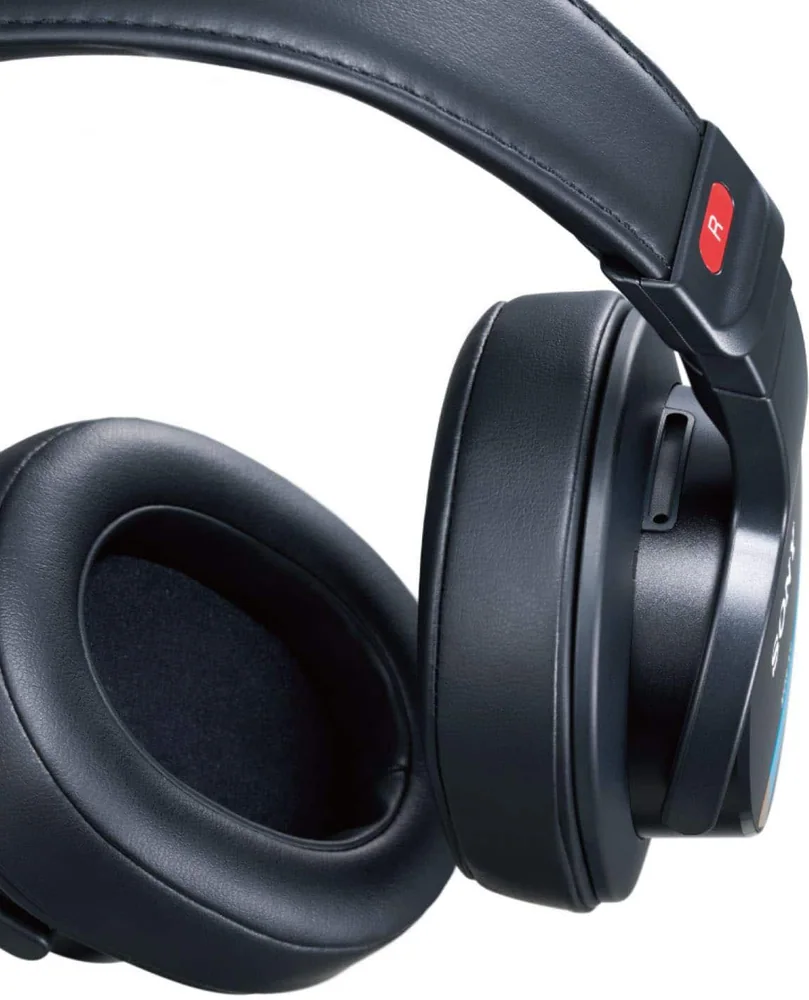
Wired Headphones and Impedance: Do You Need an Amplifier?
Published Updated
Impedance and sensitivity can tell you whether wired headphones will play comfortably from your device or benefit from more power.
Nothing punctures the appeal of a new wired pair quite like turning the volume all the way up and finding the music merely polite. The good news is that an amplifier is not an automatic requirement, and a bigger number on a headphone spec sheet is not a verdict on its own. For most phone, laptop, controller, and desktop listeners, the practical question is simple: can your usual source drive these headphones loudly and cleanly enough for the way you listen? Impedance and sensitivity help answer it, but the connector, adapter, listening habits, and headphone design matter just as much.
Reading time: 9 minutesBest for: Wired headphone shoppers using phones, laptops, computers, controllers, or home audio gear
Wired headphones solve the charging problem, not every power problem
A cable removes the battery routine and the occasional wireless pairing tantrum. It can also give you a direct connection to a laptop, audio player, controller, amplifier, or older stereo. That simplicity is a real pleasure, especially at a desk or on a long trip, but it does not mean every wired headphone will reach its potential from every socket. The early answer is this: you probably do not need a separate headphone amplifier if your headphones reach a comfortable volume from your normal device with room left on the volume control, and they do not sound strained or thin when music gets busy. An amplifier becomes useful when a source cannot provide enough clean power, not because wired listening is automatically an audiophile project.
A phone, laptop, and game controller each have a small built-in amplifier behind their headphone output. Their available power varies. Some full-size headphones are designed to work easily from modest sources; others ask for more voltage or current than a compact device can comfortably supply. The result can be low maximum volume, weak dynamics, or a sound that loses composure when a track swells. Do not confuse a quiet recording with an underpowered headphone. Streaming tracks, albums, games, and apps can all arrive at different levels. First compare a few familiar recordings, turn off any volume limit you did not intend to use, and make sure the connection is correct. If the headphones are still consistently too quiet, then source power deserves a closer look.
Impedance tells you part of the power story
Impedance, measured in ohms and shown with the omega symbol, is the electrical resistance a headphone presents to its source. It is often printed as a number such as 32 ohms, 80 ohms, or 300 ohms. Higher impedance models generally need more voltage to play loudly, which is why some classic studio and home-listening headphones are happier with a dedicated amplifier than with a phone. That said, impedance is not a simple difficulty score. A 32-ohm headphone is often easy to drive, but not always. A 300-ohm model may need more help, but its actual behavior still depends on sensitivity and the source. Treat impedance as a useful warning label, not a one-number shopping rule.
Sensitivity fills in the missing half. It describes how loudly headphones play from a given amount of electrical power or voltage, usually expressed in decibels per milliwatt or decibels per volt. Higher sensitivity means a headphone can produce more volume from the same source. A high-impedance headphone with high sensitivity may be manageable from a laptop, while a low-impedance model with low sensitivity can be surprisingly demanding. Manufacturers do not always state sensitivity in the same way, so direct numerical comparisons can get messy. The sensible move is to read both specifications, then look for guidance about intended sources. If a headphone is described as needing an amplifier, believe that warning more than a seductive impedance number viewed in isolation.
Your source device sets the ceiling
A desktop computer or dedicated audio player may have a stronger headphone output than a thin laptop, but there is no universal pecking order. Some laptops drive everyday headphones with ease. Some phones have no headphone jack at all, and the small USB-C or Lightning adapter becomes the audio device doing the work. A cheap adapter can be perfectly adequate for easy-to-drive earbuds, while demanding over-ear headphones may expose its limits. Before buying, list the device you will actually use most. A headphone intended for a quiet desk setup can be paired with a small desktop amplifier without much fuss. A pair meant for a phone on walks needs to work well through the phone's available connection. Planning around an imaginary future setup is a reliable way to spend more and enjoy less.
Connection type matters before power does. A 3.5 mm plug fits many computers, controllers, and older devices, but not every current phone. A 6.35 mm plug is common on home audio equipment and may need an adapter for smaller jacks. Some headphones use a detachable cable with a proprietary connector at the ear cup, so replacing it is not always as simple as grabbing any cable from a drawer. For phones and tablets without a headphone jack, use an adapter made for that device's port and operating system. For an airplane seat system, check whether the plane uses a standard 3.5 mm socket or a two-prong arrangement that needs a travel adapter. These mundane details decide whether wired headphones are wonderfully dependable or stranded in your bag.
An amplifier earns its place when volume runs out
A headphone amplifier takes the low-level signal from a source and provides more usable power for headphones. It can be a small portable unit, part of a desktop DAC and amplifier combination, or built into a stereo receiver. DAC means digital-to-analog converter, the component that turns digital audio from a computer or phone into an analog signal your headphones can play. Consider an amplifier when your usual source reaches near maximum volume before music feels comfortably loud, especially with full-size high-impedance or low-sensitivity headphones. It can also make sense when a computer's headphone jack adds hiss, interference, or inconsistent output. The goal is not to make everything louder for its own sake. It is to give demanding headphones enough clean headroom, meaning extra capacity before the signal runs out of steam.
An amplifier will not repair a headphone whose tuning you dislike, make a poor recording pristine, or turn an uncomfortable clamp into a pleasant one. It also cannot overcome a bad seal on an earbud. If bass seems absent from an in-ear model, the usual culprit is a loose ear tip rather than insufficient amplifier power. Be wary of the idea that every headphone needs a stack of gear to sound legitimate. Easy-to-drive wired headphones and earbuds can sound excellent from ordinary devices. A separate amplifier is a targeted solution for a clear limitation. If your current setup already gets loud enough without audible trouble, spend your attention on fit, comfort, cable compatibility, and the kind of sound you enjoy.
Volume headroom matters more than a dramatic spec
Headroom is the margin between your normal listening level and the maximum clean level your setup can provide. It matters because recordings vary, and music with wide dynamic range can have quiet passages followed by much louder peaks. A setup that only barely reaches your preferred level may feel constrained on certain albums, films, or games even if it seems acceptable with compressed pop tracks. Use a familiar range of material when judging a source. Listen at a sensible level, then notice whether there is comfortable room to raise volume when needed. If the device is already at or near its limit and still feels timid, an amplifier or easier-to-drive headphones is the practical answer. If it is loud with plenty of adjustment left, the numbers have stopped being a problem.
More power is not automatically better. Sensitive headphones can become extremely loud from a capable amplifier, and a careless volume setting can damage hearing. Begin at low volume whenever you connect a new amplifier, adapter, or source. This is especially important with in-ear monitors, which sit close to the eardrum and can make a sudden level jump feel startlingly immediate. Sound quality claims around amplification can become theatrical quickly. A cleaner, better-matched source may improve a difficult headphone's control and usable volume, but the change is not guaranteed to be dramatic. The most dependable benefit is straightforward: the headphones can play at a comfortable level without forcing the source to its edge.
Build the setup around where you actually listen
For a desk, a wired over-ear headphone with a detachable cable can be a calm, battery-free companion for work, games, and focused albums. If it is demanding, a compact desktop DAC and amplifier can stay connected to the computer and remove daily friction. For a couch or older stereo, cable length and plug size may matter more than chasing a particular amplifier specification. For travel, simpler usually wins. A wired earbud or easy-to-drive closed-back headphone paired with the correct phone adapter avoids charging, but a long cable can snag on armrests and bags. If you want quiet on flights, remember that passive isolation from a good seal or closed ear cups does more than an amplifier ever will. Power cannot cancel engine rumble.
Open-back headphones deserve a separate reality check. Their perforated ear cups let sound move freely in both directions, often creating an airy, natural presentation in a quiet room. They also leak your music outward and admit the room around you. No amplifier changes that. They are a poor fit for a noisy office, shared bedroom, or commute, however impressive their home-listening reputation may be. Make the final decision with your whole setup in view: headphone fit, cable and plug, source device, listening location, and desired volume. An amplifier is useful when it solves a demonstrated power shortfall. Otherwise, the better purchase may be a headphone designed to play happily from the gear already on your desk or in your pocket.
What this guide helps you understand
Use impedance and sensitivity together, then judge the headphones with the source device and listening situation you will actually use.
Check the headphone's impedance and sensitivity, then confirm that your phone, laptop, controller, or amplifier has the right output and connector.
Verify whether your device needs a USB-C, Lightning, 3.5 mm, or 6.35 mm adapter before ordering.
Look for comfortable volume with room left on the control before deciding that a separate amplifier is necessary.
Technique notes
A high impedance rating alone does not prove that headphones need an amplifier; sensitivity and source output matter too.
For earbuds, a secure ear-tip seal usually changes bass and isolation more than extra amplifier power.
Open-back headphones are best reserved for quiet spaces because they leak sound and let outside noise in.
Safety note: Keep volume moderate, and begin at a low setting when connecting sensitive headphones to a new amplifier or adapter.