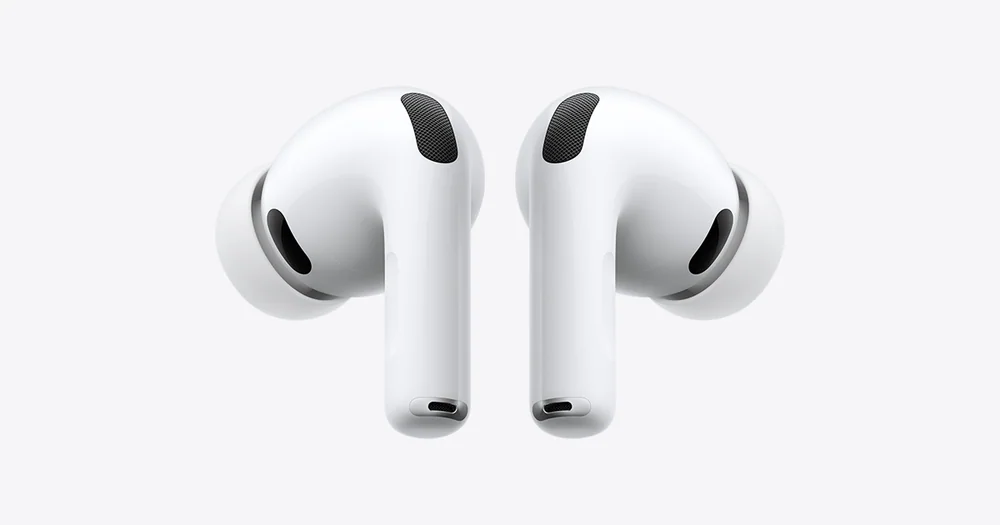
A practical guide to AAC, SBC, aptX, and LDAC, with a clear view of what codecs change and what they do not.
A pair of wireless headphones can carry an impressive codec badge and still sound merely fine, drop connection in a crowded station, or feel wrong after 20 minutes. That is not a contradiction. The way audio travels from your device matters, but it is only one link in a much longer chain. The short answer is simple: use the best codec your phone and headphones both support, then put more energy into fit, sound tuning, comfort, and reliable connection. AAC is a sensible default for many Apple devices, SBC is the universal fallback, and aptX or LDAC can be useful on compatible devices. None can rescue a poor seal, an uncomfortable earbud, or headphones tuned in a way you do not enjoy.
Reading time: 9 minutesBest for: Wireless headphone shoppers who want clearer sound without spec-sheet anxiety
Bluetooth codecs decide how audio gets across the room
A Bluetooth codec is the method used to compress audio on your phone, tablet, or computer, send it wirelessly, and unpack it in your headphones. Bluetooth does not have the roomy data connection of a cable, so the codec has to make practical tradeoffs among sound quality, connection stability, delay, and battery use. Think of it as the shipping method, not the music itself.
That distinction keeps codec shopping in proportion. A codec can affect the result, especially when two devices support a higher-quality option well. But the headphone's drivers, its sound tuning, the seal of an earbud tip, the recording, and the room around you usually have a larger say in whether a song feels rich, clear, harsh, thin, or involving. A great pair using a basic codec often beats a mediocre pair wearing a premium badge.
SBC is the dependable fallback, not a reason to panic
SBC is the basic Bluetooth audio codec supported by virtually every Bluetooth audio device. When a phone and a pair of headphones do not share a more specialized option, SBC is commonly what they use. Its broad compatibility is its real virtue: it lets a new set of earbuds connect to an old laptop, a rental-car system, or a friend's phone without turning a simple pairing job into a technical project.
SBC has a reputation for being the option people settle for, but that reputation can be overstated. Implementation matters, and many listeners will find a stable SBC connection perfectly enjoyable for podcasts, casual music, and daily calls. If sound seems disappointing, check the earbud seal, app equalizer settings, source quality, and volume before blaming SBC. A loose ear tip leaks bass far more dramatically than a codec change usually does.
AAC makes particular sense in Apple-heavy households
AAC is a widely used codec that balances audio quality and efficiency. It is especially relevant for people who listen from an iPhone, iPad, or Mac, where AAC support is common and generally makes for a straightforward wireless setup. If your daily listening begins on Apple devices, headphones with solid AAC support are a more useful compatibility check than a long list of Android-focused codec claims.
AAC is not an automatic winner on every device. Its performance depends on how the source device and headphones handle it, and different platforms can prioritize it differently. The practical lesson is less glamorous than the marketing: match the headphones to the device you use most. Someone who switches between an iPhone and a work Windows laptop should care about stable behavior on both, not chase a format that only appears under ideal conditions on one of them.
aptX can help, but the label needs a closer look
aptX is a family of Bluetooth codecs found on many Android phones, computers, and wireless headphones. The name covers several versions, including aptX, aptX HD, aptX Adaptive, and aptX Lossless. They do not all behave the same way. Some aim for higher audio quality, while adaptive versions can adjust their data rate as wireless conditions change to help keep the connection stable.
Compatibility is the catch. Seeing aptX on a headphone box does not mean your phone will use every aptX variation, or any aptX version at all. Both ends of the connection need to support the same codec. Before paying extra for it, look at the exact phone, computer, or portable player you will use. For video and gaming, low delay can matter as much as audio detail, but codec support alone does not promise perfect lip sync or lag-free play.
LDAC offers more data, not a guaranteed revelation
LDAC is a Bluetooth codec designed to carry more audio data than basic Bluetooth options under favorable conditions. It is often associated with compatible Android devices and headphones aimed at listeners who want a higher-resolution wireless option. In a quiet room with a good recording and headphones capable of revealing small details, it may be a meaningful feature for some listeners.
More data is not the same as more enjoyment. LDAC can involve tradeoffs in connection stability, and its benefit can shrink quickly when you are walking through a busy area, streaming a standard-quality track, or listening through earbuds that do not fit securely. It also requires support from both source and headphones. Treat LDAC as a welcome extra for a compatible listening setup, not as proof that one wireless model will sound better than another.
Fit, tuning, and connection stability decide the daily experience
Sound tuning is the way a headphone emphasizes or softens parts of the frequency range, such as bass weight, vocal presence, or treble sparkle. It is usually more obvious than a codec difference. So is fit. Over-ear headphones that clamp too tightly can become distracting before an album ends. Earbuds that lose their seal while you walk lose bass and let in more outside sound, making music seem weaker even if the wireless signal is flawless.
Connection stability deserves equal respect. A codec that sounds excellent on paper is no pleasure if it stutters near a crowded train platform or behaves unpredictably when you move between phone and laptop. For commuters, callers, and gym users, secure fit, dependable pairing, useful controls, and enough single-charge battery life often matter more than the codec list. For focused home listening, wired headphones remain the cleanest way to avoid Bluetooth compression, pairing, and charging altogether.
What this guide helps you understand
Check codec compatibility between your actual source device and headphones, but choose wireless headphones primarily for fit, tuning, comfort, and dependable everyday behavior.
Identify the phone, tablet, computer, or audio player you will use most before comparing codec support.
Confirm that both the source device and headphones support the same codec, not just that one product lists it.
For earbuds, prioritize a secure, comfortable seal before treating a higher-end codec as a deciding feature.
Technique notes
A headphone may switch codecs when you change devices, settings, or wireless conditions, so the advertised option is not necessarily active all the time.
Bluetooth settings can show the active codec on some devices, but many phones manage the choice automatically.
For airplane entertainment systems, check the headphone jack or Bluetooth transmitter arrangement separately. Codec support does not solve a missing or incompatible connection.