
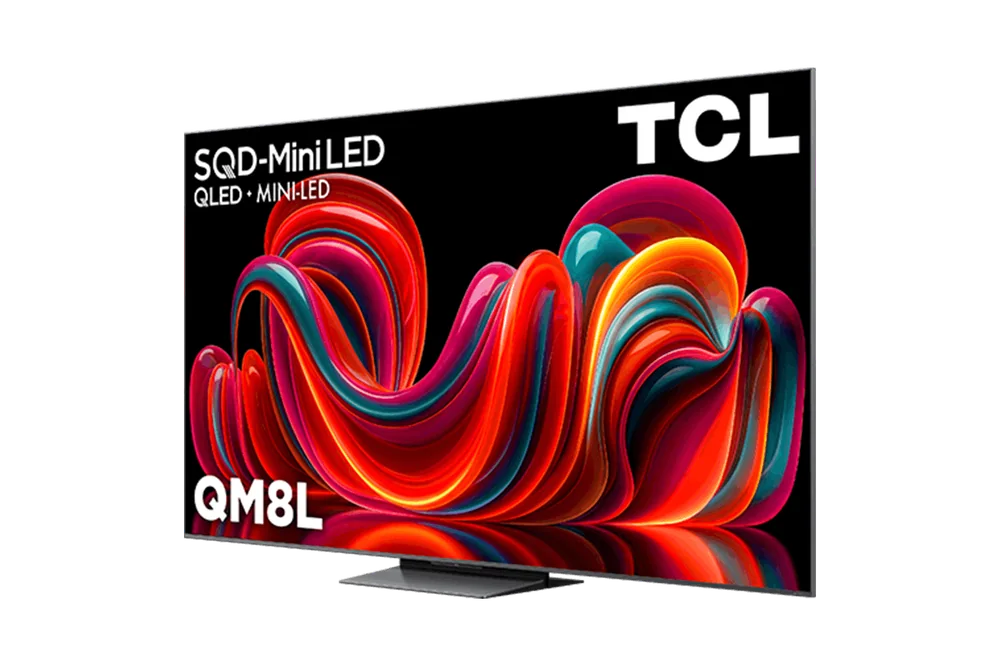
What to know first
- TCL rates the QM8L's SQD-Mini LED panel at up to 6,000 nits peak brightness, a manufacturer specification well above typical premium TVs
- More than 4,000 local dimming zones give the backlight finer control over bright and dark areas on screen
- 100% BT.2020 quantum dot color coverage is an official spec, meaning wide color range is built into the panel, not marketing gloss
- 288Hz VRR support with HDMI 2.1 targets serious PC and console gamers, not just casual play
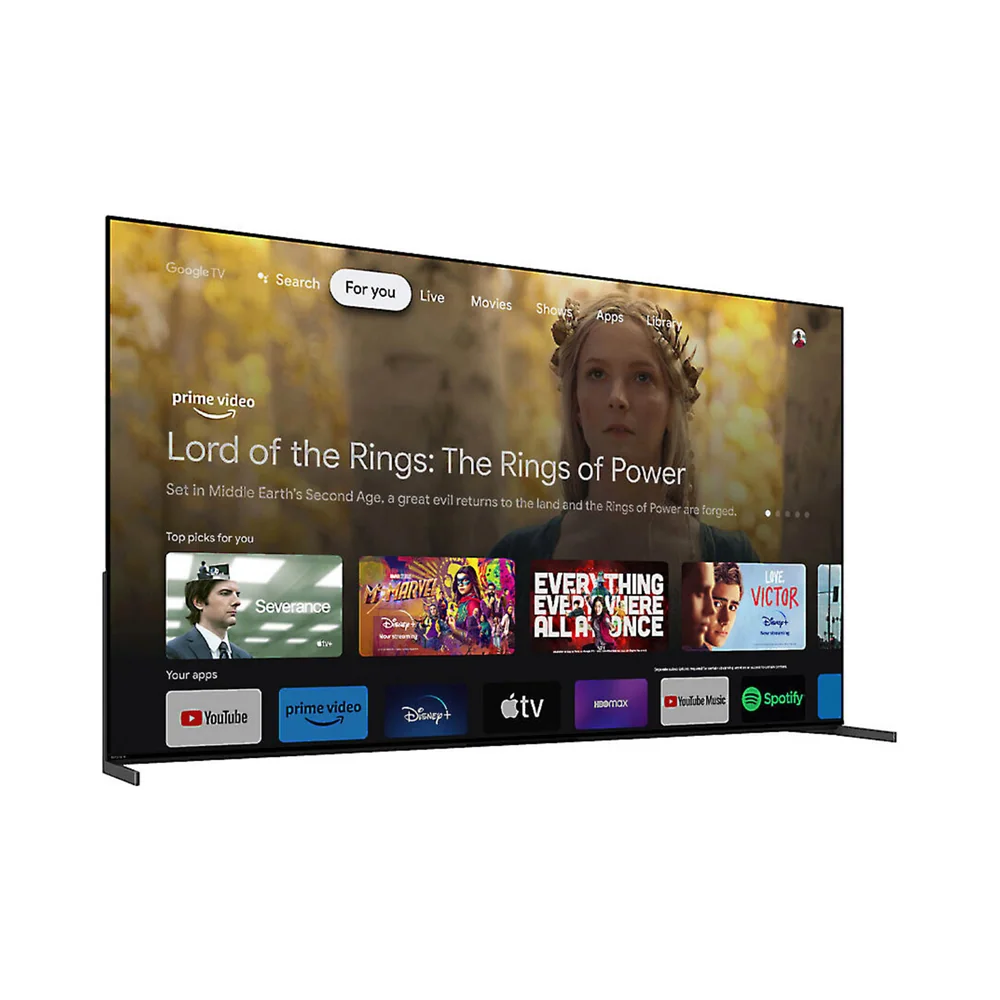
- Runs Google TV, so app selection is broad but the interface carries the usual Google TV ad tiles
Where the QM8L sits in TCL's Mini-LED lineup
TCL sells several tiers of Mini-LED TVs, and the naming can blur together fast: QM6K, QM7L, QM7K, QM8K, QM8L. The QM8L sits near the top of that stack, using TCL's SQD-Mini LED backlight technology rather than the step-down QD-Mini LED found on lower series. It is a step below the flagship QM8K and QM9K, but it inherits the same core promise: very high brightness and heavy zone counts at a lower price than TCL's top-shelf models.
That positioning matters because it explains the spec sheet. The company is announcing this generation into a market in early 2025 where Mini-LED brightness wars are the main battleground between TCL, Hisense, and Samsung, and the QM8L is TCL's answer at a price point below its own top series.
It's also worth knowing this is a large-screen-only lineup. The QM8L series runs from 65 to 98 inches, so anyone shopping for a bedroom-sized set in the 50-inch range is looking at the wrong TCL series entirely.
The brightness and zone count do the heavy lifting
Most TV shoppers fixate on resolution, but resolution has been a solved problem for years. What actually separates a good Mini-LED TV from a mediocre one is how finely it can control its backlight, and that's the QM8L's strongest card. TCL's official spec of more than 4,000 local dimming zones is a large number for this price tier, and in practical terms it means smaller pockets of the screen can go dark independently while a bright object nearby stays lit, instead of the whole zone lighting up and washing out the shadow detail around it.
Peak brightness up to 6,000 nits, as rated by TCL, is the other half of that equation. A TV that can push that much light can hold HDR highlights, like sun glare or an explosion, at genuinely striking intensity instead of clipping or dimming them down. It also means the picture stays watchable in a sunlit room where a dimmer OLED panel would look flat and gray by comparison.
Color is where the 100% BT.2020 quantum dot coverage backs up the brightness. Pushing a panel to very high nit levels tends to wash out saturation if the color system can't keep pace, so full BT.2020 coverage is what keeps reds and greens looking full rather than bleached out at the top of the brightness range.
For gamers, the Game Accelerator 288 feature with VRR and HDMI 2.1 support pushes refresh rate well past the standard 120Hz found on most premium TVs. A 120Hz panel already smooths out fast camera pans in sports or shooters; 288Hz support (when a source can actually output it) sharpens that further for competitive play, though most streaming and broadcast content never approaches that frame rate, so the everyday benefit is mostly for PC gaming and select consoles.
Living with Google TV and a wall-filling screen
Day to day, this TV lives inside Google TV, which is a reasonable trade for app breadth. Nearly every major streaming service is supported natively, voice search through Google Assistant works well for finding shows across services, and the interface will feel familiar to anyone who's used a Chromecast or an Android phone. The trade-off is the row of sponsored and suggested content tiles that Google TV surfaces on the home screen, which some owners find cluttered next to their actual watchlist.
Setup and placement deserve a moment of planning given the size range. The 75-inch model weighs about 67 pounds with its stand and roughly 62.6 pounds without it, according to TCL's own listing, while the smaller QM8L variants come in lighter. That's not a TV one person casually mounts alone, and stand footprint on a media console is worth measuring before delivery, especially at 85 or 98 inches.
WHVA Ultra Panel technology and the ZeroBorder design are aimed at viewing angle and bezel minimalism respectively. Wide viewing angle matters more than people expect on a large Mini-LED panel, since LED-based TVs have historically lost contrast when viewed off-center, and a wide-angle panel keeps the picture consistent for a couch that isn't perfectly centered on the screen.
What to adjust and what to expect at checkout
The default picture mode on most TVs, including premium Mini-LED sets like this one, is typically tuned for showroom pop rather than color accuracy, favoring exaggerated brightness and saturation over what a film's colorist actually intended. Anyone who cares about accurate movie viewing should expect to spend a few minutes in the settings menu switching to a Filmmaker or Movie mode rather than trusting the box default.
Pricing climbs fast with size.
The 288Hz gaming feature is a spec worth reading carefully rather than assuming it applies broadly. It requires a source capable of outputting that frame rate, which today mostly means high-end gaming PCs, not consoles or streaming apps, so buyers upgrading primarily for console gaming will get real benefit from the HDMI 2.1 and VRR support but won't touch the 288Hz ceiling in most games.
The specs that matter
Higher peak brightness keeps HDR highlights like sunlight or explosions looking intense instead of dim or clipped, and helps the picture stay visible in rooms with windows or lamps on.
More zones let the backlight dim in smaller patches, reducing the halo effect around bright objects on a dark background, which is the most common visual flaw in budget Mini-LED TVs.
Full coverage of this wide color standard means reds, greens, and blues stay saturated even when the panel is pushed to high brightness, instead of looking washed out.
HDMI 2.1 and VRR eliminate screen tearing on modern consoles and PCs; the 288Hz ceiling mainly benefits gaming PCs that can actually output that frame rate.
Wide app support and voice search across services, at the cost of a home screen that surfaces sponsored content tiles alongside your own shows.
This series skips smaller rooms entirely; anyone shopping under 65 inches needs a different TCL line.
At this weight, wall mounting or moving the TV is realistically a two-person job, and stand footprint should be measured against your media console before delivery.
Built-in speakers on large flat panels are rarely great regardless of tuning partner, so budget for a soundbar if audio quality matters as much as picture.
Who this product fits
The bright living room with afternoon glare
A room with south-facing windows washes out most TVs by mid-afternoon. The QM8L's high peak brightness and dense dimming zone count are aimed at exactly this problem, keeping contrast intact even when the room isn't dark.
The PC gamer chasing high frame rates
A gaming PC that can push past 200 frames per second will actually use the 288Hz VRR ceiling this TV supports, delivering noticeably smoother motion in competitive titles than a standard 120Hz panel.
The console gamer upgrading from an older TV
HDMI 2.1 and VRR support will eliminate tearing and cut input lag versus an older 60Hz set, even though most console games won't approach the TV's 288Hz maximum.
The movie night household after color accuracy
Out of the box, expect an oversaturated default picture mode. Switching to Filmmaker or Movie mode and letting Dolby Vision IQ do scene-by-scene adjustment gets the picture much closer to what the content creator intended.
What else to compare
A few adjacent questions come up before most people commit to this size and price tier.
TCL QM8L Mini‑LED 4K TV FAQ
Is the TCL QM8L bright enough for a sunny room?
TCL rates the panel at up to 6,000 nits peak brightness, a manufacturer specification well above most competing Mini-LED TVs, which should hold up well against window glare and daytime viewing better than dimmer sets.
Does the QM8L support Dolby Vision and HDR10?
Yes, the QM8L includes Dolby Vision IQ, which adjusts HDR output based on room lighting, along with the wide BT.2020 color coverage needed to display HDR content accurately.
What smart TV platform does the QM8L run?
It runs Google TV, giving access to nearly all major streaming apps and Google Assistant voice search, though the home screen includes Google's typical sponsored content rows.
Is the 288Hz refresh rate actually useful?
It's mainly useful for gaming PCs capable of outputting frame rates above 200fps. Console gamers still benefit from the HDMI 2.1 and VRR support for tear-free 120Hz play, but won't reach the 288Hz ceiling in most titles.
What sizes does the QM8L come in and what do they cost?
The series spans 65 to 98 inches.
How much does the QM8L weigh, and can one person set it up?
The 75-inch model weighs about 67 pounds with its stand and 62.6 pounds without it, per TCL's listing. At that weight and size, moving or mounting it is realistically a two-person task.
Should you spend up for the QM8L?
For a bright, high-contrast picture at a price below TCL's own flagship Mini-LED TVs, the QM8L makes a strong case. The combination of 6,000-nit peak brightness, more than 4,000 dimming zones, and full BT.2020 color coverage gives it the tools to handle both a sunlit living room and a serious HDR movie night, which is a rare combination at this price.
Skip it if you're set on the deepest possible blacks in a fully dark room, where OLED still holds an edge, or if a screen smaller than 65 inches is what your space actually needs. For everyone else shopping in the 75-to-98-inch range who wants brightness and gaming features without paying flagship prices, the QM8L earns its spot on the shortlist.