
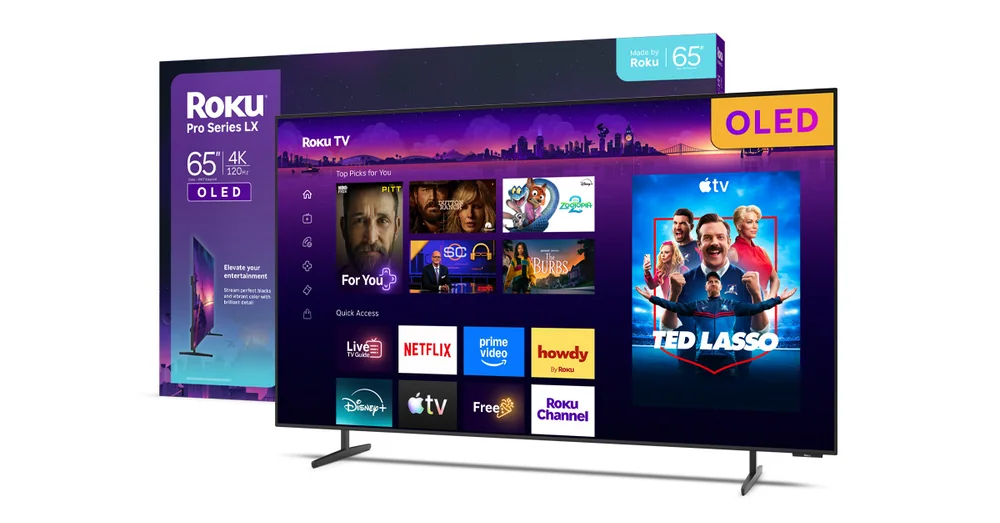
What to know first
- Mini-LED panel with full-array local dimming and 120Hz refresh, sold as Roku's flagship Pro Series
- One independent evaluation measured very low input lag, among the best of recently evaluated TVs
- 4K/120Hz supported on two HDMI inputs for console and PC gaming
- Comes with the rechargeable, backlit Roku Voice Remote Pro with a built-in remote finder
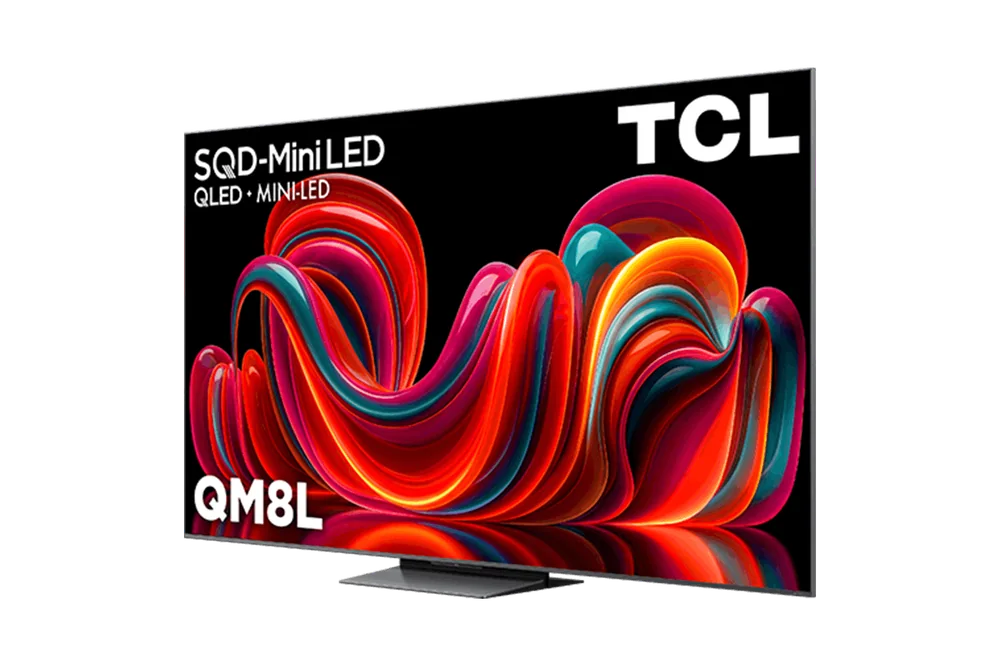
- One independent evaluation found black levels and overall picture punch trailed a similarly priced TCL QM8
- Available in 55-inch, 65-inch, and 75-inch sizes with VESA wall mounts (300mm x 200mm on the 55-inch, 400mm x 200mm on the 65-inch)
Roku finally makes its own flagship
For years, the Roku experience lived inside other companies' TVs: TCL, Hisense, Sharp. The Pro Series flips that arrangement. Roku designs and sells the hardware itself now, with the Pro Series sitting at the top of a three-tier lineup that also includes the Select and Plus models.
The pitch is simple: mini-LED backlighting with full-array local dimming, a 120Hz panel, and 4K resolution, all running the Roku operating system natively instead of as a licensed add-on.
It's sold across 55-inch, 65-inch, and 75-inch sizes, and it is Roku's answer to the question of what happens when the software company controls the whole box. The honest answer, based on independent evaluation, is that the software delivers and the picture is merely good enough.
The interface is the reason to buy this TV
Most smart TV platforms treat the home screen as an afterthought bolted onto a chip that mainly drives the panel. Roku built its entire company around getting that screen right, and the Pro Series shows it. It runs the same interface millions of people already know from Roku streaming sticks, just without a second remote or a second box under the TV.
Gaming is the other real advantage. Two HDMI inputs support 4K at 120Hz, and one independent evaluation clocked the Pro Series with lower input lag than most recently evaluated TVs. For someone who plays fast-paced console games, that lag number is often a bigger deal than a slightly brighter picture, since a laggy TV makes a controller feel disconnected from what's happening on screen.
Design details reinforce the software-first thinking. A built-in remote locator button sits next to the power switch, so losing the Voice Remote Pro doesn't mean digging under couch cushions blind. The remote itself is rechargeable and backlit, with a hands-free microphone that can also help track it down.
None of this is about chasing spec-sheet bragging rights. It's about a TV that's pleasant to operate every single day, which counts for more than most shoppers give it credit for.
Living with the remote, the mount, and the menus
Wall-mounting is straightforward thanks to a flat rear panel, a departure from older Roku-branded TVs that had a rear lip preventing use of standard mounts. The 55-inch model uses a 300mm x 200mm VESA pattern, while the 65-inch steps up to 400mm x 200mm, both manufacturer specifications that determine which mounting hardware will actually fit without adapters.
Day to day, the appeal is how little friction there is between turning the TV on and finding something to watch. The Roku interface has built its reputation on being fast and uncluttered rather than stuffed with recommendation panels and ads competing for attention, and that reputation carries over cleanly to the Pro Series because it's the same software, just running natively instead of through a stick.
The remote finder is a small thing until the day it isn't. Anyone who's spent ten minutes flipping couch cushions before a movie night will appreciate a locator button placed right next to the power switch, where it's easy to find even in the dark.
Where the picture falls short of the price
The honest caveat here is contrast. Despite the full-array local dimming mini-LED backlight, one independent evaluation described grayish black levels and picture quality that underperformed for the money compared to a similarly priced TCL QM8, which delivered noticeably higher brightness and better contrast. If picture punch is your top priority, that comparison matters more than any interface advantage.
It's a legitimate alternative path if raw image quality outweighs having the OS built into the television itself.
Out-of-the-box picture settings on most TVs, this one included, tend to be tuned for retail-floor punch rather than natural color, so expect to spend a few minutes in the picture menu adjusting things before the set looks its best in a normal living room.
The specs that matter
Local dimming zones let the backlight dim independently behind dark parts of the image, which is what keeps black bars and night scenes from glowing gray. One independent evaluation found the Roku's black levels trailed rivals despite this feature.
A 120Hz panel smooths fast camera pans in sports and action movies and unlocks higher frame-rate gaming, avoiding the blur a 60Hz set shows during quick motion.
Console gamers can run a high frame-rate game and a secondary device (like a PC or another console) at full performance without swapping cables constantly.
Lower input lag means less delay between pressing a button and seeing it happen onscreen, which matters most in competitive or fast-reflex games.
No battery swaps, easier to see controls at night, and voice search works without pressing a button first.
These are manufacturer measurements that determine wall-mount compatibility. Check them against any mount you already own before assuming it'll fit.
One independent review evaluated the 65-inch model specifically and noted the findings should carry over to other sizes, since specifications are shared across the line.
Who this product fits
The console gamer replacing an aging TV
Two 4K/120Hz HDMI inputs and independently measured low input lag mean fast-paced games feel responsive, not sluggish. If your current TV caps out at 60Hz or has noticeable lag, this upgrade will be felt immediately on a controller.
The household that already streams through Roku
If a Roku Streaming Stick already sits behind the TV, the Pro Series just moves that same familiar interface directly into the panel, removing an HDMI cable and a second remote from the equation.
The shopper prioritizing picture quality above all else
A similarly priced TCL QM8 delivers stronger contrast and brightness. Someone chasing the best possible image for the dollar should look there first, potentially pairing it with a cheap Roku Streaming Stick 4K.
What else to compare
A couple of comparisons are worth knowing before you commit.
Roku Pro Series TV FAQ
Is the Roku Pro Series TV worth it over a cheaper Roku TV?
It's worth it if you specifically want mini-LED local dimming, 120Hz gaming, and the premium Voice Remote Pro. If you mainly want the Roku interface without gaming extras, Roku's Select or Plus tiers likely cover your needs for less money.
Does the Roku Pro Series TV have Dolby Vision?
Yes, Roku's Pro Series lineup includes Dolby Vision and Dolby Atmos support as part of its manufacturer specifications, alongside HDMI 2.1 for high frame-rate gaming.
How does the Roku Pro Series compare to the TCL QM8?
One independent evaluation found the similarly priced TCL QM8 delivered noticeably better contrast and brightness than the Roku Pro Series. The Roku wins on interface polish and low input lag for gaming, so the right pick depends on whether picture quality or software experience matters more to you.
Can I wall-mount the Roku Pro Series TV with a standard mount?
Yes, as long as it matches Roku's VESA pattern: 300mm x 200mm for the 55-inch model and 400mm x 200mm for the 65-inch. The TV's flat rear design also avoids the mounting lip that older Roku-branded TVs had.
Is the Roku Pro Series TV good for gaming?
Yes. It supports 4K at 120Hz on two HDMI inputs, and one independent evaluation measured very low input lag, among the lowest of recently evaluated TVs, which makes fast-paced games feel more responsive.
What sizes does the Roku Pro Series TV come in?
It's available in 55-inch, 65-inch, and 75-inch screen sizes, with the same core specifications and picture quality expected across all three, based on evaluation conducted on the 65-inch model.
So who should actually buy this one?
Buy the Roku Pro Series TV if the daily experience of using a TV, browsing for something to watch, finding the remote, jumping into a game with minimal lag, matters more to you than squeezing out the absolute best contrast ratio on the market. It's the rare flagship that leads with software rather than panel specs, and for a certain kind of Roku loyalist, that's exactly the right order of priorities.
Skip it if picture quality is your main obsession. A similarly priced TCL QM8 outperforms it on brightness and contrast, and pairing that set with a cheap Roku Streaming Stick 4K gets you both the better image and the Roku interface you actually wanted in the first place.