
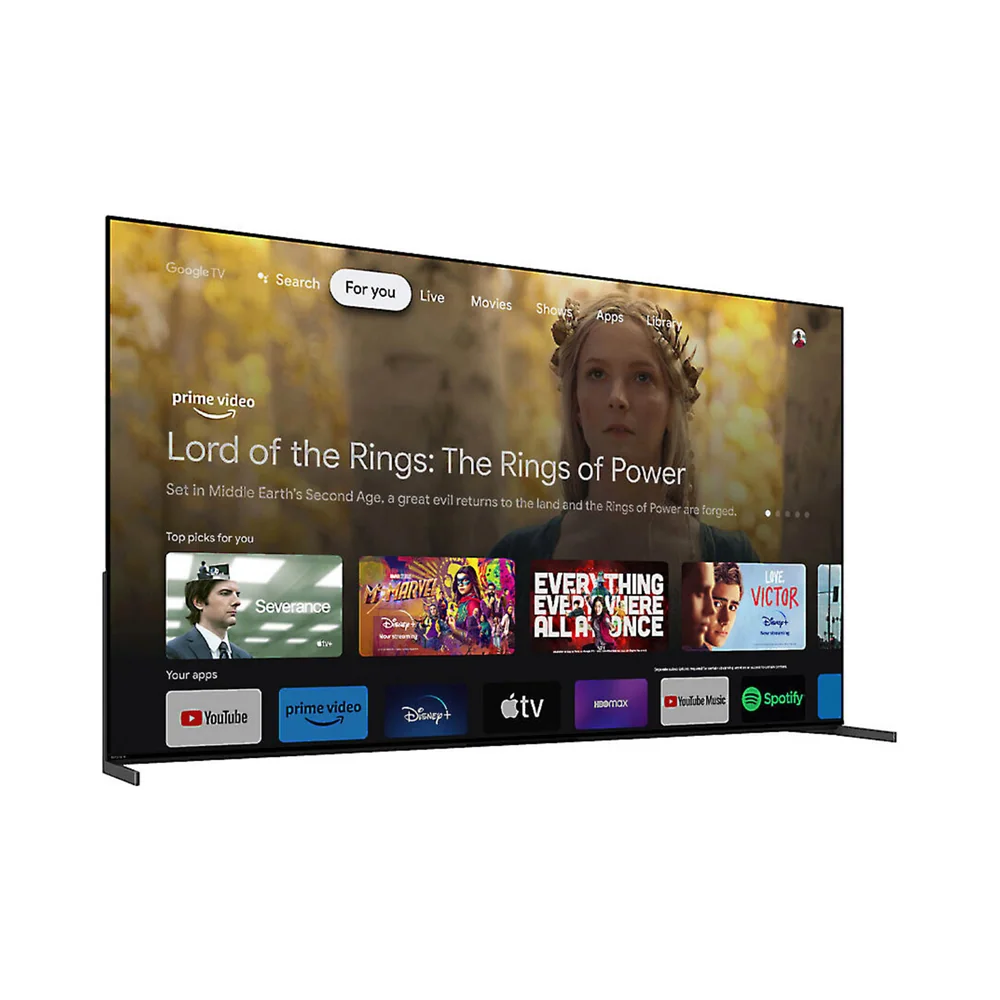
What to know first
- QD-OLED panel and Sony's Cognitive Processor XR are the reasons to pick this over a cheaper OLED
- Google TV brings a wide app library but has a track record of feeling less immediate than some rival platforms
- HDR format support matters here: confirm your main streaming services align with what the TV decodes before assuming every HDR title looks its best
- Best suited to dim or moderately lit rooms where OLED contrast is the main event, not bright daytime viewing
- Remote and interface responsiveness, not the picture, are where buyers most often want more
Sony's flagship OLED, not its budget one
The A95L sits at the top of Sony's OLED lineup, built around a QD-OLED panel and the Cognitive Processor XR chip. That processor is Sony's attempt to make picture adjustments the way a person's eye actually scans a frame, focusing enhancement on the parts of the image that matter (faces, foreground detail) rather than applying one blanket setting to everything on screen.
Running Google TV puts a familiar, app-heavy interface in front of a panel capable of noticeably better contrast and color than most sets on the market. That pairing is the whole pitch: Sony isn't trying to out-feature every competitor on smart platform speed or gaming specs, it's betting that the picture itself justifies the price gap.
This isn't the TV for someone who wants the newest interface tricks or the cheapest path to OLED ownership. It's for someone who has already decided picture quality is the priority and is comparing flagship OLEDs against each other, not against budget models.
Where the processing actually earns its keep
Cinema-quality picture claims are common across the smart TV market, and most sets ship with settings tuned to look punchy in a bright showroom rather than accurate at home. Sony's advantage isn't a marketing claim, it's the processing chip doing scene-by-scene work that shows up specifically in complex, low-light footage: a night scene with multiple light sources, a dimly lit interior with skin tones that need to stay natural instead of blowing out.
That's a real, specific advantage over TVs that rely on simpler, single-pass HDR tone mapping. But it's a benefit that matters most to viewers who watch a lot of prestige TV and film in a darkened room, not to someone who mostly watches sports with the blinds open, where OLED's brightness ceiling versus a bright-room-friendly LED or Mini-LED becomes the more relevant conversation.
HDR format support is worth checking against your actual streaming habits before assuming every title looks its best. Not every format is supported the same way across every content source, and a TV that's technically capable of great HDR won't deliver it if the format your service uses isn't decoded properly.
Living with Google TV on a Sony panel
Day to day, the A95L's home screen behaves like Google TV does everywhere else: a row-based interface stacked with recommendations, a big app library, and Google Assistant baked in for voice search. That's a strength if you already use other Google devices and want continuity, and it means you're not locked into a smaller, Sony-specific app ecosystem.
The catch is responsiveness. Sony's execution of Google TV has a reputation for occasional lag navigating menus or switching inputs, which stands out more on a TV this expensive because the expectation is that everything, not just the picture, feels premium. The remote experience has drawn similar criticism, and it's worth remembering that universal remote compatibility varies by brand, so some voice features may only work fully with the TV's own remote rather than a third-party universal one.
None of this changes what happens once you're actually watching content. It's an interface tax you pay to get into the picture, not a flaw in the picture itself.
What the price doesn't buy you
Paying flagship money here buys picture processing and panel quality, not the fastest smart TV experience on the market. If snappy menu navigation and quick input switching matter as much to you as contrast and color, that's a legitimate reason to look at a competing OLED with a different smart platform.
Port count and gaming-specific features are also worth checking against your setup before buying. If you're running a console, a soundbar, and a streaming box off one TV, confirm the HDMI configuration fits your gear rather than assuming a flagship automatically has more inputs than a mid-range model.
Bright-room viewers should also temper expectations. OLED's defining strength is deep black levels and per-pixel contrast, which matters most in dim rooms. In a sunlit living room, that advantage narrows, and a bright-room-optimized LED or Mini-LED set can look just as satisfying for less money.
The specs that matter
Combines OLED's per-pixel contrast with quantum dot color, which is why the A95L's picture stands out most in dim rooms with detailed, dark scenes.
Handles scene-by-scene picture adjustments rather than one blanket setting, which is the main reason this TV costs more than a standard OLED.
Brings a large app library and Google Assistant integration, but has a track record of feeling less responsive than some rival platforms, so budget a few minutes of patience into daily use.
Match your primary streaming services against the TV's supported formats before assuming every title gets the full HDR treatment.
Matters most for sports and gaming, where a lower refresh rate shows visible blur during quick camera pans or fast-moving action.
Confirm the exact port configuration fits your setup if you're running a console, soundbar, and streaming device simultaneously.
Who this product fits
The film enthusiast with a dedicated dark room
Someone who watches a lot of moody, cinematography-heavy content in a light-controlled room will see the A95L's biggest advantage most often: deep blacks holding detail instead of crushing to mush, and skin tones staying natural under mixed lighting within a scene.
The sports-and-daytime viewer in a bright living room
If the TV mostly runs during the day with natural light in the room, OLED's brightness ceiling is a real limitation, and the A95L's premium picture processing won't matter as much as it would in a dim setting. A bright-room-optimized set might deliver more satisfaction per dollar here.
The buyer who wants an all-Google household
Someone already using Google devices for casting, voice search, and smart home control will find the Google TV integration convenient, even with the platform's occasional responsiveness lag, because it keeps everything in one ecosystem.
The gamer building a multi-console setup
A gaming-focused household running multiple consoles and a soundbar should check the exact HDMI configuration and confirm it matches their gear, rather than assuming a flagship TV automatically has more ports than a mid-range one.
What else to compare
A few adjacent choices are worth a look depending on what you're actually prioritizing.
Sony Bravia XR A95L OLED 4K HDR Google TV FAQ
Is the Sony Bravia XR A95L worth the price over a cheaper OLED?
If picture processing and QD-OLED contrast in dim-room viewing are your priority, yes, that's specifically what the price premium buys. If you mainly want a great picture without paying for the most refined processing available, a less expensive OLED may deliver enough of the same benefit for meaningfully less money.
Does the A95L work well in a bright room?
OLED panels, including this one, perform best in dim to moderately lit rooms because their strength is contrast and black level rather than raw peak brightness. In a bright living room, a Mini-LED or standard LED TV can hold its own or look better for less money.
Is Google TV a downside on this TV?
It's not a dealbreaker, but Sony's implementation of Google TV has a reputation for feeling less snappy than some competing platforms, which stands out more given the TV's flagship price. The app library and Google Assistant integration are still strong reasons to like it.
Will every streaming service look as good as advertised on this TV?
Not automatically. HDR format support varies by content source, so it's worth checking that your primary streaming services use a format the TV decodes fully before assuming every title gets the complete benefit of the panel.
Does a universal remote work with this TV?
Universal remote compatibility varies, and some voice features are likely to work fully only with the TV's included remote. If remote flexibility matters to your setup, confirm compatibility with your specific universal remote before relying on it.
Who actually needs this TV
The A95L rewards a specific kind of buyer: someone who watches film and prestige television in a dim room and can tell the difference between good HDR and processing that actually understands the scene it's rendering. For that person, the Cognitive Processor XR and QD-OLED combination is a real, noticeable upgrade over cheaper OLEDs, not a marketing distinction.
For everyone else, weigh the Google TV responsiveness question honestly before paying flagship price. A TV you touch every day should feel as premium as the picture it produces, and on that front the A95L asks you to accept a smart platform that doesn't always match the panel underneath it.