
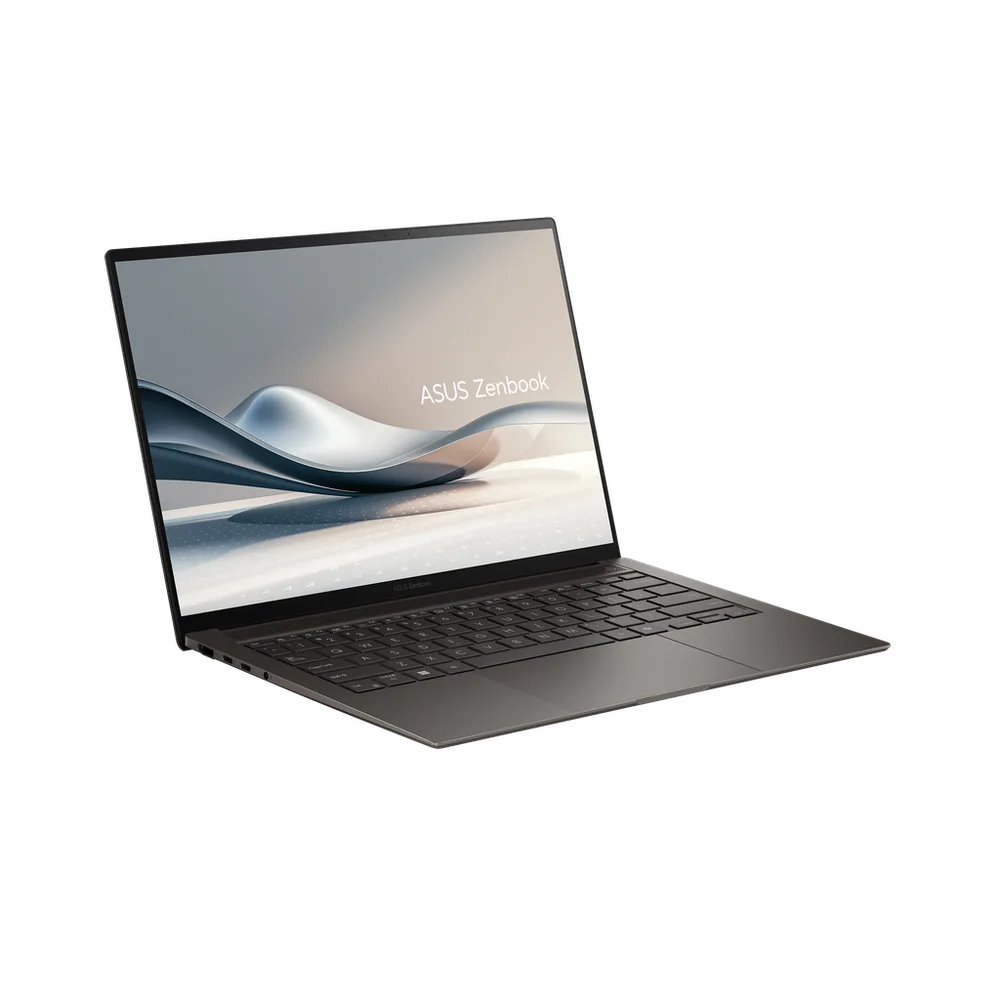
What to know first
- The ASUS Zenbook S 14 OLED is a 14-inch thin-and-light laptop built around portability and a premium design.
- The OLED screen is the headline feature and the main reason to pay for this model over a more basic 14-inch laptop.
- Treat it as a design and portability buy, not a laptop with clearly established battery or performance advantages.
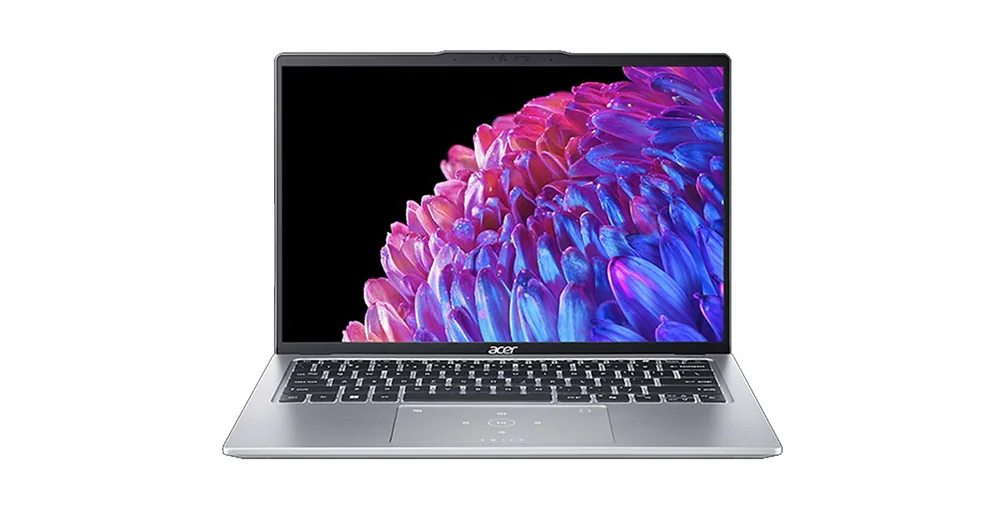
- If you want a more clearly supported thin-and-light value option, Acer Swift Go 14 (2024) is the safer pick.
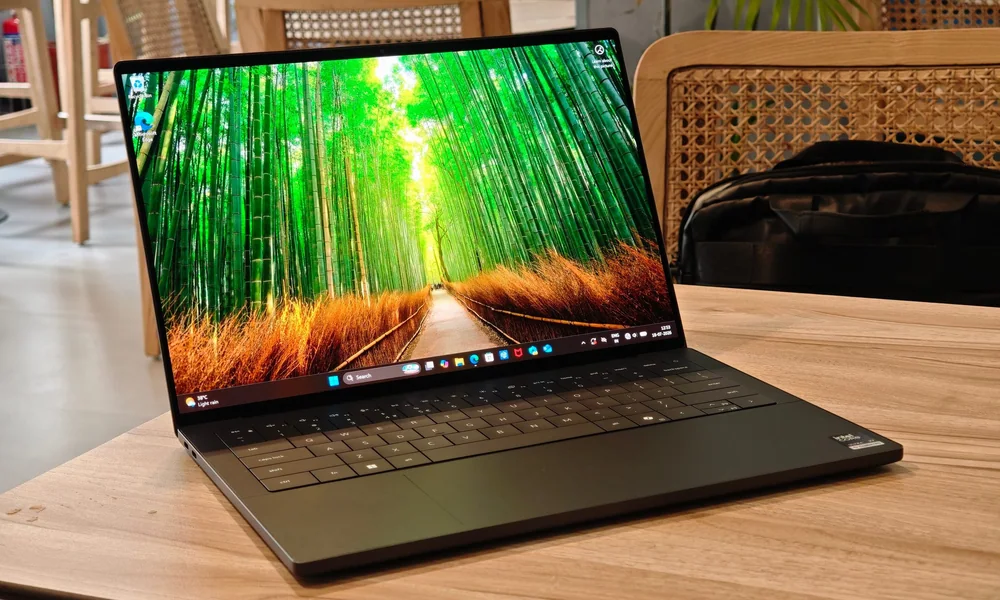
- If you want a clearer premium Windows upgrade path, Dell XPS 14 (2026) is the more decisive alternative.
What the ASUS Zenbook S 14 OLED is
The ASUS Zenbook S 14 OLED is a 14-inch ultraportable laptop aimed at everyday productivity. Think the usual day: lots of browser tabs, email, docs, spreadsheets, video calls, and streaming. The point of a machine like this is to feel easy to carry, easy to open anywhere, and nice to use for hours at a time.
The “S” positioning here is about being thin and light and feeling premium. You’re paying for the overall feel and portability, not for a bulky cooling system or a big, heavy chassis meant to run sustained high-power workloads.
The other big identity piece is right in the name: OLED. If you’ve never owned an OLED laptop, the practical appeal is simple. Blacks look truly black, colors look richer, and the screen tends to feel more high-end than a typical LCD panel. If the screen is what you stare at all day, that can be a real quality-of-life upgrade.
Why it stands out
The ASUS Zenbook S 14 OLED stands out because it combines a 14-inch footprint with an OLED display and a premium, highly portable design. For a lot of shoppers, that’s the sweet spot: big enough to work comfortably, small enough to carry without thinking about it.
The OLED screen is the clearest reason to choose this model. Even if you’re not doing “creative work,” an OLED panel can make everyday use feel nicer, from reading text on a dark background to watching video in the evening.
What doesn’t stand out clearly, at least from the record we have, is the stuff that usually separates great thin-and-lights from merely pretty ones: battery confidence, performance behavior over time, and specific usability wins. That’s why I’d frame this laptop as a premium portability choice rather than a laptop with clearly established day-to-day advantages beyond the screen and design.
What it is like to own
In day-to-day ownership, the main promise of the ASUS Zenbook S 14 OLED is that it’s easy to live with. A 14-inch thin-and-light is the size you can bring to a coffee shop, a classroom, or a meeting without feeling like you packed a brick. It’s also a size that fits well on smaller desks and airplane tray tables.
The OLED screen changes the feel of routine tasks more than you might expect. If you spend hours in a browser, write a lot, or watch a lot of video, the display is the part you interact with constantly. That’s the upgrade you notice every single day, not just when you run a benchmark or export a file.
What I can’t responsibly promise from the information available is how this specific model behaves when you push it harder (long video calls all day, heavy multitasking, sustained exports) or how long it lasts on battery in real use. If those are your make-or-break concerns, you’re better off choosing a model where those details are clearly established.
What to know before you buy
Don’t buy the ASUS Zenbook S 14 OLED assuming it is the best choice for performance or battery life. The record we have does not clearly establish those details, and those are exactly the areas where thin laptops can vary a lot in real life.
Also, treat “premium” here as a feel and portability decision. If you’re shopping for a laptop that stays fast under sustained heavy work, thin-and-light designs can slow down to manage heat. That doesn’t mean this laptop is bad. It means you should match it to the right job.
If you want a more straightforward, better-supported value pick in the same general size class, Acer Swift Go 14 (2024) is the safer direction. If you want a clearer premium Windows upgrade, Dell XPS 14 (2026) is the more decisive move.
The specs that matter
A 14-inch laptop is a practical middle ground. It’s large enough to work on documents and multitask without feeling cramped, but still compact enough to carry daily.
OLED is the main everyday upgrade here. It typically delivers deeper blacks and richer contrast than standard LCD screens, which you notice constantly when reading, browsing, and watching video.
A slimmer, lighter laptop is easier to bring along. If you commute, travel, or move between rooms a lot, that convenience is what you end up paying for.
It’s built for the daily mix of web apps, office work, and general computing. If your work is mostly documents, email, and meetings, this is the right category of laptop to shop.
Who this product fits
You commute and want a laptop you’ll actually carry
The ASUS Zenbook S 14 OLED fits the “grab it and go” job. The 14-inch size is easy to pack, and the premium build focus is aimed at people who want something that feels nice to use in public spaces and on the move.
You want an OLED screen for everyday work, not just movies
If you stare at your screen all day, OLED can make the laptop feel more pleasant and more high-end even when you’re just in email, docs, and a browser. That’s the most concrete reason to pay for this model.
You want a premium Windows laptop but do not need a performance monster
This is a better fit when your priority is a sleek, portable 14-inch machine for normal productivity. If you’re shopping for sustained heavy workloads, you should consider a model with more clearly established performance behavior.
What else to compare
If you like the idea of a 14-inch laptop but want a clearer value or premium performance story, these are the better-defined options.

ASUS Zenbook S 14 OLED FAQ
Is the ASUS Zenbook S 14 OLED good for everyday productivity?
Yes. It is an ultraportable for everyday productivity, meaning the typical mix of web browsing, documents, spreadsheets, and general multitasking. The OLED screen is also a daily-use upgrade you’ll notice constantly.
Is the ASUS Zenbook S 14 OLED a good choice if I care most about battery life?
I would not buy it primarily for battery confidence based on the information available. The details that would justify that kind of recommendation are not clearly established here. If all-day unplugged use is your top priority, choose a model with better-supported battery expectations.
Should I buy the ASUS Zenbook S 14 OLED for performance-heavy work?
Not as a first-choice performance pick. Thin-and-light laptops can be fast in short bursts, but sustained performance depends on cooling, and the record we have does not clearly establish how this model behaves under heavier, longer workloads.
What should I buy instead of the ASUS Zenbook S 14 OLED if I want better value?
Acer Swift Go 14 (2024) is the safer value call in this set. It’s the better direction when you want a thin-and-light 14-inch laptop choice that’s easier to justify on day-to-day practicality.
What’s a clearer premium Windows alternative to the ASUS Zenbook S 14 OLED?
Dell XPS 14 (2026) is the clearer premium Windows upgrade option among the alternatives listed. It’s the better move when you want a more decisive premium step up rather than a style-forward choice with less-established day-to-day proof points.
Should you buy the ASUS Zenbook S 14 OLED?
Buy the ASUS Zenbook S 14 OLED if what you want is simple: a highly portable 14-inch laptop with an OLED screen and a premium feel. That combination is the point, and it’s a real quality-of-life upgrade if you carry your laptop often and spend hours looking at the display.
Skip it if you’re trying to make the most evidence-driven choice on battery life and performance behavior. In that case, Acer Swift Go 14 (2024) is the safer value pick, and Dell XPS 14 (2026) is the clearer premium Windows alternative.