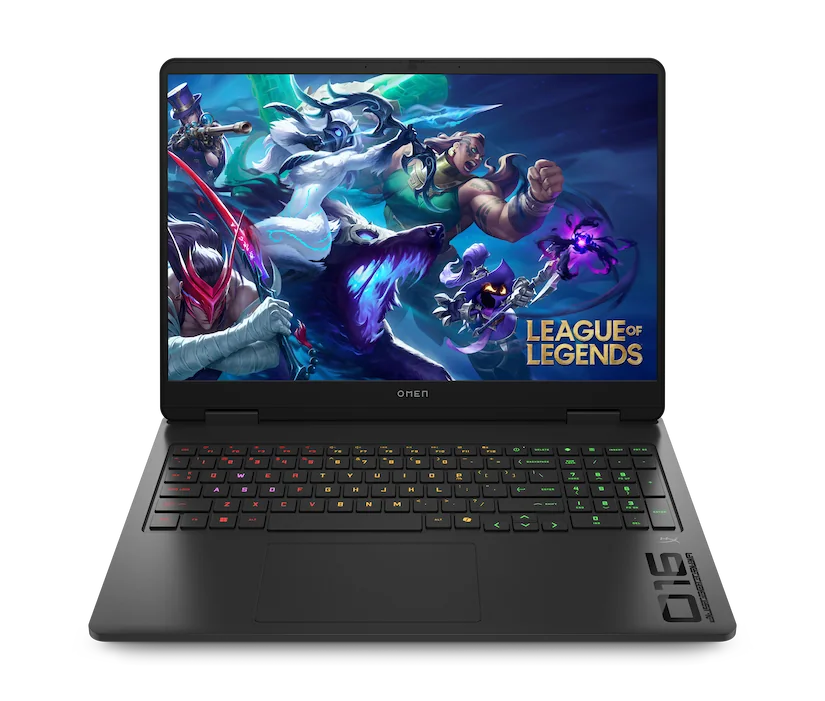
Light gaming is mostly about matching the GPU and cooling to your games, then picking a screen and memory that keep play smooth.
Light gaming laptops fail in predictable ways. The most common is buying a thin laptop that looks powerful on paper, then watching performance dip after 10 to 20 minutes because it cannot shed heat. The second is buying far more graphics power than your games need, then living with extra weight, fan noise, and shorter battery life for no real benefit. For popular games at reasonable settings, you are usually balancing four things: the graphics processor (GPU) that draws the game, the cooling system that lets it hold speed, the display that determines how smooth it looks, and the memory (RAM) that keeps the system from stuttering when the game and background apps compete for space. Get those aligned and light gaming feels easy instead of finicky.
Reading time: 9 minutesBest for: People who want to play popular games smoothly without buying a heavy, loud gaming laptop
What -light gaming- demands from the GPU and CPU
The GPU, or graphics processing unit, is the part that turns game scenes into frames on your screen. For light gaming, the goal is not maximum settings. It is consistent frame pacing at 1080p or 1200p with medium settings, so motion looks steady and controls feel responsive. Integrated graphics, meaning graphics built into the CPU, can handle some lighter titles, but it runs out of headroom quickly once you raise resolution, add higher-quality textures, or play games that rely on more complex lighting and effects.
The CPU, or processor, still matters because it runs game logic, physics, and background tasks. A strong CPU can make menus snappy and reduce hitching in busy scenes, but it cannot compensate for a weak GPU in most modern games. The practical ownership takeaway is this: if your game list includes anything that is even moderately demanding, prioritize a laptop with a dedicated GPU, meaning a separate graphics chip, before you pay extra for a higher-tier CPU that will not change your in-game experience much.
Cooling decides whether performance lasts past the first match
Laptop performance is often limited by heat, not by the spec sheet. When a laptop gets too hot, it may throttle, meaning it automatically slows down to protect itself. That is why a thin laptop can feel fast for the first few minutes and then drop frames later. Light gaming is still sustained work, so you want a chassis and cooling system that can keep the GPU and CPU running near their intended speeds without constant fan surges.
Cooling has real ownership consequences. Better cooling usually means a thicker body, more venting, and sometimes more fan noise, but it also means steadier performance and less frustration. If you care about quiet, look for laptops that offer performance profiles, so you can choose a balanced mode for casual play and a higher-power mode when you plug in. Also plan around the reality that many laptops reduce performance on battery to extend runtime, so -plays well while plugged in- is often the more honest standard for light gaming.
Display choices that make games look smooth without wasting money
The display is where light gaming either feels fluid or feels choppy. Refresh rate is how many times per second the screen can update, measured in hertz, like 60 Hz or 120 Hz. A higher refresh rate can make motion look smoother, but only if your laptop can produce enough frames to take advantage of it. For many light gaming setups, a good 1080p or 1200p screen with a higher refresh rate is a better match than a very high-resolution panel that forces the GPU to work harder for little visible benefit on a laptop-sized screen.
Brightness and panel type matter more than most shoppers expect. Brightness affects whether you can see dark scenes in a bright room, and it also affects battery life because brighter screens draw more power. Panel type describes how the screen produces color and contrast. IPS is common and generally offers consistent color and viewing angles, while OLED can look punchier with deeper blacks but may cost more and can be less forgiving if you run very bright static elements for long periods. For ownership comfort, choose a screen you can read for hours, not just one that looks impressive in a store.
RAM and storage that prevent stutters and long load times
RAM, or memory, is the short-term workspace that keeps your game, voice chat, browser tabs, and background apps from fighting over space. Too little RAM can cause stutters when the system starts shuffling data to storage. For light gaming, enough RAM is what keeps the experience stable when you alt-tab, join a call, or run a launcher and anti-cheat tools in the background. If you tend to multitask, RAM is one of the easiest ways to avoid -my laptop should be fast but it feels laggy- moments.
Storage matters in two ways: capacity and speed. An SSD, or solid-state drive, makes booting, launching games, and loading levels noticeably faster than older hard drives. Capacity determines whether you can keep multiple games installed without constantly uninstalling and re-downloading. Many modern games are large, and updates can temporarily require extra free space. If you are choosing between a slightly faster SSD and a larger SSD, the larger one often improves day-to-day ownership more because it reduces storage juggling and keeps your system from slowing down when the drive gets too full.
What this guide helps you understand
Decide whether you need a dedicated GPU and stronger cooling, or if an efficient everyday laptop can handle your game list at reasonable settings.
Write down your top 5 games and whether you will play plugged in, then choose a laptop whose GPU class and cooling match sustained play, not just short bursts.
Technique notes
Plan your ports around your real setup: if you want an external monitor, wired controller, headset dongle, or Ethernet, make sure the laptop has the connections you will actually use so you are not living on adapters.
Safety note: Keep vents clear and use the laptop on a hard surface during gaming to reduce heat buildup.