
Pickori

Laptop advice

What Makes a Good Everyday Laptop

An everyday laptop feels fast and comfortable for hours without being heavy, loud, or short-lived on battery.

A good everyday laptop is not the most powerful one. It is the one that stays responsive for browsing, documents, calls, and light creative work while remaining comfortable to carry and quiet enough to forget about. The balance comes from practical choices: an efficient CPU, enough RAM for real multitasking, an SSD that does not force constant space management, and a screen that is bright and readable where you actually work. When those basics are right, you notice fewer little annoyances day after day.

Reading time: 9 minutesBest for: Students, families, and remote workers who want a reliable daily laptop without gaming-laptop bulk
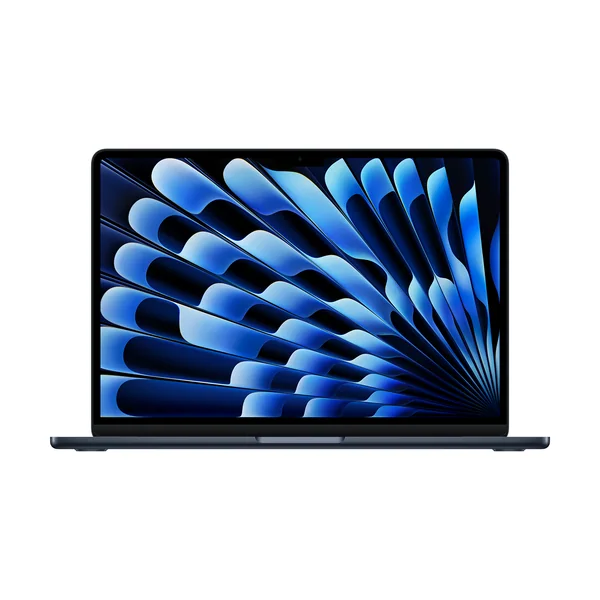
Apple MacBook Air 13-inch (M5)

Everyday speed is mostly CPU efficiency and enough RAM

For everyday use, the laptop should feel instantly responsive when you open apps, switch tabs, and join video calls. CPU, or processor, matters here, but efficiency matters as much as peak speed because an efficient chip can stay quick without running hot or loud. That usually means better battery life and fewer moments where the fan ramps up during simple tasks. RAM, or memory, is where everyday laptops often fall short. Modern browsing is heavy, and video calls plus dozens of tabs can overwhelm low RAM, causing stutters and long pauses as the laptop shuffles data to storage. If you routinely keep many tabs open, run office apps, and stay on calls, extra RAM is what keeps the laptop feeling the same six months from now as it did on day one.

A comfortable screen prevents fatigue and frustration

If you stare at a screen for hours, comfort becomes the real definition of quality. Brightness is the first gate: a screen that looks fine in a dim room can become washed out near windows or under bright lights. When you compensate by maxing brightness, you drain the battery faster and still may not get a comfortable image. Resolution and panel type shape how text and color look. IPS panels tend to be a safe choice for consistent viewing angles and predictable color, while OLED can look richer but may tempt higher brightness and can make glossy reflections more noticeable in bright rooms. For everyday work, the goal is readable text, stable brightness, and a finish that fits your environment, not the sharpest spec on a box.

Battery life and noise come from design choices, not just a big number

"Up to" battery life is usually measured under light, controlled use. Real life includes higher brightness, video calls, lots of browser tabs, and background syncing, all of which raise power draw. An everyday laptop stays pleasant when it can handle those normal loads without dropping from all-day to half-day the moment you work like you actually do. Fan noise is part of the same story. Thin laptops can be quiet when they use integrated graphics and efficient CPUs, but they can get loud if the cooling system is small and the chip has to work hard for long stretches. If you want a laptop that disappears into the background, prioritize efficiency and cooling that can handle sustained everyday loads like calls, multitasking, and streaming without constant fan surges.

The small ownership details you notice every single day

Keyboard feel, trackpad accuracy, webcam quality, and speaker clarity matter more in daily life than a long spec list. A great screen is less enjoyable if the webcam is grainy for meetings or the microphone picks up fan noise. A fast laptop feels slower if the trackpad is unreliable and you keep correcting clicks and gestures. Ports also shape everyday convenience. If you plug into a monitor, use USB-A accessories, or import photos, built-in ports reduce the dongle pile and the chance you forget an adapter. Storage size is another daily detail: an SSD that is too small forces constant cleanup and external drives, which adds friction to simple tasks like saving downloads, keeping photos local, or storing school projects.

What this guide helps you understand

Pick an everyday laptop by prioritizing screen comfort, quiet efficiency, and enough RAM and SSD space for normal multitasking.

Check your typical work location lighting and make sure the display brightness and finish will stay readable without running at max brightness all day.

Technique notes

If you rely on video calls, treat webcam and microphone quality as core features, because you cannot fix them later with a spec upgrade.

Safety note: Use the included charger or a compatible USB-C charger with the right wattage to avoid slow charging and excess heat.

More from Laptops

As an Amazon Associate I earn from qualifying purchases.

← Back to Laptops