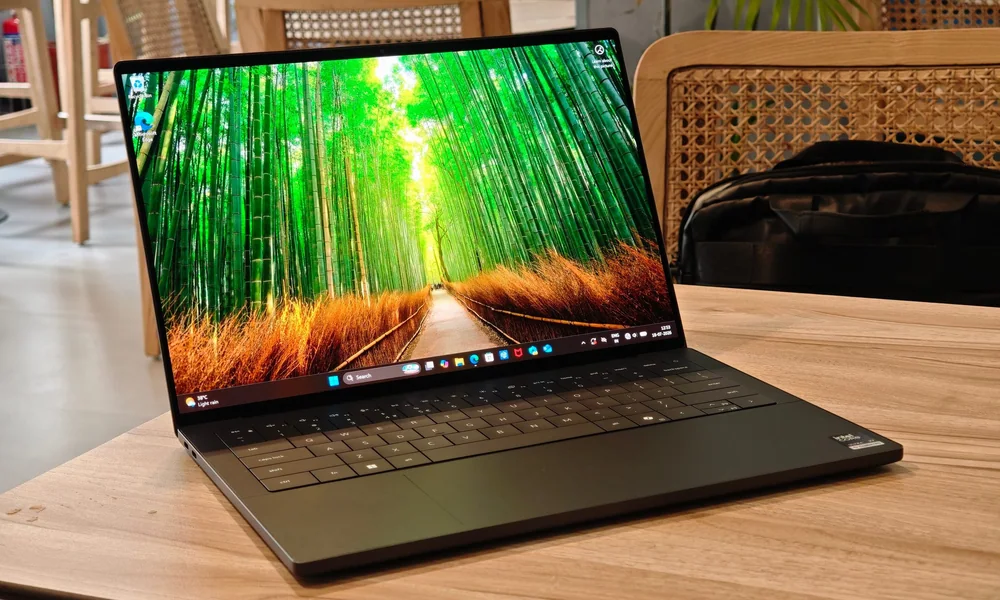
Copilot+ PCs mainly change efficiency and on-device features, but compatibility and real benefits depend on your apps.
Copilot+ PC is a label you will see on newer laptops that include dedicated AI acceleration, often through an NPU, or neural processing unit. An NPU is a specialized chip block designed to run certain AI tasks efficiently without leaning as hard on the CPU or GPU. That sounds abstract, so here is the practical angle: these laptops can be very efficient for everyday work, and they may enable specific on-device features that run locally instead of relying on the cloud. But the experience depends on whether your apps are optimized for the platform and whether the features you care about are actually supported on your machine.
Reading time: 9 minutesBest for: Shoppers curious about Copilot+ PCs who want to understand real-world battery, performance, and compatibility tradeoffs
What the Copilot+ label usually signals inside the laptop
Most Copilot+ PCs pair a modern CPU with an NPU, which is meant to handle AI workloads with lower power draw. The cause and effect you may notice is better efficiency during mixed everyday use, because the system can offload certain tasks and keep the CPU from working as hard. That can translate into cooler laps, quieter fans, and longer time away from the charger, especially for browsing, documents, and video playback. Do not confuse the label with guaranteed -desktop-class performance.- Short bursts can be fast, but sustained performance still depends on cooling. Thin laptops can throttle under long workloads, even if the chip is capable. If you do long exports, heavy code builds, or extended creative sessions, chassis design and cooling matter as much as the silicon badge on the spec sheet.
Battery life: why some Copilot+ laptops last longer and when they will not
Efficiency gains show up most when your day is lots of light to moderate tasks: web, email, office apps, and meetings. In those scenarios, an efficient platform can sip power, and the laptop can stay in a low-fan, low-heat state more often. Screen brightness is still the biggest battery lever you control, so a bright, high-resolution display can erase some of the advantage if you run it near max all day. Video calls and heavy multitasking are where expectations should be realistic. Calls keep the system awake, use the camera and microphones, and often push the CPU continuously, which reduces battery life on any laptop. If you also connect external monitors, you add power draw and sometimes increase background GPU activity. So while Copilot+ PCs can be strong battery performers, the -up to- number still assumes lighter conditions than many real workdays.
Compatibility and app performance: the part shoppers feel after checkout
Compatibility depends on the platform and the apps you rely on. Some Copilot+ PCs are built on architectures where certain older drivers, niche utilities, or specialized peripherals may not behave the same as they do on more traditional Windows laptops. The ownership consequence is time: you may spend your first week discovering which VPN client, printer driver, audio interface, or enterprise tool needs an update or a workaround. Even when apps run, performance can vary by workload. Some creative and engineering tools are optimized and fly, while others may run through compatibility layers or lack full acceleration, which can make them feel slower than you expect for the price. Before you commit, list your must-have apps and peripherals and confirm they are supported on the exact platform you are buying, not just -Windows- in general.
Which Copilot+ features matter and how to judge the marketing
Copilot+ features often focus on on-device experiences like real-time effects, transcription, or image and text tools. The practical benefit is privacy and responsiveness when a feature runs locally, because it can work without a strong connection and may feel faster. But the details matter: some features are limited by region, updates, or specific hardware requirements, and some experiences still depend on cloud services. Treat -AI PC- as a capability, not a guarantee of usefulness. If your day is mostly browser work, the best -AI- upgrade might simply be a laptop that stays cool, quiet, and long-lasting. If you do content creation, the more important question is whether your editing apps use the hardware you are paying for, whether the laptop has enough RAM, and whether the cooling can sustain performance without constant fan noise.
What this guide helps you understand
Decide on a Copilot+ PC by your app compatibility and efficiency needs, not the label.
Make a checklist of your must-have apps, any required work tools (VPN, endpoint security), and every peripheral you plug in, then verify platform support and driver availability before you choose a Copilot+ model.
Technique notes
If you keep laptops for years, prioritize a configuration with enough RAM and storage first, because those limits are what you feel long before you -run out- of AI features.