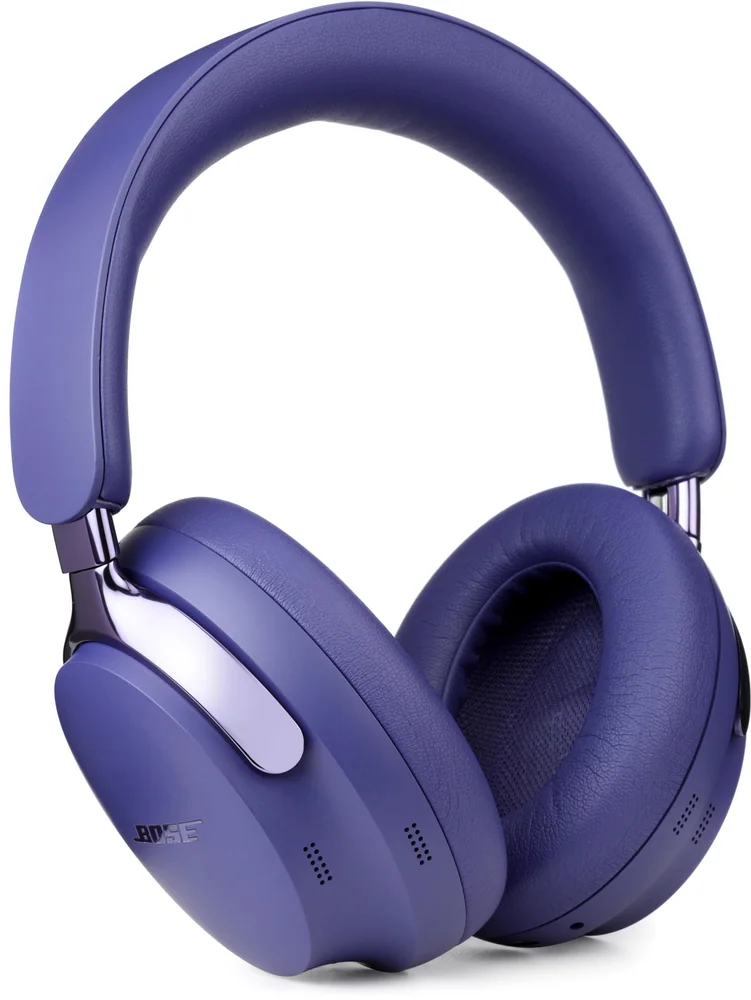
A practical flight plan for headphones that stay comfortable, connected, and charged from the gate to baggage claim.
The cabin door closes, the engine note rises, and suddenly every small annoyance gets louder: a tight headband, a dying earbud, a movie screen with no Bluetooth, a seatmate's conversation cutting through a podcast. Good flight headphones do more than make music sound nicer. They give you a little control over a long, noisy stretch of time. For most travelers, comfortable over-ear headphones with active noise cancellation are the easiest answer, especially on flights longer than a couple of hours. Compact true wireless earbuds can work beautifully when packing light matters most, but their fit and single-charge battery need more scrutiny. Whichever style you bring, charge it fully, confirm how it connects to the plane before departure, and pack a wired fallback if the trip matters.
Reading time: 8 minutesBest for: Travelers preparing for short or long flights
What matters most for airplane listening
Comfort comes before clever features. A flight turns a minor pressure point into a very long relationship, so pay attention to clamping force, ear-cup depth, earbud tip fit, and the weight you will carry on your head. Over-ear headphones usually spread pressure more gently around the ear and create a fuller seal against cabin noise. They are often the calmer choice for a cross-country or overnight flight, particularly for people who find earbuds irritating after an hour or two. Glasses wearers should be especially alert: thick temple arms can break an ear-cup seal and create a sore spot where the pads press against them.
The direct answer is to match the form to the length and purpose of the trip. Choose over-ear headphones when quiet, comfort, and movie watching are the priority. Choose true wireless earbuds when you want the smallest possible carry and can wear them securely for the length of your usual flight. Wired headphones are a sensible no-charging option and can be especially useful with older seatback systems, but check the plug your gear requires. Open-ear designs are generally a poor fit for the cabin because they intentionally leave outside sound available, which is the opposite of what most flyers want.
Using ANC during a flight
Active noise cancellation, usually called ANC, uses microphones and electronic processing to reduce outside sound before it reaches your ears. It is particularly effective against the low, steady rumble of engines and the drone of ventilation. That can make a flight less fatiguing even when you are not playing anything. It also means you can often listen at a more moderate volume instead of trying to overpower the cabin with a soundtrack.
Keep expectations realistic. ANC is not a mute button for the world. Nearby conversation, a crying child, a sudden announcement, and a poorly fitting earbud can still break through. A good physical seal matters because passive isolation, the sound blocking created by pads or ear tips, handles some of the higher-frequency noise that ANC does not erase as well. Turn on ANC after you settle in, then lower the volume until speech and music remain clear without feeling aggressive. If the pressure-like sensation of ANC bothers you, try a lower cancellation setting or a transparency mode during quieter parts of the trip.
Connecting to an airline entertainment system
Do not assume the seatback screen will pair with Bluetooth headphones. Some newer systems offer Bluetooth, but many still rely on a headphone jack, and the jack may be a standard 3.5 mm port or a two-prong airline connection. Check the airline's entertainment information before you leave if you can, but pack for the more common wired scenario rather than gambling on a pairing screen at 35,000 feet.
If your wireless over-ear headphones include an audio cable, connect the cable to the seatback system and use the headphones in wired mode. This is simple, reliable, and saves battery, though some models turn off their noise cancellation or onboard controls when cabled. True wireless earbuds usually cannot plug directly into a screen, so they need a Bluetooth transmitter or a different listening plan. Also remember that a cable with a microphone and three black rings on its plug may not behave the same way as a plain stereo cable with two rings. For airline audio, a basic stereo 3.5 mm cable is often the least fussy option.
Bring the right cable or Bluetooth transmitter
A small cable kit prevents a surprisingly common travel failure. If your headphones support wired listening, bring their compatible 3.5 mm audio cable in your personal item, not buried in checked luggage. If you use a phone without a headphone jack, bring the correct adapter for your phone as well. Travelers using older aircraft or certain international routes may also want a compact dual-prong airline adapter, which converts the two-hole seat connection to a standard 3.5 mm headphone socket.
A Bluetooth transmitter is the cleaner solution for wireless headphones and earbuds when the seatback screen only has a headphone jack. It plugs into the screen, sends audio over Bluetooth, and lets you use your usual wireless pair. Charge the transmitter before leaving and pair it with your headphones at home, where you have time to read its instructions without a boarding line behind you. Keep it in a small pouch with its charging cable. One caution: Bluetooth can introduce a slight delay between picture and sound, so use a transmitter designed for television or in-flight audio and test the combination before the trip.
How to Use Headphones Comfortably on a Flight 5
Treat battery planning as part of packing, not an optimistic thought at the gate. The number that matters most is single-charge runtime with ANC on, because that is how many travelers will actually use their headphones in the air. A charging case can add several earbud recharges, but it cannot help if the earbuds themselves fade halfway through a long movie and the case is empty too. Fully charge headphones, earbuds, case, and any Bluetooth transmitter the night before. Then put the charging cable and a compact power bank where you can reach them during a delay.
A few small habits protect comfort as well as power. Turn the headphones off when you are not listening, rather than leaving them connected while you browse the terminal. For over-ear models, loosen the headband slightly before boarding and make small adjustments after takeoff instead of waiting for a headache. For earbuds, try the tip size that gives a stable seal without needing to be pushed in hard. If your ears feel tender, take them out for a few minutes while you stretch, eat, or read. The goal is not to wear headphones continuously. It is to have them feel welcome when you put them back on.
How to Use Headphones Comfortably on a Flight 6
Pack headphones where they will survive the trip and remain easy to use. A hard or semi-rigid case protects folding over-ear models from getting crushed under a book or water bottle. Put earbuds in their charging case immediately after use, not loose in a seat pocket where they can disappear into the upholstery. Keep cables coiled loosely rather than sharply wrapped around the headphones, which can strain the wire and make a simple backup fail at the worst moment.
Before boarding, run a two-minute check: headphones charged, case charged, cable packed, adapter packed if needed, and Bluetooth pairing confirmed. Download music, podcasts, or shows if you do not want to rely on spotty airport Wi-Fi or an airline catalog. During the safety briefing and crew announcements, pause audio or switch to transparency mode if your headphones offer it. Awareness is still useful when your gate changes, your meal arrives, or the captain says something you actually need to hear. The best flight setup fades into the background, leaving the cabin a little less demanding.
What this guide helps you understand
For air travel, comfort and connection options matter as much as sound. Bring a fully charged pair with effective ANC, a tested wired or Bluetooth backup for seatback entertainment, and enough power to cover the longest part of your itinerary.
Check the headphones' single-charge battery life with ANC enabled.
Confirm whether your airline entertainment system uses Bluetooth, a 3.5 mm jack, or a dual-prong connection.
Pack the correct audio cable, device adapter, or Bluetooth transmitter in your carry-on.
Charge headphones, earbud case, transmitter, and power bank before travel.
Use a protective case for over-ear headphones and keep earbuds in their charging case.
Technique notes
Over-ear headphones are usually the most comfortable choice for long flights, while earbuds save more bag space.
ANC reduces steady engine and ventilation noise best; it will not remove every voice or announcement.
A secure earbud seal improves both comfort and noise reduction.
Test any transmitter, cable, and adapter combination before travel day.
Safety note: Keep one ear free or use transparency mode when you need to hear crew instructions, boarding calls, or emergency announcements.