Cooktop controls explained: knobs, touch panels, and what to expect
Published Updated
Control style affects daily usability, from quick heat changes and cleaning to how easy it is to avoid accidental inputs.
Reading time: 9 minutesBest for: Anyone deciding between knob and touch-control cooktops, especially for busy households that cook often.
Knobs: speed, feel, and cleanup tradeoffs
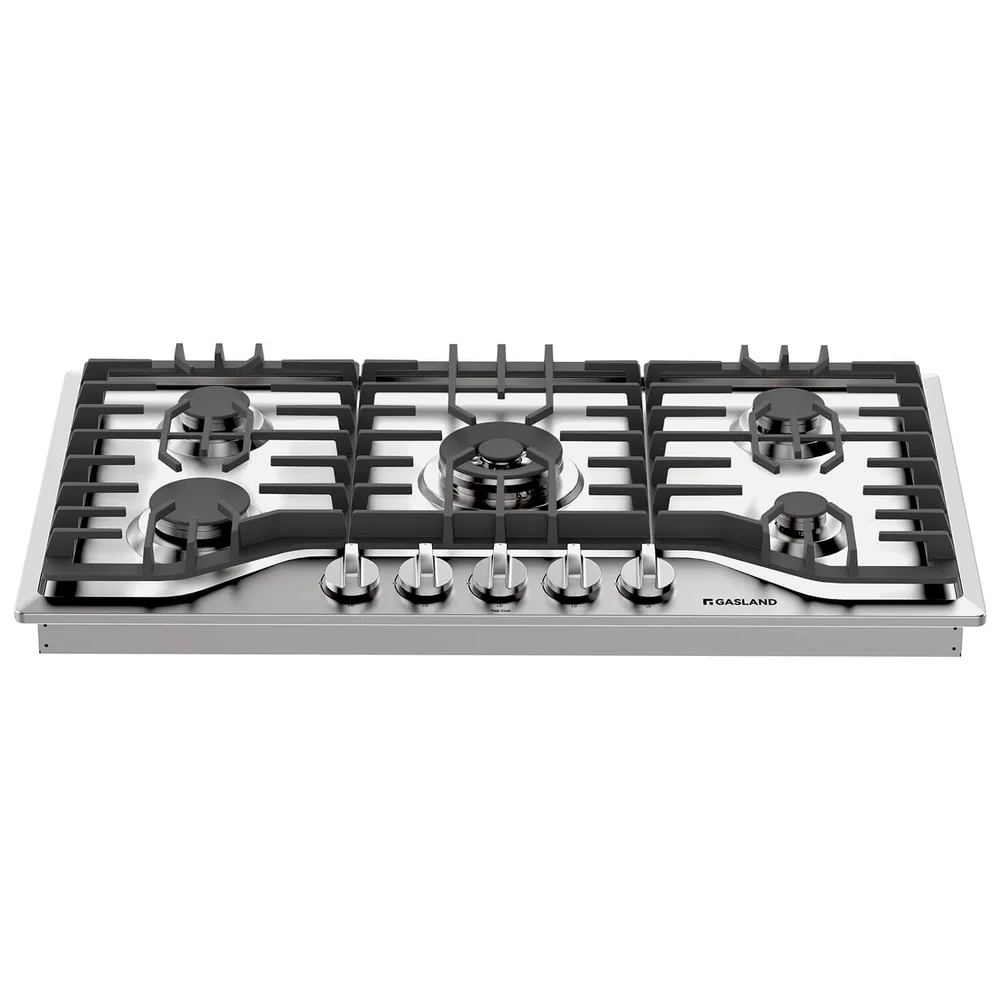
Knobs are popular because they are intuitive. You can often change heat without looking, which matters when you are stirring, flipping, or moving quickly between pans. On gas cooktops, knobs also pair naturally with flame control. Many people find it easier to make small adjustments with a dial than with repeated taps on a panel.
The downside is cleaning. Knobs, bezels, and seams can collect grease and spills, especially on gas cooktops where boilovers are common. Look for knobs that are easy to remove for cleaning and a surface design that does not trap grime around the control area. Also consider knob placement. Front-mounted knobs are convenient but can be bumped by hips or kids reaching the counter. Side-mounted knobs reduce bump risk but can be awkward in tight spaces.
Touch controls: sleek, precise, and sometimes finicky
Touch controls sit on the glass surface, so there are fewer crevices. That makes wipe-downs easier, especially on induction and electric radiant cooktops. Many touch systems offer numeric power levels, timers, and features like a control lock. A control lock disables inputs so you can clean the panel without changing settings, and it can help prevent accidental activation.
The common frustration is responsiveness. Wet fingers, greasy residue, or a damp cloth can trigger or block inputs. Some systems require you to select a zone first, then adjust power, which adds steps when you are trying to react quickly. Sliders can be fast once you are used to them, but they vary a lot in feel. If possible, look for a layout with clear zone indicators and controls that are easy to hit without leaning over hot cookware.
Usability features that actually help (and what is mostly noise)
A few features make a real difference. A timer that can be assigned to a specific zone is useful for simmering and boiling. A hot surface indicator is important on radiant and induction because the glass can look cool even when it is hot. For induction, a pause function can be handy when you need to stop cooking briefly without losing your settings.
Be cautious with flashy extras that do not improve daily cooking. Extremely complex menus can slow you down. "Smart" features are only helpful if they reduce steps, not add them. Also pay attention to readability. Backlit markings, high-contrast labels, and a logical left-to-right layout reduce mistakes. If multiple zones share similar icons, it is easy to adjust the wrong burner, especially when you are in a hurry.
What to check before buying and how to live with your choice
Before buying, think through your most common moments of interaction. Do you adjust heat constantly while sautéing, or do you set it and leave it? Do you often cook with wet hands, like when handling pasta or rinsing vegetables? If yes, touch controls may annoy you. If you hate scrubbing around knobs and seams, touch controls may feel like a relief. Also consider who else cooks in your home. The simplest interface usually gets used best.
For ownership, match cleaning habits to the control type. With knobs, remove them occasionally and clean around the stems so grease does not build up. With touch panels, wipe with a soft cloth and use the control lock before cleaning so you do not accidentally turn a zone on. For glass surfaces, avoid abrasive pads that can scratch and make future cleaning harder. Small daily wipe-downs prevent baked-on residue that becomes a bigger job later.
What this guide helps you understand
Pick the control style that matches how you cook and clean, so everyday heat changes feel easy instead of irritating.
Decide whether you need one-handed, no-look heat changes (favor knobs) or a smooth, easy-wipe surface with lockable controls (favor touch), then confirm the control layout supports that choice.
Technique notes
Control placement affects real-world comfort. A great cooktop can feel awkward if the controls force you to reach over hot pans or get bumped during normal kitchen traffic.
Safety note: Use the control lock when available, and confirm all zones are off before cleaning to avoid accidental activation.