

Pickori's Take
- Most people should buy the discounted Surface Pro 11 instead of the Surface Pro 12. The Pro 12 is the best 13-inch Windows tablet Microsoft has made, but ordinary CPU work changes far less than the roughly $700 gap suggests. It is still a genuinely good tablet to own. Buy it for the fastest integrated graphics in this form, the newest platform and longest support runway, or 1TB without an SSD swap.
- Graphics are the upgrade worth paying for. They run roughly 40 percent faster than the Pro 11 on average and score 49 percent higher in Steel Nomad. CPU gains are mixed: 21 percent in Cinebench 2024 multi-core, but only 4 percent in Geekbench 6 multi-core and 8 percent single-core. Photo and light video work benefit, while email barely notices.
- It runs Windows on Arm. Snapdragon uses a different instruction architecture from Intel and AMD chips. Native apps run directly, and Windows translates many older x86 programs. Specialist drivers, plug-ins, VPN and security tools, virtual machines, and anti-cheat games can still fail or misbehave, so check your must-have software first.
- The sticker is not the real price. The X2 Elite/OLED model with 16GB and 1TB costs $1,899.99. The $169.99 keyboard makes it about $2,070, and the Slim Pen is extra. At that total it must beat excellent clamshell laptops, and it only does if you really use it as a tablet.
- Skip it if you mostly browse, write, and join calls (buy the Pro 11), type on your lap all day (buy a Surface Laptop or another clamshell), or need software or games that demand Intel or AMD (buy a traditional Windows laptop).
What the Surface Pro 12 is, and what the "12" means
Microsoft's naming works against you here. "Surface Pro 12" is shorthand for the Surface Pro, 13-inch (12th Edition), announced June 16, 2026 as the direct successor to the 13-inch Surface Pro 11. It is not the 12-inch Surface Pro. That is a smaller, separate branch whose second generation arrived September 23, 2026. In "12th Edition" the number means generation. In "12-inch" it means screen size.
The model covered here, EP2-65023 in Black, fits a 12-core Snapdragon X2 Elite, 16GB of soldered memory, a 1TB removable SSD, and an OLED into a 0.37-inch slab weighing about 1.97 pounds. Pull the keyboard off and it is still a full Windows PC with a screen that takes a pen. That trick is the entire case for $1,899.99, a price that covers the tablet alone. If you would never detach it, you are buying a pricier clamshell with worse lap manners.
Kickstand, keyboard, and ports: superb at a desk, awkward on a lap
At under two pounds, the Surface is light enough to cradle in one arm while you annotate with the other. Laptop posture is where it compromises. The kickstand needs more depth than a hinge, it balances on your knees rather than on a rigid base, and the thin keyboard can feel cramped over long sessions. That matters little at a desk and a great deal on a train seat.
Ports are a second accessory tax. Two USB4 ports handle charging, data, and displays, and Surface Connect takes Microsoft's charger and docks so both USB4 ports stay free. There is no USB-A, HDMI, SD reader, or headphone jack. Wi-Fi 7 and Bluetooth 5.4 cover the wireless side.
The OLED: superb, and unchanged from the Pro 11
This is one of the best screens on any Windows portable, and it is exactly what Pro 11 OLED owners already have: 13 inches, 2880 by 1920, 267 pixels per inch, up to 120Hz. The 3:2 shape gives a pen room in portrait. Published measurements found about 600 nits in SDR, up to 930 in HDR, very fast response, and excellent sRGB and P3 accuracy.
The flaws are small. The glossy glass mirrors windows and ceiling lights, and a faint digitizer pattern can appear on bright, flat content. Brightness uses 480Hz PWM flicker of relatively small amplitude, which flicker-sensitive buyers should weigh. The LCD alternative comes only with the slower X2 Plus chip.
Performance: the graphics leapt, the processor stepped
The Snapdragon X2 Elite X2E-78-100 makes this a quick, quiet productivity tablet and a clearly better creative one than the Pro 11. It does not turn two pounds of glass into a workstation. Its 12 cores (six performance cores up to 4.0GHz, six efficiency cores up to 3.4GHz) beat the Pro 11's X Elite by margins that range from useful to negligible. The Adreno X2-85 graphics moved much further, and that split decides who should pay.
| Workload | Outlook | What to expect |
|---|---|---|
| Browser and Office work | Excellent, and nearly identical to a Pro 11. | Tabs, documents, and spreadsheets feel instant, and the major browsers and Microsoft 365 apps have native versions for this chip. That same competence makes the upgrade invisible. Single-core Cinebench 2024 rose only 8 percent over the Pro 11 (133 versus 123), and Geekbench 6 multi-core rose just 4 percent. Both tablets stay silent at this level of work. If this row describes your day, the extra money buys nothing you would notice. |
| Heavy multitasking | Faster in bursts, louder over long stretches. | The extra cores earn their keep here. Cinebench 2024 multi-core finished 21 percent ahead (1,078 versus 893), so big exports and stacked background jobs finish sooner. The chassis sets the ceiling, though. CPU power spikes near 30W and then settles around 18W. Combined stress pushed the fan to 47.2 dBA and the back to roughly 46C. The 16GB of LPDDR5x handles a crowded desktop comfortably, but it is soldered and cannot grow later. |
| Video calls | Among the best of any portable Windows computer. | The 1440p ultrawide front camera and dual far-field microphones outclass most laptops. Infrared Windows Hello handles login, and the kickstand puts the lens at a natural desk height. Dual 2W Dolby Atmos speakers can carry a small room, and the 10MP rear camera captures whiteboards and documents mid-meeting. All of this is a real reason to choose a Surface Pro. It is not a reason to choose this one over the Pro 11, which offers the same setup. |
| Photo work | A standout, if your editor cooperates. | The OLED does the heavy lifting here. Measured color accuracy is excellent in sRGB and P3, with about 600 nits in SDR and up to 930 nits in HDR. Add a Slim Pen (sold separately) and few laptops can match it as a retouching surface. Faster graphics speed up GPU filters and previews, and 1TB holds a working library. The remaining variable is software: you want a native build of your editor and support for every plug-in you use. |
| Video editing | Good for light edits, not long heavy projects. | Short clips and 1080p or light 4K timelines gain the most from the new GPU. Steel Nomad scored 711 versus the Pro 11's 477, about 49 percent higher, which means smoother previews and quicker effects. The 512GB sibling's SSD read at about 5,046 MB/s. Three limits keep it a field editor: sustained power near 18W, an audible fan on long exports, and no SD reader, so footage arrives over USB4, usually through a dongle. Render final cuts elsewhere. |
| Games | Better than before, still not a gaming machine. | Graphics averaged roughly 40 percent faster than the Pro 11, and 3DMark 11 graphics rose about 36 percent (8,565 versus 6,311). Lighter, older, and indie games become playable, usually at reduced resolution or detail. Intel's Arc 140V integrated graphics still finished ahead overall, there is no discrete GPU, and demanding titles struggle. The bigger wall is compatibility: kernel-level anti-cheat can block a game outright on this chip. Stream big releases from the cloud instead. |
| Legacy and specialist Windows software | Check your list first. This is the real disqualifier. | Snapdragon uses a different instruction language from the Intel and AMD chips in traditional Windows PCs. Native Arm apps run directly, and Windows translates most mainstream x86 software without drama. Trouble lives at the edges: printer, scanner, and lab drivers, audio and creative plug-ins, corporate VPN and security agents, x86 virtual machines, and niche x86-only tools. Faster graphics cannot fix a missing driver. The tablet ships with Windows 11 Home on Arm, so buyers joining a managed workplace should confirm IT support first. |
An overall CPU rating about 12 percent ahead of the Pro 11 is a real gain, but ordinary work mostly hides it. The roughly 40 percent graphics gain is what $1,899.99 actually buys. The 80-TOPS NPU is a dedicated processor for supported on-device AI features. The figure is technically substantial, but it is not worth hundreds of dollars on its own. The better long-term arguments are the newer platform, GPU headroom, and a 1TB M.2 2230 SSD you can swap later through the rear panel. Memory is permanent, so be sure 16GB will last as long as you plan to keep it.
The same logic settles the configuration choice. The X2 Plus model starts at $1,349.99 with 16GB and 256GB. It keeps the chassis, the 120Hz 2880 by 1920 format, the ports, and the cameras. It drops to a 10-core chip, weaker graphics, a 47Wh battery instead of 53Wh, and an LCD instead of OLED. Those cuts land exactly where the Elite earns its price, and a $1,199.99 Pro 11 OLED with 512GB undercuts it. Buy the X2 Elite/OLED or the older generation.


Performance: a modest processor step and a real graphics leap
The X2 Elite beats the Pro 11's X Elite by an amount that depends on the job. Cinebench 2024 multi-core rose 21 percent, which shows up in sustained work like batch exports. Geekbench 6 multi-core, which is closer to everyday bursts, gained just 4 percent, and single-core gained 8. Browsing, Office, and calls feel identical on both, and heavy multitasking hits the fixed 16GB before it hits the processor.
Graphics are the real upgrade. The Adreno X2-85 averaged roughly 40 percent ahead of the Pro 11 in a broad comparison, and its Steel Nomad score rose from 477 to 711. That helps GPU-driven photo filters, AI selections, exports, and short video edits. It still isn't a gaming machine. Intel's Arc 140V leads overall, demanding games need lower settings, and there is no discrete GPU. Professional 3D belongs elsewhere.
Windows on Arm is the bigger wildcard. Snapdragon chips use a different instruction architecture from the Intel and AMD processors in traditional Windows PCs. Native apps run directly, and Windows translates many older x86 apps. Hardware drivers, plug-ins, VPN and security agents, virtual machines, and anti-cheat games can still fail. If one is essential and unconfirmed, buy Intel or AMD.
Battery, heat, and fan noise
The 53Wh battery covers a light workday. Microsoft rates it at 11.5 hours of active web use, and published results landed at 11 hours 50 minutes of standardized browsing. Maximum brightness cuts that to 6 hours 27 minutes. The Pro 11 OLED managed 11 hours 6 minutes in the same test, so the new generation adds under an hour.
The chip bursts to about 30W, then settles near 18W, so long exports slow after the opening sprint. Ordinary work stays silent or nearly so. Combined stress pushed the fan to 47.2 dBA and the back to roughly 46C, which you will hear in a quiet room.
Cameras and microphones: the quiet Surface advantage
The 1440p ultrawide front camera beats typical thin-laptop webcams and handles Windows Hello login. Far-field microphones catch a voice across a desk, and the 10MP rear camera captures whiteboards for pen markup. Frequent callers can skip the external webcam. Still, this is a strength of the whole Surface Pro family, so it doesn't favor this generation over the last.
Surface Pro 12 vs Surface Pro 11: newer, but not the better buy
More carries over than changes: the chassis, the OLED, dual USB4, removable M.2 2230 storage, and the detachable design. The Pro 12 adds uneven CPU gains, the graphics jump, under an hour of battery life, and an 80-TOPS NPU. An NPU is a dedicated processor for supported on-device AI features, and 80 TOPS is technically substantial. The features that use it don't justify hundreds of dollars on their own. Because the Pro 11 shares the replaceable SSD, its owners can also add storage later for far less than the price gap.
Owning it for years: what you can upgrade, what you can't
The SSD sits behind a rear panel, and Microsoft publishes repair guidance. Speed is no concern: the 512GB sibling's drive measured about 5,046 MB/s reads. Capacity is the concern. That model left only 422GB free, which a photo library devours, so 1TB is the right size. Memory is soldered, so 16GB is permanent. That suits photo and light video work, and the newer platform promises a longer runway. If your work will outgrow 16GB, this is the wrong device, not the wrong configuration.
Snapdragon X2 Plus with LCD, or X2 Elite with OLED?
Both 13-inch 12th Edition models share the chassis, screen format, ports, and cameras. The X2 Plus version starts at $1,349.99 with 16GB and 256GB, and it brings a ten-core chip, weaker graphics, a 47Wh battery, and an LCD. This X2 Elite model adds two cores, the Adreno X2-85, 53Wh, and OLED as one package.
Buy the X2 Elite if graphics, color, or drawing are why you want this generation. Document-and-browser buyers could save with the X2 Plus, but the Pro 11 OLED at $1,199.99 costs less, keeps OLED, and doubles storage. For those buyers it is the better deal.
Surface Pro 12 or Surface Pro 11?
The Pro 11 OLED with 16GB and 512GB costs $1,199.99, about $700 less. The extra 512GB explains part of that gap, not most. The premium pays off in GPU-accelerated creative apps, 1TB from day one, and a longer runway. It does not pay off in Office, browsing, notes, or calls.
Buy the Pro 11 and spend the difference on a keyboard, pen, and dock. Choose the Pro 12 only if you can name the creative app you will push weekly, or you plan to keep one tablet for most of a decade.
Which keyboard and pen setup makes sense?
The standard $169.99 Surface Pro 13-inch Keyboard adds a trackpad and brings this model to about $2,070. The pen-storage version gives the Slim Pen a home. The Flex Keyboard works detached, so you can push the tablet back or tap shortcuts while drawing. None of these ship in the box.
Most buyers want the standard keyboard, or the pen-storage version if a pen is coming too. Buy the Slim Pen only if you will write or draw often. Choose the Flex if a clipped-on keyboard would keep getting in the way. If you want neither a keyboard nor a pen, a Surface Pro is probably the wrong computer.
Who this product fits
One computer for the desk, meetings, and travel
A strong fit, as long as your meetings happen at a table. Docked over USB4, it handles a full Office day, and the camera and microphones flatter you on calls. Budget about $2,070 plus a dock, and confirm your company's VPN and security software supports Arm before ordering. That is where work machines usually stumble.
The artist, student, or note taker
Visual creators get everything the premium buys: the graphics jump, a color-accurate OLED, and 1TB of room. Buy the Pro 12. Students and note takers mostly need a good screen, pen support, and battery life, which the Pro 11 OLED already delivers, and the roughly $700 saved covers the keyboard and pen.
The Pro 11 owner eyeing an upgrade
Keep what you have. The screen, chassis, and ports are the same, and the CPU and battery gains are slim. Upgrade only if photo or video work regularly hits the Pro 11's graphics ceiling. Simply out of space? A bigger M.2 2230 drive costs a fraction of a new tablet.
The buyer who really wants a premium laptop
Buy a laptop. At about $2,070, the Surface competes with clamshells offering bigger keyboards, steadier laps, more ports, and no Arm questions. Detaching the screen and drawing on it are worth paying for only if you actually do them. Otherwise you are paying tablet prices for a compromised laptop.
What else to compare
Each alternative fixes one Surface Pro 12 weakness, so start with the one that bothers you most. On price, the Surface Pro 11 OLED keeps the chassis, screen, and ports for roughly $700 less. The X2 Plus/LCD Pro 12 costs less but gives up cores, graphics, battery, and the OLED. Lap typists want a clamshell, and an Intel or AMD laptop ends compatibility worries.
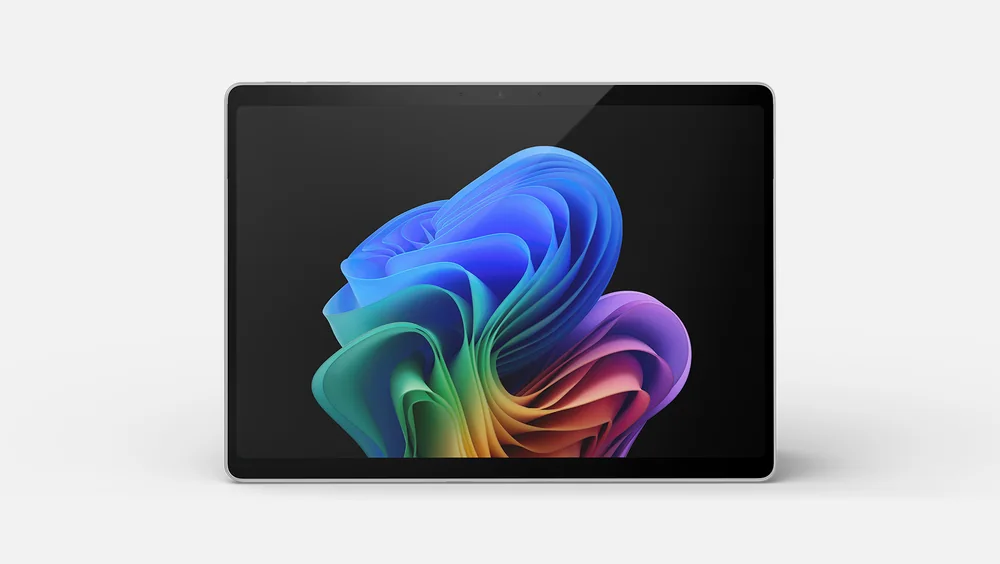 Microsoft Surface Pro 11The smarter value for most buyers who want the same 13-inch OLED detachable experience and do not need the Pro 12's faster integrated graphics
 Microsoft Surface Laptop 8A steadier choice for buyers who type on their lap and rarely need a pen or a detachable tablet
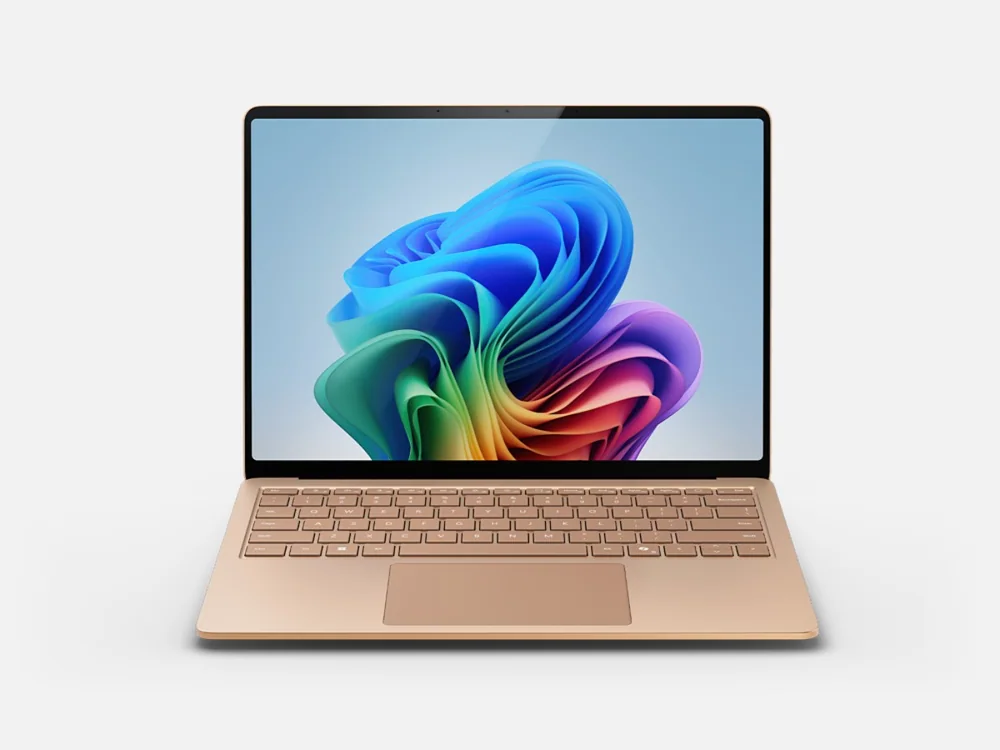 Microsoft Surface Laptop 7A less expensive Surface with a stable clamshell base for buyers who rarely need tablet mode or pen input
Microsoft Surface Pro 13 (12th Edition) FAQ
Is the Surface Pro 12 the same as the Surface Pro 12-inch?
No. Surface Pro 12 is shorthand for the 13-inch Surface Pro 12th Edition, announced June 16, 2026 to succeed the Pro 11. The 12-inch Surface Pro, announced September 23, 2026, is a separate, smaller model.
Does the Surface Pro 12 come with a keyboard?
It does not, and the Slim Pen is extra too. The X2 Elite/OLED 16GB/1TB tablet costs $1,899.99, and the $169.99 keyboard brings it to about $2,070 before a pen.
Should I upgrade from the Surface Pro 11?
Probably not. Screen, chassis, and ports are unchanged, browsing battery life rose by well under an hour, and CPU gains depend heavily on the task. Graphics are the one real reason, and only if GPU work already strains your Pro 11.
Can the Surface Pro 12 run regular Windows programs?
Most of them. Native Arm apps run directly, and Windows translates many x86 programs. The risks are specialist drivers, some plug-ins, certain VPN and security tools, x86 virtual machines, and anti-cheat games, so verify anything your job needs.
Is the Surface Pro 12 good for gaming?
Only for casual and older games. Demanding titles need lower resolution or detail, Intel's Arc 140V still leads overall, and games with kernel-level anti-cheat may not run on Arm at all.
Which Surface Pro 12 configuration should I buy?
The X2 Elite/OLED model if you draw, edit photos, or cut video. The X2 Plus/LCD version starts at $1,349.99 with 16GB and 256GB, trading two cores, graphics muscle, battery capacity, and the OLED for its lower price.
Sources and research notes
Specifications come from manufacturer documentation. Measured results are attributed to independent evaluations.
- Microsoft Surface Pro 13-inch 12th Edition announcement
- Microsoft Surface Pro 13-inch 12th Edition configurations
- Microsoft Surface Pro family specifications
- Microsoft Surface Pro 13 12th Edition review by RTINGS
- Notebookcheck Microsoft Surface Pro OLED 2026 review
- Microsoft Surface Pro 12-inch second-generation announcement
- Microsoft Surface Pro 13-inch Keyboard
Should you buy the Surface Pro 12?
Watch how often the keyboard comes off. If you detach it regularly to sketch, mark up PDFs, retouch photos, or hand the screen across a table, the Surface Pro 12 is Microsoft's best take on that idea and earns its premium. If it stays attached, buy a discounted Pro 11 or a good clamshell.