
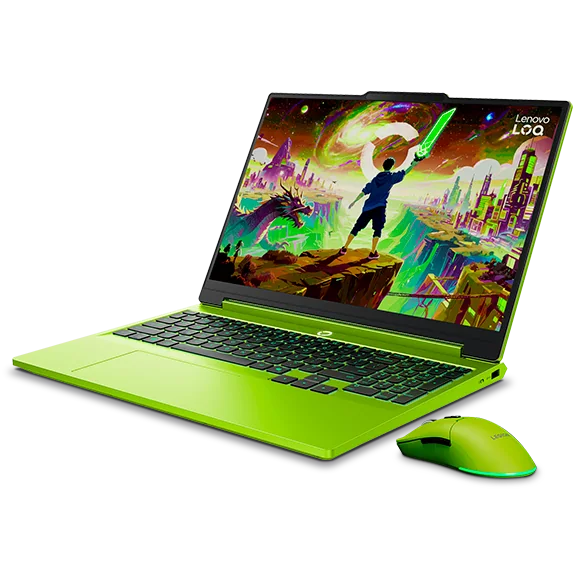
What to know first
- Delivers smooth, consistent gaming performance at 1080p and 1440p without performance drop-offs over time.
- Display options include 144Hz FHD or 165Hz QHD, and both support VRR to reduce tearing.
- Keyboard and touchpad are roomy and responsive, so it works as an everyday laptop, not just a gaming machine.
- Wide port selection includes HDMI 2.1 and plenty of USB ports, but the USB-C port doesn’t support Thunderbolt or USB4.
- RAM and storage are user-replaceable, which makes upgrades realistic later.
- Battery life is a weak spot: under four hours of video playback, and it’s not a light laptop to carry.
What the Lenovo LOQ 15 is
The Lenovo LOQ 15 is a 15-inch gaming laptop built to hit the sweet spot for shoppers who want real GPU performance without paying premium prices. It’s aimed at people who want to play modern games smoothly, but also need a machine that can handle schoolwork, office tasks, and heavier workloads like programming or 3D projects.
Configuration varies, but the LOQ 15 line is built around AMD Ryzen processors and NVIDIA GeForce RTX graphics. In plain terms, that combo is what lets it do two jobs well: push high frame rates in games and still feel quick when you’re juggling a bunch of browser tabs, documents, and apps.
It’s not trying to be ultra-thin or travel-friendly. The LOQ 15 is more of a practical, budget-minded “real laptop” with gaming power, a full-size keyboard area (including a numpad), and enough ports that you can plug in the stuff you actually use.
Why it stands out
The big reason to buy the Lenovo LOQ 15 is that it can deliver smooth gameplay at 1080p or 1440p and keep doing it over an extended session. That “keeps doing it” part matters. Some gaming laptops feel fast for a few minutes, then performance dips once heat builds up. With the LOQ 15, the CPU and GPU can sustain performance without thermal throttling getting in the way.
The display options are also shopper-friendly. You can get a 144Hz 1080p panel or a 165Hz 1440p panel, and both support VRR (variable refresh rate). In everyday terms, VRR helps the screen match what the GPU is outputting, which reduces screen tearing and makes frame rate swings look less jarring.
As a daily driver, the LOQ 15 gets the basics right. The keyboard is spacious, the touchpad is large and responsive, and the screen is bright enough for typical indoor use. Lenovo also includes a 1080p webcam that’s a solid fit for classes and video calls.
Finally, it’s upgrade-friendly. RAM and storage are user-replaceable, which is one of the easiest ways to keep a budget gaming laptop feeling current for longer. If you start with less storage than you’d like, or you later need more memory for heavier apps, you’re not stuck.
What it is like to own
Day to day, the LOQ 15 makes sense for a mixed routine: class or work during the day, gaming at night. The larger display gives you room to multitask, and the keyboard layout (with a numpad) is helpful if you do any spreadsheet work or number-heavy tasks.
If you’re setting it up at a desk, the port selection is a real advantage. You get HDMI 2.1 for an external monitor and plenty of USB ports for a mouse, keyboard, headset dongle, and external drive. For a lot of people, that means you can skip a dock and just plug in what you need.
The main ownership reality check is portability. This is a bulky, heavy laptop, and the battery doesn’t last long. For media playback, it’s under four hours, so it is a laptop you carry with its charger, not one you toss in a bag and forget about.
Noise and heat are generally well managed for the performance level. Fans can get loud under load, but the system isn’t described as overly hot or obnoxiously loud, which is what you want from a gaming laptop you’ll use for more than just games.
What to know before you buy
Battery life is the clearest downside. If your plan is to use this unplugged for long stretches, the LOQ 15 will frustrate you. Even for video playback, it’s under four hours, and gaming on battery is typically even more limiting on laptops like this.
The USB-C port limitation is worth calling out if you’re building a one-cable desk setup. The LOQ 15’s USB-C doesn’t support Thunderbolt or USB4, so you should not buy it assuming you’ll get the full Thunderbolt dock experience.
Display quality depends on which panel you choose. The 1080p option has a narrow color gamut, so colors can look washed out, and the display response time is on the slower side, which can add motion blur in fast games. The 1440p option gets you a sharper image and 100% sRGB coverage, but it comes with even shorter battery life and still isn’t a wide-gamut panel for serious color work.
The specs that matter
A strong Ryzen CPU helps with everyday speed and heavier tasks like programming, video work, and 3D projects, not just gaming.
The GPU is what drives game frame rates. In this line, it’s enough for smooth 1080p and 1440p play in many games, depending on settings.
Higher refresh makes motion look smoother and can make fast games feel more responsive, as long as the GPU can keep up.
VRR reduces screen tearing and makes frame rate dips look less harsh, which is noticeable in action games.
HDMI 2.1 is a good fit for modern monitors and TVs. The lack of Thunderbolt or USB4 matters if you want a high-end dock or certain external device setups.
You can add memory or storage later instead of replacing the whole laptop when your needs grow or game installs pile up.
This is a plug-in-first laptop. Plan to carry the charger if you’re using it away from your desk.
Who this product fits
You want one laptop for school and gaming at night
The Lenovo LOQ 15 can handle typical student workloads plus demanding apps, then switch to smooth 1080p or 1440p gaming when you’re done. Just treat it like a laptop that lives near outlets.
You’re building a budget gaming desk setup
With HDMI 2.1 and lots of USB ports, the LOQ 15 can run an external monitor and your peripherals without forcing you into a dock. It’s a clean setup for a mouse, keyboard, headset, and storage.
You want a laptop you can upgrade later
Because the RAM and storage are replaceable, you can start with a cheaper configuration and add capacity later. That’s one of the best ways to stretch the life of a budget gaming laptop.
You play fast multiplayer games and hate screen tearing
The high refresh display options plus VRR help motion look smoother and reduce tearing. It won’t magically fix a low frame rate, but it does make variable frame pacing look better.
What else to compare
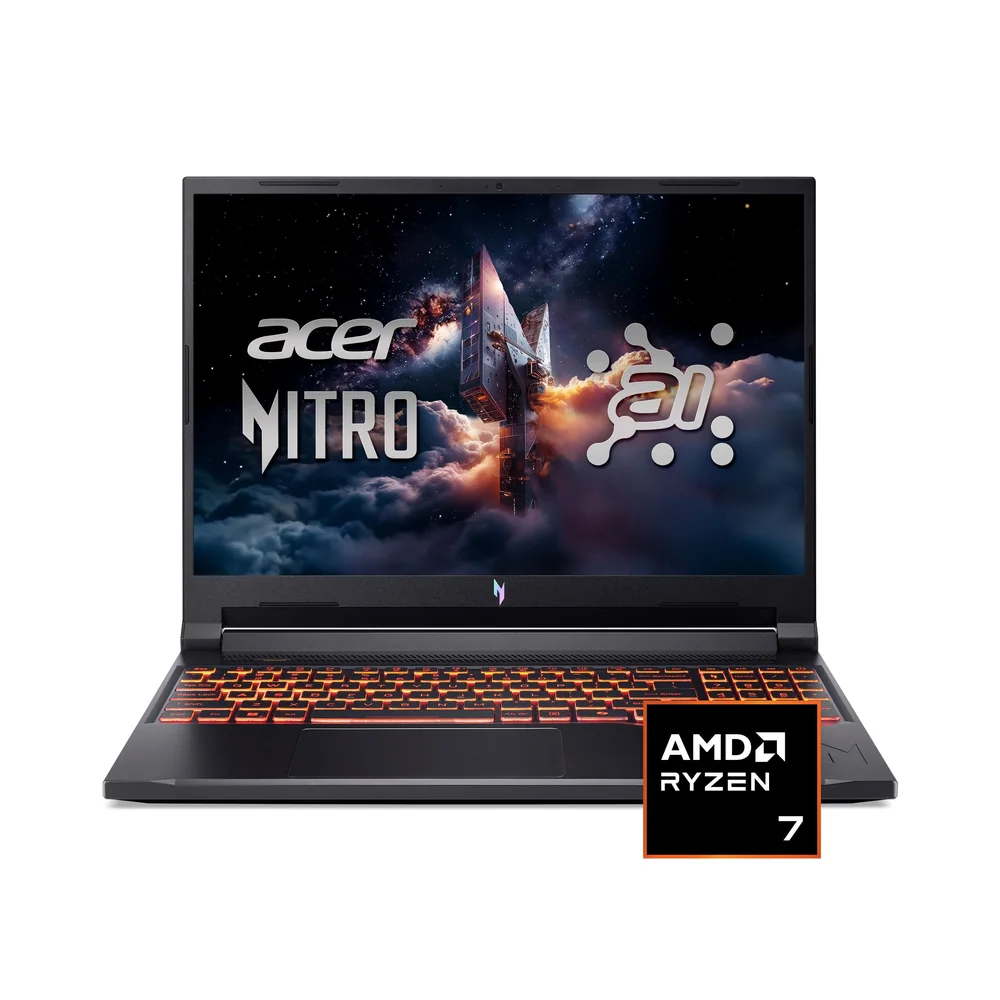
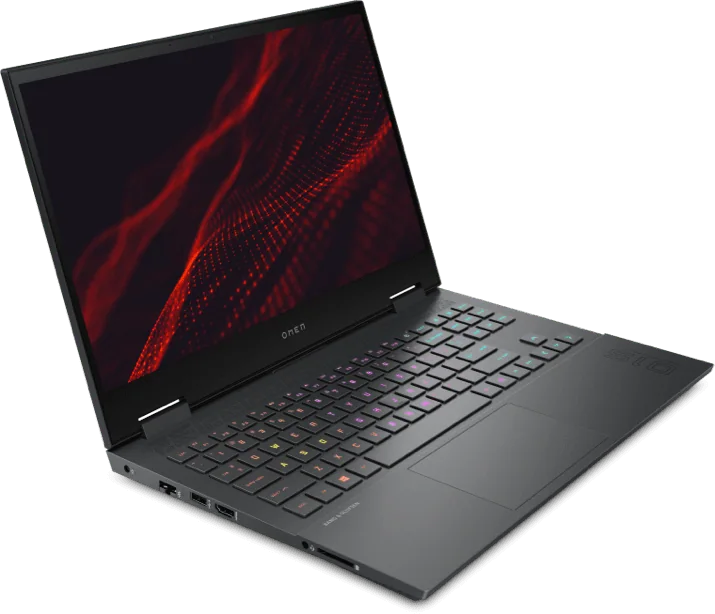
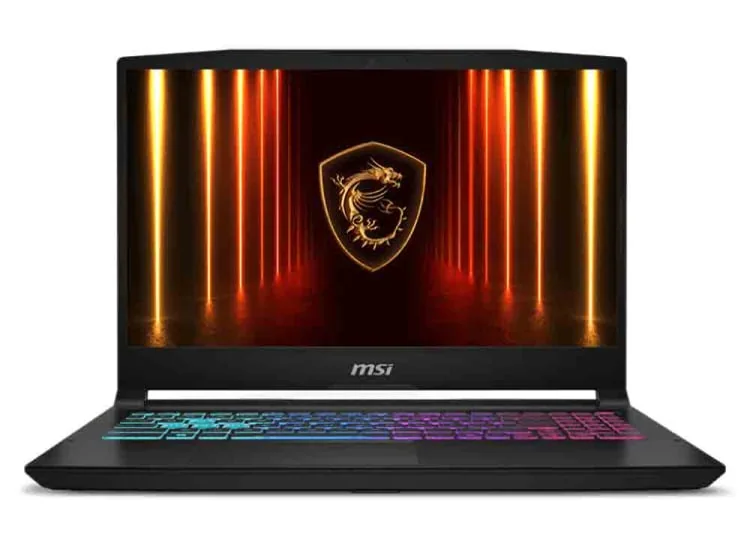
If the Lenovo LOQ 15 isn’t the right fit, these are the models I’d look at next depending on what you’re prioritizing.

Lenovo LOQ 15 FAQ
Is the Lenovo LOQ 15 good for 1080p gaming?
Yes. The LOQ 15 is built to deliver smooth gameplay at 1080p, with high and consistent frame rates depending on the configuration and game settings. The high refresh display options also help fast motion look smoother.
Can the Lenovo LOQ 15 handle 1440p gaming?
Yes, it can deliver a smooth experience at 1440p in many games, and there’s a 165Hz QHD display option. Keep in mind that 1440p is more demanding than 1080p, so settings and the specific GPU configuration still matter.
Does the Lenovo LOQ 15 have VRR?
Yes. Both the 144Hz FHD and 165Hz QHD display options support VRR, which helps reduce screen tearing and makes frame rate changes look less distracting.
Is the Lenovo LOQ 15 portable?
Not really. It’s described as bulky and heavy, and battery life is short, including less than four hours of video playback. It’s best as a carry-with-the-charger laptop, not a travel-friendly one.
Does the Lenovo LOQ 15 support Thunderbolt or USB4?
No. Its USB-C port doesn’t support Thunderbolt or USB4, which matters if you want a Thunderbolt-style dock setup or certain high-end external device workflows.
Can you upgrade the Lenovo LOQ 15 later?
Yes. The RAM and storage are user-replaceable, so you can expand capacity over time instead of being locked into the original configuration.
Should you buy the Lenovo LOQ 15?
Buy the Lenovo LOQ 15 if you want a gaming laptop that behaves like a solid everyday computer. It has the performance headroom for demanding work, it stays consistent in longer gaming sessions, and the high refresh VRR display options make fast games look better than you’d expect at this price level.
Pass if your life is mostly away from outlets or you’re trying to build a one-cable Thunderbolt dock setup. For everyone else shopping for a budget-friendly gaming laptop that can also handle school and real work, the Lenovo LOQ 15 is an easy yes.