
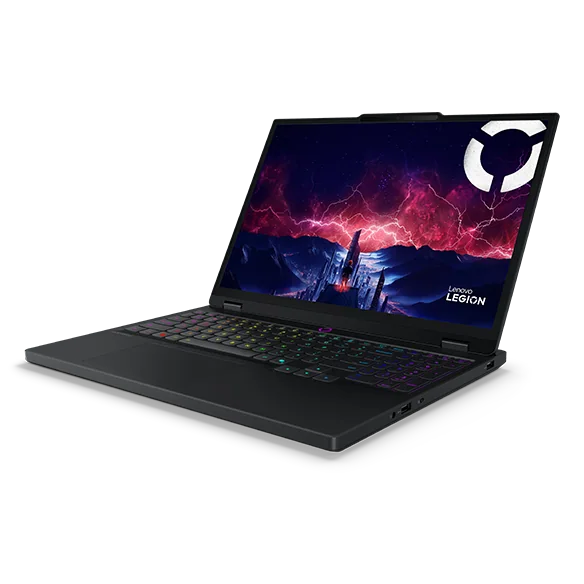
What to know first
- Ryzen AI 7 350 processor paired with a 115W RTX 5070 GPU (manufacturer specification)
- 80Wh battery, one of the larger capacities in this class
- One independent test measured 650 minutes of video playback but only 174 minutes of actual gaming on battery
- 16GB RAM in the configuration tracked by retail listings, worth checking before you buy if you multitask heavily
- Best suited to plugged-in gaming sessions rather than cord-free play
Where the Legion 5 Gen 10 fits in Lenovo's gaming lineup
The Legion 5 Gen 10 in this AMD/RTX 5070 configuration sits in the middle of Lenovo's gaming stack: serious enough to run current titles at good settings, but not the flagship Legion Pro tier built around the top-end GPUs. Pairing a Ryzen AI 7 350 with a 115W RTX 5070 signals a machine tuned for players who want strong 1440p performance without paying for a chassis engineered around the most extreme graphics silicon Lenovo sells.
The 80Wh battery is a meaningful design choice here. Bigger battery packs in gaming laptops usually exist to stretch non-gaming use, like note-taking in class or streaming a show on a flight, rather than to promise hours of cord-free play. That's precisely the pattern shown in published measurements on this configuration, and it should shape how you plan to use the machine day to day.
The gap between video stamina and gaming stamina
The single most useful number in this review isn't the GPU wattage, it's the gap between two runtime figures. One independent evaluation measured 650 minutes, nearly 11 hours, of looped video playback on this configuration. The same test measured only 174 minutes, under three hours, when the laptop was actually gaming.
That's roughly a 3.7x difference within that test protocol, and it changes how you should think about this laptop before you buy it. The measurement does not prove that wattage, battery capacity, display behavior, or any other single factor caused the result, so the defensible conclusion is about use: video playback can last most of a day, while unplugged gaming needs a much shorter plan.
Compare that to how you'd actually use a gaming laptop: watching lecture videos or streaming shows unplugged is one use case, and this machine handles it well. Gaming on a train or in a coffee shop without a charger nearby is a different use case, and here the Legion 5 Gen 10 behaves like most gaming laptops in its class, meaning you'll want an outlet within reach.
Living with it: plug in for play, unplug for everything else
The practical routine that falls out of these numbers is simple. Treat the Legion 5 Gen 10 like a desktop replacement during gaming sessions: keep it plugged in, and the 115W RTX 5070 can do its job without you watching the battery indicator. Save unplugged operation for lighter tasks, where the 80Wh battery and efficient Ryzen AI 7 350 combination is genuinely useful for a full day of video calls, writing, or browsing.
RAM is worth double-checking before you buy. A retail listing for this configuration shows 16GB, which is workable for gaming and everyday multitasking but leaves less headroom if you also run background apps like streaming software, Discord, and a browser stuffed with tabs. If your workflow leans that way, look for a configuration with more memory or confirm upgrade options before ordering.
The Ryzen AI 7 350 also brings NPU-based AI acceleration, part of the current wave of AI-branded laptop chips. Whether that matters day to day depends entirely on whether the specific apps you use take advantage of on-device AI processing versus just running in the cloud, so don't buy this machine on the strength of that label alone.
The catch: don't buy this expecting an unplugged gaming laptop
The biggest caveat is the one already laid out: 174 minutes of measured gaming runtime in one independent test is not a lot of cushion. If your gaming happens on the move, in a car, on a train, or anywhere without easy access to power, that measured result may be limiting for a longer session.
A single independent measurement, however useful, is one data point and not a guarantee of what you'll personally see. Screen brightness, game settings, and background apps can move that number. Treat 174 minutes as a planning reference from one test, not a ceiling or a promise.
The specs that matter
Handles everyday computing and feeds the GPU during gaming; its AI acceleration hardware only helps if the software you use actually calls on it.
115W is a meaningful power budget for a laptop GPU and is the main reason gaming drains the battery faster than video playback does.
A large capacity for this class, but capacity alone doesn't determine runtime, what you're doing with the GPU does.
Shows this laptop can genuinely handle a workday's worth of unplugged streaming or note-taking.
The number that should shape your buying decision if you plan to game away from an outlet.
Workable for gaming, tighter if you multitask heavily; confirm the exact configuration before you buy.
Who this product fits
The dorm room gamer with a desk setup
Plugged into an outlet most of the time, this shopper can use the 115W RTX 5070 without relying on the 174-minute unplugged result. This is the clearest fit for the configuration.
The commuter who wants to game on the train
Under three hours of measured gaming runtime won't cover a long commute plus downtime. This shopper should look at laptops with lower-wattage GPUs specifically tuned for longer unplugged gaming, even if that means less raw graphics power.
The student who needs an all-day laptop with gaming on the side
The 650-minute video playback figure suggests this machine can comfortably get through a school day of note-taking, video lectures, and browsing, with gaming reserved for evenings near a charger.
What else to compare
If cord-free gaming stamina matters more than raw GPU power, it's important to compare lower-wattage GPU configurations before settling on the RTX 5070 model.




Lenovo Legion 5 Gen 10 (AMD, RTX 5070) FAQ
How long does the Lenovo Legion 5 Gen 10 (AMD, RTX 5070) last on battery while gaming?
One independent evaluation measured 174 minutes, under three hours, of gaming on battery for this exact configuration. Treat that as one planning reference rather than a guarantee, since brightness and game settings can affect your own result.
How long does the battery last for video or general use?
The same independent test measured 650 minutes, close to 11 hours, of looped video playback. That gap reflects the very different power demands of gaming and video playback.
Is the RTX 5070 in this laptop the same as a desktop RTX 5070?
No. Laptop GPUs share naming with desktop cards but operate within laptop-specific power limits. Lenovo specifies this configuration's RTX 5070 at 115W, which identifies the exact laptop GPU setup but does not make it equivalent to a desktop card.
How much RAM does the Legion 5 Gen 10 (AMD, RTX 5070) come with?
A retail listing for this configuration lists 16GB, though buyers should confirm the exact memory and whether it's upgradeable before purchasing, since configurations can vary.
Is 80Wh battery capacity good for a gaming laptop?
It's a generous capacity for the category and clearly helps with non-gaming battery life, evidenced by the near-11-hour video playback result. It doesn't, however, translate into long unplugged gaming sessions once the 115W GPU is under load.
Should you buy the Legion 5 Gen 10 (AMD, RTX 5070)?
If your gaming happens at a desk with a power outlet nearby, this configuration delivers real RTX 5070 performance in a laptop you can still close up and move to another room. The 80Wh battery earns its keep on the non-gaming side of your day, with one independent test showing nearly 11 hours of video playback.
The moment you plan to game unplugged for more than a couple of hours, the math changes. A measured 174 minutes of gaming runtime means this laptop wants a charger nearby whenever the GPU is actually working. Buy it for the performance, plan around the outlet, and it will do exactly what a mid-tier RTX 5070 gaming laptop should do.