
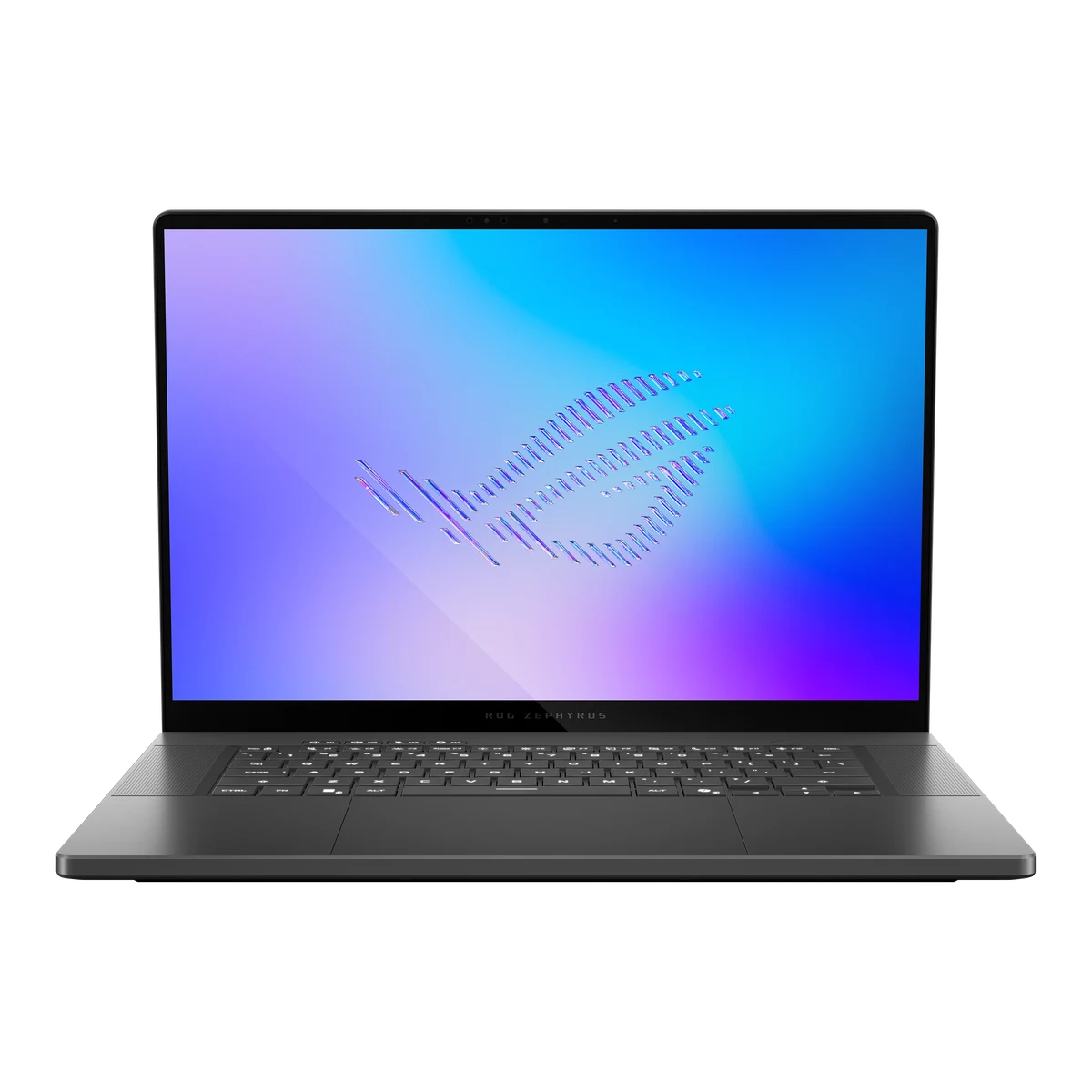
What to know first
- 16.0-inch 240Hz OLED display (2560x1600, 16:10) with notably improved brightness over the prior generation
- Intel Core Ultra 9 386H (Panther Lake) processor pairs with RTX 5070, RTX 5070 Ti, RTX 5080, or RTX 5090 graphics
- One independent test measured 13:45 of web browsing battery life versus just 55 minutes gaming on the RTX 5080 unit
- Weighs roughly 4.1 to 4.3 lbs and measures about 14.9 to 16.4mm thick, still one of the thinner 16-inch gaming laptops
- RAM is soldered and non-upgradeable, so choose your configuration carefully at purchase
- No Thunderbolt 5 or PCIe 5.0 support, and one review noted PWM flickering on the display
A 16-inch gaming laptop built to pass for a work laptop
The Zephyrus G16 occupies an odd middle ground in ASUS's ROG lineup: a gaming laptop styled and sized like a premium productivity machine. The 2026 version keeps the CNC aluminum unibody and adds refined hinges, and it's still light enough (around 1.85 to 1.95kg depending on configuration) that carrying it alongside a charger doesn't feel like punishment the way an 18-inch gaming rig does.
The headline change this year is the display and the chip underneath it. ASUS moved to Intel's Panther Lake architecture for the CPU, specifically the Core Ultra 9 386H, and paired it with a brighter 240Hz OLED panel that finally addresses the biggest complaint about last year's model. GPU choices are RTX 5070, RTX 5070 Ti, RTX 5080, and RTX 5090, so the actual gaming ceiling depends entirely on which configuration you choose.
This isn't a laptop trying to be the fastest gaming machine on the market. It's trying to be the one you'd actually want to use for six hours of work before you play for one.
The screen and the battery split are the real story
Start with the display, because it's the most concretely improved part of this machine. The 16.0-inch OLED panel runs at 240Hz with a 16:10 aspect ratio and 2560x1600 resolution, and one independent evaluation put peak brightness at 500 nits, a real jump from prior Zephyrus generations. For HDR gaming and general daylight use, that brightness increase is the difference between squinting near a window and not thinking about it.
The battery number is where this laptop gets genuinely interesting, and where a shopper needs the actual figures rather than a vague impression. One independent test measured 13 hours and 45 minutes of web browsing on a single charge, using the RTX 5080 configuration, then watched that runtime collapse to just 55 minutes under sustained gaming load. That's not a flaw unique to this laptop, but it's a wider gap than casual shoppers might expect, and it means the battery indicator you should trust is the one for productivity, not gaming.
Cooling backs up the gaming side of that equation. ASUS uses liquid metal on the CPU, a tri-fan setup, and a vapor chamber with 44% coverage according to one hands-on evaluation, plus multiple performance profiles in Armoury Crate (Silent, Performance, Turbo) that let you trade noise for frame rate depending on where you're sitting. Turbo mode gets loud enough that a coffee shop isn't the place for it; Silent mode keeps things quiet while still being usable for lighter games and everyday work.
On the GPU side, the RTX 5080 configuration runs at 135W TDP including 20W of dynamic boost, and DLSS 4.5 with Multi Frame Generation helps push frame rates higher without a generational leap in the actual graphics chip. In practical terms: this year's performance gain comes more from software and power tuning than from new silicon.
Living with the thin chassis and the choices ASUS locked in
Day to day, the things you'll notice are mostly good ones. The keycaps use a new anti-fingerprint coating that keeps them looking clean, the speaker setup (four speakers with Dolby Atmos support) makes video calls and casual movie watching sound better than most gaming laptops manage, and the customizable Slash Lighting strip on the lid can be dimmed or switched off entirely if you'd rather it not announce itself in a meeting room.
Port selection is reasonable but not future-proof: you get Thunderbolt 4, USB4 Type-C, USB-A, HDMI, and an SD card reader, but no Thunderbolt 5 and no PCIe 5.0 storage support. If your workflow depends on the fastest external drives or docks currently available, that's a real limitation worth checking against your other gear before buying.
The one decision you can't undo after purchase is memory. RAM is soldered to the board, with configurations ranging up to 64GB, so there's no upgrading later if your needs grow. Storage is more flexible: the chassis supports two SSD slots, giving you a path to add capacity down the line even though the RAM is fixed.
What holds this laptop back from an easy recommendation
Price is the biggest catch, and it's a real one. Configurations with the RTX 5080 or 5090 and 64GB of memory land squarely in premium desktop-replacement territory, more expensive than the equivalent configuration was last generation despite using the same GPU tier. Check current pricing before you commit, because the gap between this and a similarly equipped competitor can be narrow enough to change your decision.
Keyboard opinions genuinely conflict across reviewers, with some calling the input devices excellent and at least one review describing the keyboard as a lingering weak point carried over from last year. That's worth evaluation in person or at least reading a hands-on typing impression before buying, rather than assuming either verdict applies to you.
One evaluation also flagged PWM flickering on the OLED panel, a detail that mostly matters if you're sensitive to it; most shoppers won't notice, but it is a thing worth knowing about before you buy a laptop specifically for its screen.
The specs that matter
The brighter panel makes HDR content and daytime use noticeably easier on the eyes than the previous generation, while 240Hz keeps fast-paced games smooth if your GPU configuration can push the frame rate.
This chip prioritizes efficiency alongside speed, which is part of why the productivity battery runtime improved this generation compared to earlier Zephyrus models.
Your GPU choice at purchase determines the actual gaming ceiling, since it can't be changed later. The 5080 configuration gets a meaningful power and DLSS software boost over last year even without a new GPU generation.
More RAM helps with heavy multitasking and creative work, but since it's soldered, buy for the RAM you'll need in three years, not just today.
Plan around that gap: this laptop is a strong all-day companion for work and browsing, but expect to stay near an outlet for any real gaming session.
That's light for a 16-inch gaming laptop with this GPU tier, making daily commuting or campus carrying realistic rather than theoretical.
Fast enough for most external monitors, drives, and docks, but not the newest standard, so double-check compatibility if you already own high-end accessories.
Who this product fits
Grad student who games between deadlines
The long web-browsing battery life covers a full day of note-taking, research, and video calls, and when the workload lifts, the RTX-equipped configuration handles modern games at high settings once you're near an outlet. The light chassis makes it realistic to carry to class daily.
Video editor who wants portability without giving up power
The 386H chip and RTX 5080 configuration, combined with up to 64GB of memory, handle editing workloads comfortably, and the bright, accurate OLED panel makes color work more trustworthy than on a typical laptop screen.
Someone comparing this against a Razer Blade 16
Spec for spec, similarly configured competitors can undercut this laptop's price, so this scenario comes down to whether the improved OLED brightness, thinner chassis, and Armoury Crate performance profiles are worth paying more for over a rival with comparable core hardware.
What else to compare
A few other 16-inch gaming laptops are important to compare before you commit to this configuration.

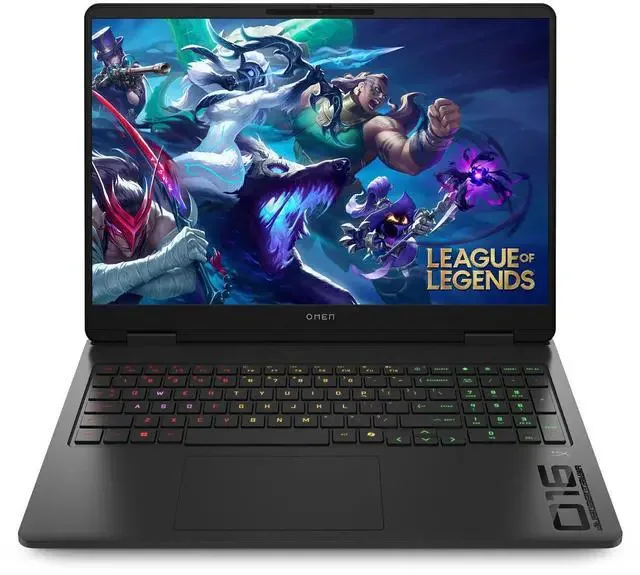
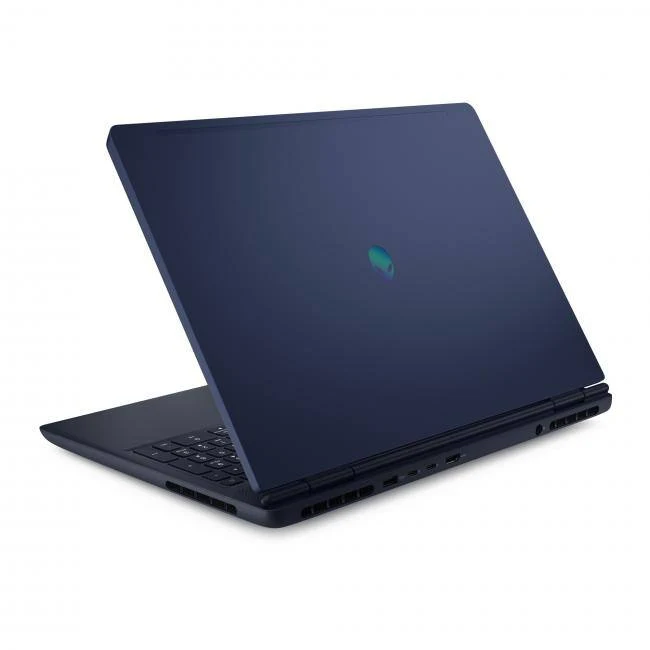
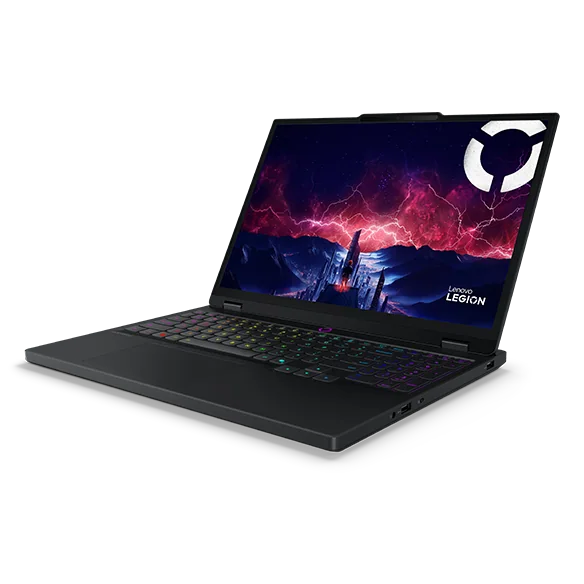
ASUS ROG Zephyrus G16 (2026) FAQ
How long does the ASUS ROG Zephyrus G16 (2026) battery last?
One independent test on the RTX 5080 configuration measured 13 hours and 45 minutes of web browsing on a charge, but that dropped to just 55 minutes under gaming load. Expect strong all-day battery life for work and browsing, but plan to stay plugged in for any serious gaming session.
Can I upgrade the RAM later?
No. Memory on the Zephyrus G16 (2026) is soldered to the motherboard, so whatever configuration you choose at purchase, up to 64GB, is permanent. Storage is more flexible thanks to two SSD slots.
Is the RTX 5080 configuration worth it over lower GPU tiers?
It depends on the games and resolution you care about. The RTX 5080 runs at 135W TDP with 20W of dynamic boost and benefits from DLSS 4.5 with Multi Frame Generation, giving it a real edge over the RTX 5070 option for demanding titles at the display's native 2560x1600 resolution.
Does it support Thunderbolt 5 or PCIe 5.0?
No, the 2026 model sticks with Thunderbolt 4 and does not support PCIe 5.0 storage speeds. If those standards matter to your workflow, verify compatibility with your existing accessories before buying.
How heavy is the ASUS ROG Zephyrus G16 (2026)?
Depending on configuration, it weighs roughly 1.85 to 1.95kg, or about 4.08 to 4.30 lbs, which is light for a 16-inch laptop carrying this level of gaming hardware.
Worth the upgrade, if the price fits your plan
This generation of the Zephyrus G16 fixes the two biggest complaints people had about the previous one: the display is noticeably brighter, and the battery life for everyday work is now measured in double-digit hours rather than apologized for. Those two changes alone make it a stronger laptop than its predecessor, not just a spec bump.
None of that changes the math at checkout. Higher-end configurations push into territory where a Razer Blade 16 or similar rival becomes a legitimate question mark, and the soldered RAM means you need to commit to a configuration rather than grow into one. Buy it because you want the brightest, most portable 16-inch OLED gaming laptop currently available, and go in knowing exactly what the battery will and won't do for you.