
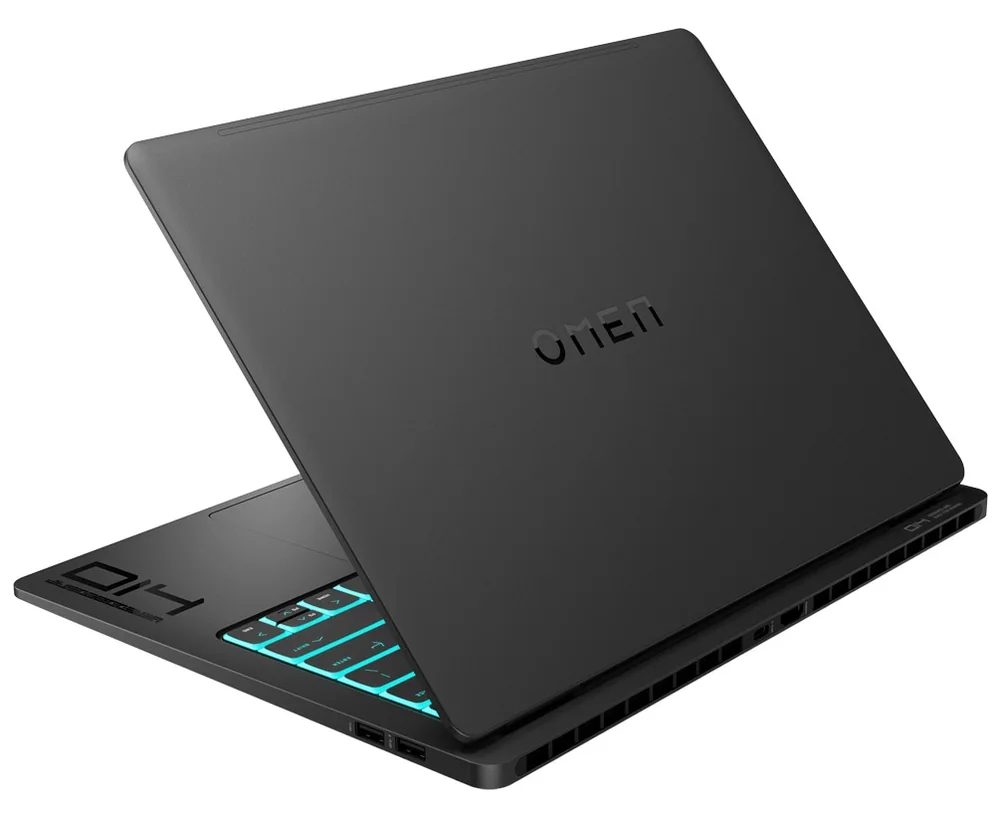
What to know first
- Core Ultra 9 285H and RTX 5070 Laptop GPU (8GB) top the configuration lineup, with Core Ultra 7 255H and RTX 5060 8GB as the lower tier
- 2880x1800 OLED display with a 48Hz to 120Hz variable refresh range, aimed at both battery savings and smooth gaming
- 1.63kg body is heavier than the 14-inch class average, but at 16.9mm it's thinner than most rivals
- Both USB-C ports support full charging, a rare convenience among gaming laptops this size
- One independent evaluation measured roughly 10 hours of light-use battery life after a firmware update, though an owner report describes a much shorter 3 to 4 hours in office work
- 8GB of VRAM on the RTX 5070 configuration limits headroom in newer, VRAM-hungry games
A gaming laptop dressed like a work laptop
HP built the Omen Transcend 14 (2025) to sit next to a MacBook Pro without looking out of place, and that's the point. Instead of the aggressive angles and light-up logos that mark most gaming laptops, this one wears a minimalist black or white shell that could pass for a productivity machine in a meeting room. The gaming hardware is real, though: a Core Ultra 9 285H processor and an RTX 5070 Laptop GPU with 8GB of GDDR7 memory sit under that quiet exterior, alongside a Core Ultra 7 255H and RTX 5060 configuration for buyers who don't need the top tier.
The 14-inch OLED display running at 2880x1800 with a 16:10 aspect ratio is the headline feature, and it earns that spot. A variable refresh range from 48Hz up to 120Hz means the screen can dial back for battery savings during static work and ramp up for smooth motion in games, a trick more useful in daily life than the peak refresh number alone suggests.
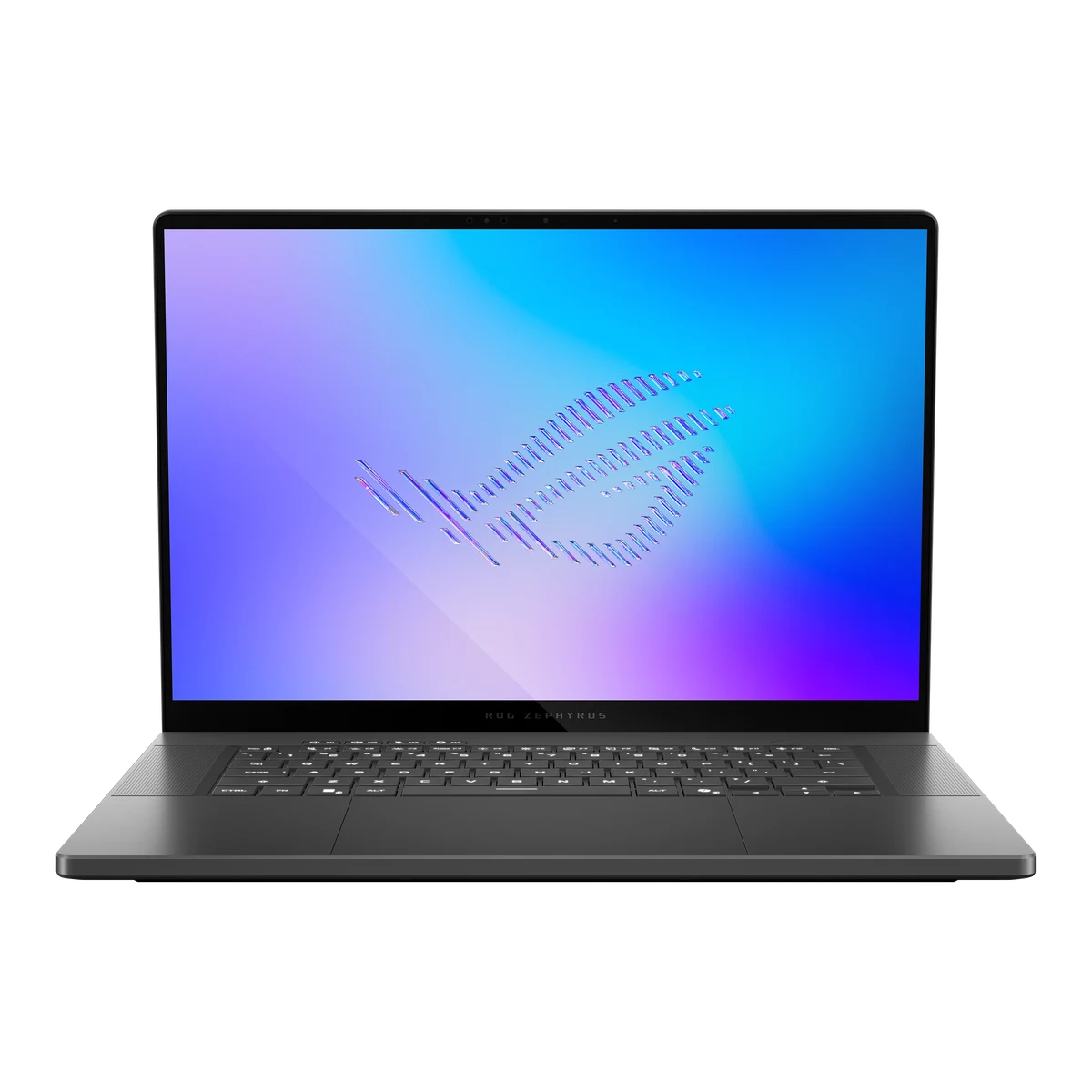
This is HP's answer to the crowded field of compact 14-inch gaming laptops that also want to double as your only computer, competing directly with machines like the Zephyrus G14 and Razer Blade 14. The pitch isn't the fastest GPU in the segment. It's the laptop you don't have to leave behind.
USB-C charging that actually charges the whole system
Most gaming laptops force you to carry a bulky proprietary brick because their GPUs draw more power than USB-C can reliably deliver. The Transcend 14 sidesteps that by charging fully over either USB-C port, which means one cable can top off your laptop, your phone, and possibly your tablet if you're willing to shuffle a single charger between devices on a trip. HP includes a 140W USB-C adapter that reportedly gets the battery to 50 percent in 30 minutes.
That convenience comes at a cost, and it's a fair one to know about before buying: to stay within USB-C power limits, HP capped the GPU wattage lower than some 14-inch competitors run their chips. One independent evaluation measured the RTX 5070 configuration here at 75 watts of GPU power, which is part of why it trails higher-wattage 4070 and 5070 systems in thicker laptops despite carrying newer silicon.
The keyboard is a genuine strength worth calling out. Reviewers who spent time with the unit described crisp key travel and praised the four-zone RGB lighting for adding personality without turning into a distraction, a detail that matters if you're typing all day and gaming at night on the same machine.
CPU performance holds its own too. The Core Ultra 9 285H reportedly competes well against AMD's Ryzen 9 HX 370 in single-core work and clearly outpaces Intel's previous-generation Ultra 9, even if AMD keeps a multi-core edge at higher wattages. For coding, spreadsheet work, and general productivity, that single-core strength is the number that actually shows up in daily responsiveness.
Living with the fan curve and the firmware
Day to day, HP gives you four power profiles: Eco, Balanced, Performance, and Unleashed. One independent test found Performance and Unleashed deliver nearly identical CPU benchmark scores, with Unleashed mostly adding fan noise for no meaningful gain, which makes Performance the mode worth leaving on by default. Eco mode reportedly improved significantly over the previous generation, making it a genuinely usable setting for browsing and writing rather than a battery-saving compromise you tolerate.
Thermal behavior splits along the same line as everything else about this laptop: comfortable when you're not asking much of it, warmer than ideal when you are. In light use, surface temperatures and fan noise stayed reasonable in published measurements, but sustained workloads like video editing reportedly made the keyboard deck uncomfortably warm and, on one test unit, caused a subtle vibration on the left side of the keyboard.
Battery life is the one area where firmware genuinely changes the ownership story. According to one independent evaluation, an early BIOS produced disappointing runtimes, and updating to BIOS F.03 or later pushed light-use battery life up to roughly 10 hours. If you buy this laptop, checking for that update on day one isn't optional, it's the difference between an all-day machine and a mediocre one.
The trackpad is the one component that doesn't match the rest of the build. Despite the premium chassis surrounding it, the mechanical trackpad reportedly feels underwhelming, a small but real annoyance if you use trackpad gestures heavily instead of a mouse.
The bezel question you should ask before buying
Owner discussion in at least one laptop community describes reports of the OLED panel physically separating from its bezel when opening the lid, an issue apparently tied to the previous-generation Transcend 14 that some owners say persists on the 2025 refresh. This is a single-source, community-level observation rather than a documented pattern across independent test labs, so treat it as a flag to research before buying rather than a confirmed defect rate. If build-quality risk tolerance is low for you, ask a retailer about return policy specifics before committing.
The 8GB VRAM ceiling on the RTX 5070 configuration is a more measurable limitation. Published measurements found 1% low frame rates dropping noticeably in VRAM-hungry titles like Monster Hunter Wilds compared to GPUs with 12GB, meaning newer, texture-heavy games are where this laptop's compact GPU shows its age fastest, even though the card itself is current-generation.
Linux compatibility is worth flagging for anyone doing engineering or machine learning work. OMEN Gaming Hub controls fan curves and thermal profiles on Windows, and owner discussion suggests losing that software on Linux means losing some polish around thermal management, which matters more for sustained heavy workloads than for casual gaming.
The specs that matter
The 285H is the pick for anyone running heavier multitasking or content creation; the 255H saves money if your workload leans toward browsing, office work, and lighter gaming.
Both options carry an 8GB VRAM ceiling, so the jump to the 5070 buys you more raw speed, not more headroom for VRAM-heavy games.
It's not upgradeable after purchase, so buy the 32GB configuration up front if you plan to keep this laptop for several years or run demanding creative software.
The variable refresh range lets the screen slow down during static work to save battery and speed up for smooth motion in games, rather than locking you into one refresh rate all day.
Heavier than the 1.42kg average for 14-inch laptops, so don't expect this to feel featherweight in a backpack even though it looks slim.
Thinner than the 17.04mm class average, which is part of why it photographs and handles like a slimmer machine than its weight suggests.
You can leave the dedicated gaming brick at home and charge with a single USB-C cable, a genuine convenience for travel.
That number reflects light productivity and video playback, not gaming or sustained creative work, and depends on running the latest BIOS.
Who this product fits
The grad student who codes by day and games at night
The Core Ultra 9's single-core strength handles compiling and everyday multitasking comfortably, and Performance mode delivers gaming without the extra fan noise of Unleashed. Just don't expect this laptop's 8GB GPU to keep pace with VRAM-hungry titles as they get more demanding over the next couple of years.
The frequent flyer who hates carrying two chargers
Full-power USB-C charging on both ports means one cable covers this laptop and most phones or tablets, cutting real weight and clutter from a travel bag.
The video editor deciding between this and a MacBook Pro
One independent benchmark had the Transcend 14 outpacing a MacBook Pro 14 (M4 Pro) in Premiere Pro while trailing it in DaVinci Resolve, so the right choice depends on which editing software actually anchors your workflow.
The buyer chasing maximum frame rates
Look elsewhere. The 75-watt GPU cap and 8GB VRAM buffer mean higher-wattage 16-inch machines will consistently outrun this laptop in demanding games, even with newer RTX 50-series silicon inside.
What else to compare
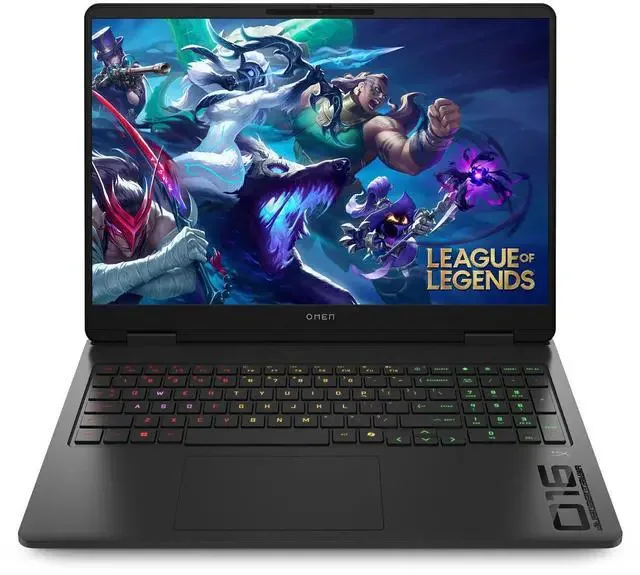
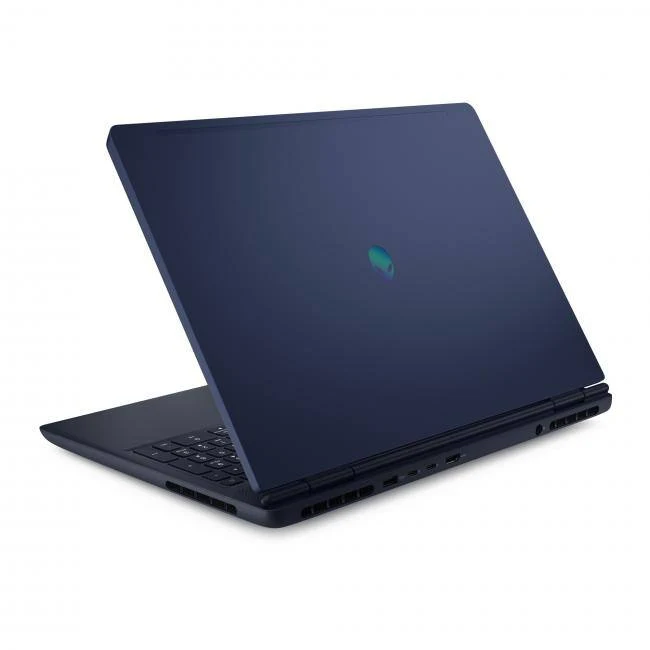
A few other machines are worth weighing depending on which trade-off matters most to you.

HP Omen Transcend 14 (2025) FAQ
Is the HP Omen Transcend 14 (2025) good for gaming?
It's capable but not aimed at maximum frame rates. The RTX 5070 configuration runs at 75 watts, which one independent test found trailing higher-wattage versions of the same GPU in thicker 14-inch and 16-inch laptops. It's a fine choice for someone who games sometimes, not someone chasing the ceiling.
How long does the battery actually last?
One independent evaluation measured roughly 10 hours in light productivity and video playback after updating to BIOS F.03, while an owner report elsewhere described just 3 to 4 hours in office use. The gap suggests real-world battery life varies a lot depending on workload and firmware, so treat the higher number as a best case.
Can I upgrade the RAM or storage later?
RAM is soldered LPDDR5x and cannot be upgraded after purchase, so choose 16GB or 32GB carefully at checkout. Storage uses a replaceable PCIe Gen 4 NVMe M.2 drive, so you can swap or add storage later.
Does it charge over USB-C?
Yes, both USB-C ports support full-power charging with the included 140W adapter, a feature many gaming laptops in this class skip in favor of a proprietary charging brick.
Is there a build quality concern I should know about?
Some owner discussion online describes the OLED screen separating from its bezel when opening the lid, reportedly on both this generation and the prior model. It's a community-level report rather than a confirmed widespread defect, but worth asking a retailer about before buying if you're risk-averse.
How does it compare to the RTX 5060 configuration?
Both the 5070 and 5060 configurations carry the same 8GB VRAM limit, so the 5070 buys you more raw GPU speed rather than more headroom for demanding games. If your budget is tight, the 5060 configuration still gets the same display, chassis, and charging convenience.
Who actually needs this laptop
This laptop rewards a specific kind of buyer: someone who wants one machine for work and play, values a vivid OLED screen and USB-C charging convenience over maximum frame rates, and is willing to keep an eye on firmware updates to get the battery life HP is promising. If that's you, the Core Ultra 9 285H and RTX 5070 pairing, paired with 32GB of RAM if you can afford it, makes a genuinely appealing all-in-one machine.
If raw gaming performance is the priority, or if the bezel-separation reports give you pause, a higher-wattage 16-inch gaming laptop or a different 14-inch competitor will serve you better. The Omen Transcend 14 (2025) isn't trying to win a benchmark chart. It's trying to be the only laptop you need to pack, and for the buyer who values that over frame rate bragging rights, it mostly delivers.