
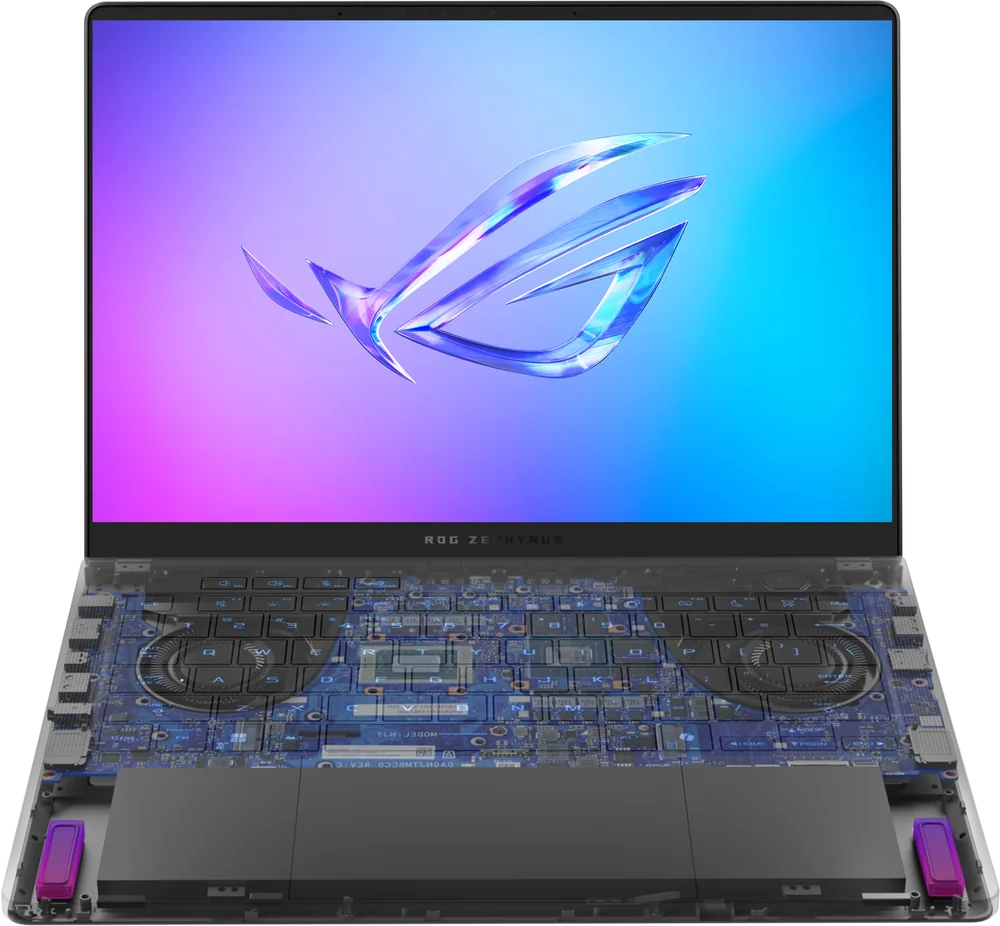
What to know first
- RTX 5070 Ti Laptop GPU runs at up to 110W, ASUS's official spec for this configuration
- 14-inch 2880x1800 OLED display at 120Hz with G-Sync support, per ASUS
- One independent test measured 635 minutes of local video playback and 113 minutes of actual gaming on battery
- Independent 1080p High-preset benchmarking averaged 129fps across five core games, ranging from 70fps to 308fps depending on title
- Weight measured around 3.46 to 3.5 lbs (about 1.57kg) in independent listings, notably light for this GPU class
- 73Wh battery capacity is ASUS's official specification for this configuration
A 5070 Ti that fits where a 5070 Ti usually doesn't
Most laptops carrying a 12GB RTX 5070 Ti need room to breathe: bigger chassis, bigger fans, bigger footprint on your desk. The Zephyrus G14 (2025, RTX 5070 Ti) squeezes that same GPU, running at up to 110W per ASUS's specification, into a 14-inch machine that independent measurements put at roughly 3.46 to 3.5 pounds. That's the whole pitch of this generation of G14: full-size gaming hardware in a chassis that doesn't announce itself as a gaming laptop the moment you open a bag.
The Ryzen AI 9 HX 370 processor pairs with that GPU and includes AMD's XDNA NPU, which ASUS rates at up to 50 TOPS in this configuration. In plain terms, that's dedicated hardware for AI-accelerated tasks like background blur, noise suppression, and certain Windows Copilot Plus features, running locally instead of leaning on the cloud. Whether that matters to you depends heavily on which apps you use daily, since the NPU's benefit is tied to software support rather than being a universal speed boost.
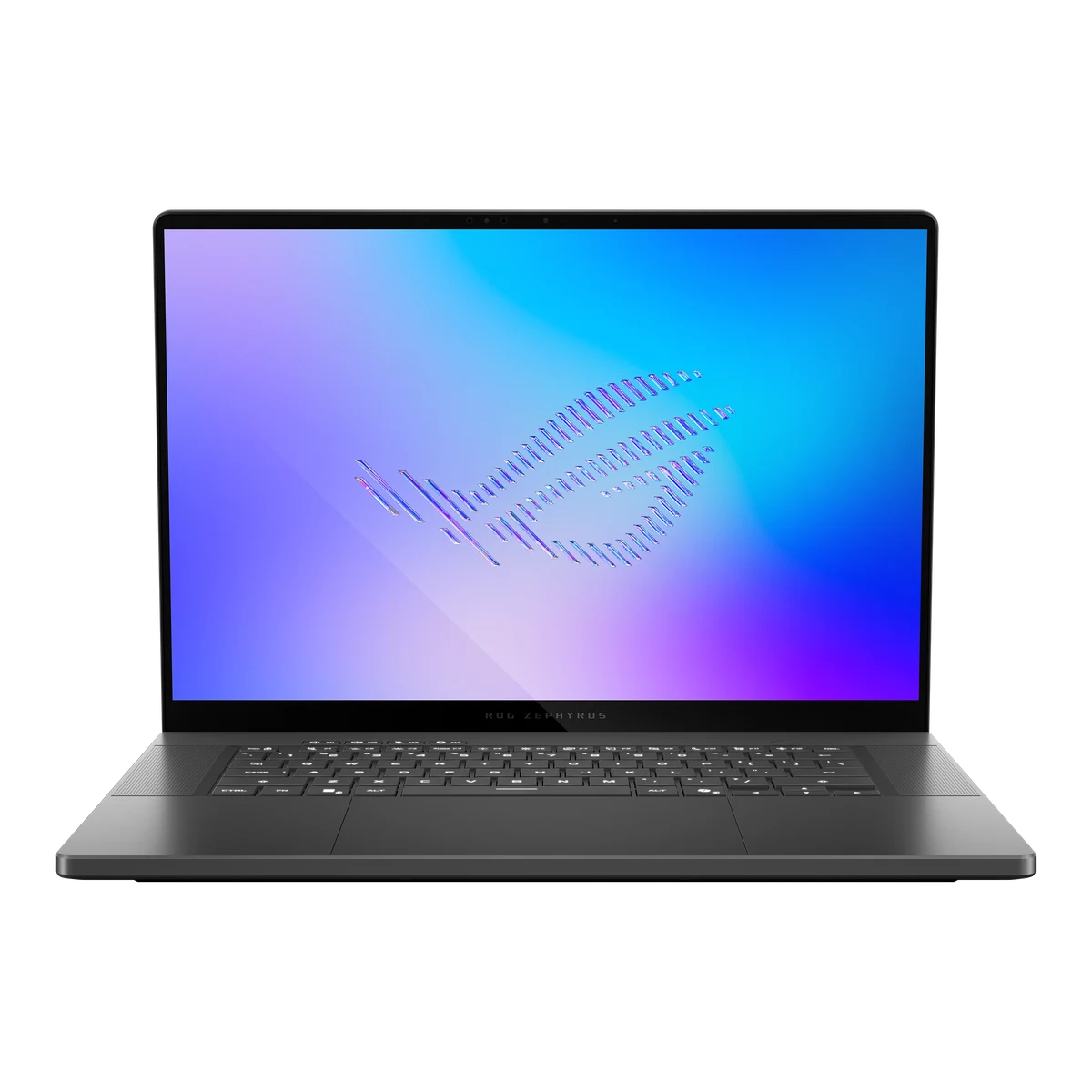
ASUS configures this model with a 14-inch, 2880x1800 OLED panel running at 120Hz, with 100% DCI-P3 color coverage per the official spec. Combined with 32GB of memory in the configuration reviewed by independent sources, this reads less like a stripped-down portable gaming laptop and more like a machine that expects to double as a creative workstation.
The benchmark numbers explain why this configuration gets attention
published measurements at 1920x1080 on High settings with upscaling disabled found this configuration averaging 129fps across five core benchmark titles. Individual results ranged from 308fps in Strange Brigade and 217fps in F1 24 down to 82fps in Alan Wake 2 and 70fps in Assassin's Creed Shadows. That spread tells you something useful: light and mid-weight games will comfortably fill the panel's 120Hz refresh rate, while the heaviest modern releases stay playable but won't hit that ceiling without a settings adjustment or upscaling turned back on.
It's worth being honest about what those numbers do and don't prove. They were measured at 1080p, not at the laptop's native 2880x1800 resolution, so they show the hardware's underlying capability rather than a promise of the same frame rate at full screen resolution. If you plan to game at native resolution rather than relying on upscaling, expect noticeably lower numbers than the benchmarks above.
Still, the comparison that matters here is against other compact gaming laptops in this price and size class. A 110W RTX 5070 Ti delivering competitive frame rates in a 14-inch chassis is a meaningfully different proposition than the same GPU in a 16-inch or 17-inch laptop, where cooling headroom is less of a constraint but portability suffers.
The configuration commonly reported alongside this GPU pairs it with 32GB of memory and storage options up to 2TB, according to independent listings. That combination leaves no obvious weak point elsewhere in the build, which is unusual for a laptop this size.
Living with the screen, and living around the battery
Day to day, the OLED panel is the thing you notice first. Deep blacks and strong contrast make both games and video genuinely more pleasant to look at than an equivalent IPS panel, and the 120Hz refresh rate keeps everyday scrolling and window dragging feeling responsive even outside of games.
Battery life is where the ownership picture gets specific. One independent test measured 635 minutes, about 10.6 hours, of local YouTube playback, and only 113 minutes, under two hours, when actually gaming on battery. That's a wide gap, and it reflects a pattern common to high-wattage gaming laptops rather than something unique to this model: video playback barely taxes the GPU, while a 110W graphics chip draws down a 73Wh battery quickly. Plan to keep the charger nearby if you're gaming away from a desk.
For lighter tasks, browsing, writing, video calls, the battery should hold up reasonably well given that 10-plus-hour video playback figure, even accounting for the fact that real usage with more active tasks running will pull that number down.
The resolution gap and the pricing uncertainty
The single biggest caveat is the resolution mismatch between the benchmark numbers and the native display. Every frame rate figure discussed above was measured at 1920x1080, not at the panel's native 2880x1800. Buyers chasing sharp, native-resolution gaming on that gorgeous OLED screen should expect meaningfully lower frame rates than the 1080p figures suggest, and will likely lean on upscaling to close that gap.
That's not unusual for a laptop sold in multiple regional configurations, but it means shoppers should confirm the price and exact spec (RAM, storage, GPU wattage) of any specific listing before comparing it to competitors, rather than assuming one number applies everywhere.
The gaming battery figure of under two hours is also worth repeating as a caution, not a footnote. If unplugged gaming stamina is a priority for you, look at laptops built around lower-wattage GPUs or larger batteries, since this configuration is clearly optimized for desk use with the charger connected.
The specs that matter
This handles everything outside the GPU: game logic, background apps, and multitasking. Its built-in NPU (rated up to 50 TOPS in this configuration) enables local AI features in supported software, though the everyday benefit depends on which apps you actually run.
This is the headline reason to buy. Independent 1080p benchmarking averaged 129fps across five games, meaning most titles will comfortably use the screen's 120Hz refresh rate, with the most demanding releases landing in the 70-90fps range.
OLED brings deeper contrast than typical laptop IPS panels, useful for both gaming and photo or video editing. Just remember that benchmark frame rates are typically measured at 1080p, not this screen's native resolution.
32GB is enough headroom for heavy multitasking, modern games, and creative software running alongside a browser full of tabs. Since it's soldered, you can't upgrade it later, so buy the RAM you'll need.
The gap between those two numbers is the real story: expect close to 10 hours for video and light use, but well under two hours if you're actually gaming unplugged.
That's light for a laptop carrying a 110W RTX 5070 Ti, making this one of the more travel-friendly options if you want serious GPU power without a bulky chassis.
Who this product fits
The student who games in the dorm and edits video for class projects
The OLED screen and 32GB of memory make this a capable editing machine between classes, and the RTX 5070 Ti has enough headroom for both gaming and GPU-accelerated exports. Just plan to keep it plugged in for gaming sessions, since battery gaming time measured under two hours in published measurements.
The traveler who wants one laptop for work trips and hotel-room gaming
At roughly 3.5 pounds, this packs easily, and the 120Hz OLED panel makes evening gaming sessions in a hotel room genuinely enjoyable. Bring the charger though: this isn't a laptop built for extended unplugged gaming.
The buyer comparing this against a 16-inch gaming laptop with the same GPU
Independent 1080p benchmarks show this 14-inch configuration delivering strong frame rates for its size. If chassis size and weight matter more to you than a bigger screen, this is the harder one to argue against.
What else to compare
If unplugged gaming stamina or a larger screen matters more than size, it's important to compare against bigger 16-inch gaming laptops running the same GPU tier.
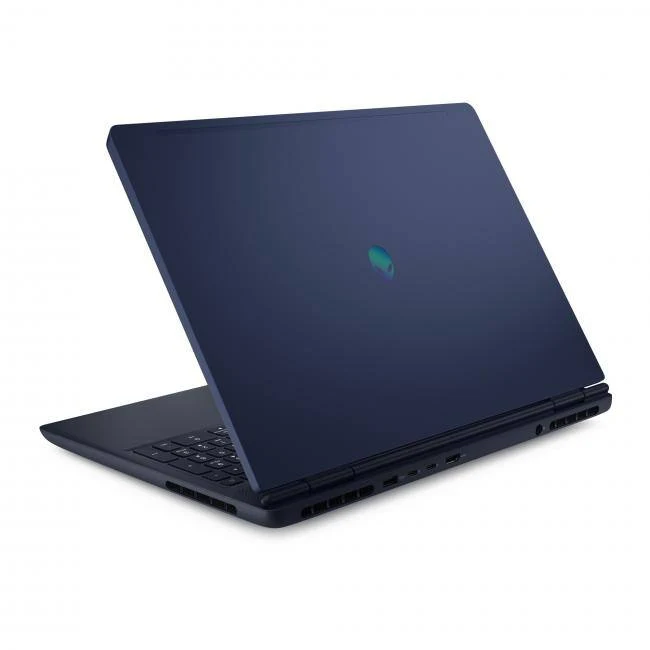
ASUS ROG Zephyrus G14 (2025, RTX 5070 Ti) FAQ
How long does the battery actually last while gaming?
One independent battery test measured 113 minutes, under two hours, of actual gaming on battery. Local video playback fared much better in the same test, at 635 minutes (about 10.6 hours), since video playback uses far less GPU power than gaming.
Can this laptop run games at its native 2880x1800 resolution?
It can, but the frame rate benchmarks available for this configuration were measured at 1920x1080 with upscaling disabled. Expect noticeably lower frame rates if you game at the screen's full native resolution without relying on upscaling.
Is the RTX 5070 Ti in this laptop as powerful as a desktop RTX 5070 Ti?
No. ASUS's specification lists this laptop GPU running at up to 110W, which is a different power envelope than a desktop card. Independent benchmark evaluation shows strong results for a laptop this size, but it shouldn't be compared directly to desktop performance figures.
How much does the ASUS ROG Zephyrus G14 (2025, RTX 5070 Ti) weigh?
Independent listings put it at approximately 3.46 to 3.5 pounds, roughly 1.57kg, which is light for a laptop equipped with a 12GB RTX 5070 Ti.
Is 32GB of RAM enough for this laptop?
For most gaming and creative workflows, yes. It's the configuration most commonly paired with this GPU in independent listings, and since the memory is soldered, it's worth buying the capacity you expect to need long term rather than planning to upgrade later.
Who actually gets their money's worth here
This laptop earns its place for one specific reason: it puts a 110W RTX 5070 Ti and a 120Hz OLED screen into a chassis that weighs about as much as far less capable gaming laptops. Independent benchmark evaluation backs that up, averaging 129fps across a mix of demanding and lighter games at 1080p, which is a genuinely strong result for something this compact and light.
The honest caveat is battery life while gaming, measured at under two hours in one independent test, and the fact that those benchmark numbers were captured at 1080p rather than the screen's native resolution. If you're buying this to game at a desk, plugged in, with an OLED screen you'll actually enjoy looking at, it's an easy recommendation. If unplugged gaming stamina is non-negotiable, look at a laptop built around a lower-wattage GPU or a larger battery instead.