
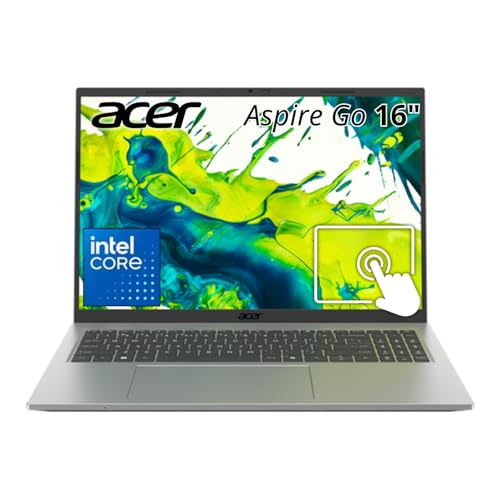


Pickori's Take
- Worth buying for budget shoppers who want a large, comfortable 16-inch screen for documents, research, and spreadsheets over raw performance.
- The non-touch AG16-71P-505H (120Hz matte) and touchscreen AG16-71PT-558A (60Hz, backlit keyboard) are a genuine preference split, not a good-better hierarchy.
- 16GB of upgradeable DDR5 and a 512GB SSD are the right specs at this price, avoiding the memory and storage shortfalls common on cheaper laptops.
- Best for desk-first use: students and home users who can charge between sessions rather than needing all-day battery away from an outlet.
- Skip it if you need a discrete GPU, verified color-accurate display, or a fingerprint reader; none of those are here at this price.
- Wirecutter reports roughly seven hours for the non-touch model, evidence of solid but unremarkable battery life rather than an all-day claim.
Two versions, one core computer
Acer offers two closely related Aspire Go 16 configurations here. Both have a 16-inch 1920 x 1200 matte ComfyView IPS display. The AG16-71P-505H (NX.JT7AA.003) is non-touch and runs at 120Hz; the AG16-71PT-558A (NX.JT8AA.002) adds touch input and a white keyboard backlight but runs at 60Hz.
Both use an Intel Core 5 120U processor, 16GB of DDR5 memory, and a 512GB PCIe 4.0 NVMe SSD. The choice is about how you interact with the laptop, not about getting a faster computer.
Sixteen gigabytes of memory gives Windows and a busy browser more room than an 8GB machine, while the 512GB SSD is large enough for school files, Office applications, and a useful local media library. Those are sensible capacities that should age better than the cut-down memory and storage common in budget laptops.
The two DDR5 SO-DIMM slots are upgradeable to 32GB. Acer Community identifies the stock AG16-71P-505H arrangement as two 8GB modules, so a 32GB upgrade should replace both with a matched 2 x 16GB kit. Confirm the installed arrangement before ordering RAM because Acer's US page does not list the factory module split.
Windows 11 Home, Wi-Fi 6, stereo speakers, a camera shutter, TPM, and a Kensington lock slot cover the everyday requirements. Neither version has a fingerprint reader.
A useful amount of performance, not hidden gaming power
Intel's Core 5 120U is a 10-core, 12-thread processor with two performance cores, eight efficiency cores, and a 5GHz maximum turbo frequency. Its 15W base power marks it as an efficient mainstream chip for responsive everyday computing, not a workstation processor for sustained heavy workloads.
The processor and 16GB of memory are a good match for documents, large PDFs, web research, spreadsheets, streaming, and video calls. The extra memory will not accelerate every task, but it removes one of a cheap laptop's most common bottlenecks.
The integrated Intel GPU handles Windows, video playback, cloud gaming, and undemanding games. Modern 3D games, CAD, rendering, and serious GPU-accelerated editing need discrete graphics; the 120Hz panel makes motion smoother but does not turn this into a gaming laptop.
How this configuration should perform
This configuration pairs the Core 5 120U with 16GB of dual-module memory and integrated Intel graphics. That combination adds up to a capable everyday computer with clear limits once a workload leans on the GPU or on sustained processor power.
| Workload | Outlook | What to expect |
|---|---|---|
| Browser, Office, and schoolwork | Comfortable | The processor and 16GB of memory should handle a busy browser, documents, PDFs, presentations, and video calls together without the memory pressure common on 8GB budget laptops. |
| Large spreadsheets and light coding | Capable with limits | The fast performance cores help with short bursts of work, but long calculations, large datasets, and sustained compiling will expose the 15W-class processor sooner than they would on a higher-power laptop. |
| Streaming and cloud gaming | Good fit | Video playback and cloud gaming lean more on decoding and network quality than local graphics power, making them sensible uses for this hardware. |
| Casual and older PC games | Modest settings | The integrated GPU can run lighter games, but the 120Hz screen should not be mistaken for evidence that demanding games will reach high frame rates. |
| Photo and video editing | Occasional use only | Basic edits are realistic, but the integrated graphics and unverified display color coverage make this a weak choice for frequent or color-critical creative work. |
| Modern AAA games, 3D, and CAD | Wrong tool | These workloads need discrete graphics and stronger sustained cooling; adding more RAM would not remove that limitation. |
The overall specification is better balanced than many inexpensive laptops. Acer has not paired a respectable processor with only 8GB of memory or undermined the machine with a tiny 128GB drive. No single capacity looks designed to become frustrating immediately.
The reported 2 x 8GB memory layout should also give the integrated graphics more memory bandwidth than a single-module configuration. The tradeoff is that both slots are occupied, so reaching 32GB means replacing the pair rather than adding one module.
For ordinary office or school use, the fixed limitations are more likely to matter than the upgradeable parts: integrated graphics, uncertain panel quality, one USB-C port, and middling battery life. More memory can extend the laptop's useful life, but it cannot turn it into a gaming machine or improve the display.
The screen earns its space in your bag
Both 16-inch 1920 x 1200 displays use Acer's matte ComfyView finish and have a 16:10 shape, giving documents, web pages, and spreadsheets more vertical room than a glossy 1920 x 1080 panel while helping control reflections.
Acer identifies both panels as IPS but does not publish brightness or color-gamut coverage. IPS usually provides decent viewing angles, but it does not guarantee a bright or color-accurate screen; without measurements, neither version is an easy recommendation for photo editing, design coursework, or regular outdoor use.
Touch input and a backlit keyboard help with presentations, signatures, and dim rooms. The non-touch model instead delivers smoother scrolling and window movement at 120Hz. Neither version is the automatic upgrade: the better choice depends on which benefit you will notice every day.
If the two versions cost about the same, the touchscreen AG16-71PT-558A is the more practical choice for most people. Its keyboard backlight solves a real usability problem in dim rooms, while touch input is occasionally useful even if it is not essential. The non-touch AG16-71P-505H becomes the better value when it is meaningfully cheaper, or when you care more about a matte 120Hz display than touch.
Both keyboards include a number pad for spreadsheets and data entry. The touchscreen model's white backlight may matter more than 120Hz if you often work in dim lecture halls or on overnight flights.
Ports include one 10Gbps USB-C connection with DisplayPort and power delivery, two 5Gbps USB-A ports, HDMI, and a headset jack. Charging occupies the only USB-C port unless you use a pass-through dock, while Ethernet and memory cards require adapters.
At 14.1 x 10 x 0.70 inches and a reported 3.65 pounds, the Aspire Go 16 is not especially heavy for its screen size. Its footprint is the larger inconvenience: it needs a bigger bag and takes up more of a lecture-hall desk than a 14-inch laptop.
Battery life is the portability question
The Aspire Go 16 has a 53Wh battery. Wirecutter reports roughly seven hours for the AG16-71P-505H, and the touchscreen model may run differently given its 60Hz panel. Treat seven hours as evidence that this is not an all-day battery leader, not a guaranteed runtime.
That matters more on campus than at home. Anyone moving from morning lectures through an evening study session should expect to carry the 65W charger unless outlets are reliably available.
Value depends on the price gap to a smaller, longer-lasting laptop. The 16GB of memory and 512GB SSD strengthen the Aspire Go 16 for desk use, but commuters should decide whether the larger workspace is worth the battery and bag-space tradeoff.
The specs that matter
Well suited to office work and everyday multitasking, but not sustained workstation workloads.
The memory is removable and upgradeable; verify the factory module arrangement before ordering a 32GB kit.
A practical capacity for applications, school files, and local media without constant cleanup.
Fine for video, everyday apps, and light games; demanding 3D or creative work needs discrete graphics.
Choose 120Hz for smoother motion or the 60Hz touchscreen for direct input and a backlit keyboard.
The reported result suggests carrying the charger for a full day away from outlets.
Covers common accessories and an external monitor, but charging uses the only USB-C port.
Reasonably light for 16 inches, but it needs a larger bag and more desk space than a 14-inch laptop.
The number pad suits spreadsheet work; the touchscreen model is easier to type on in dim rooms.
What else to compare
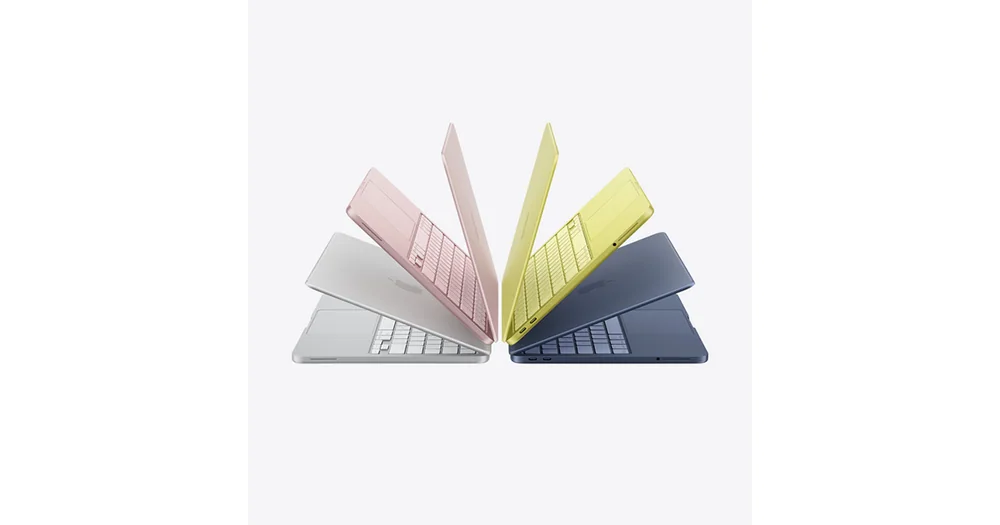
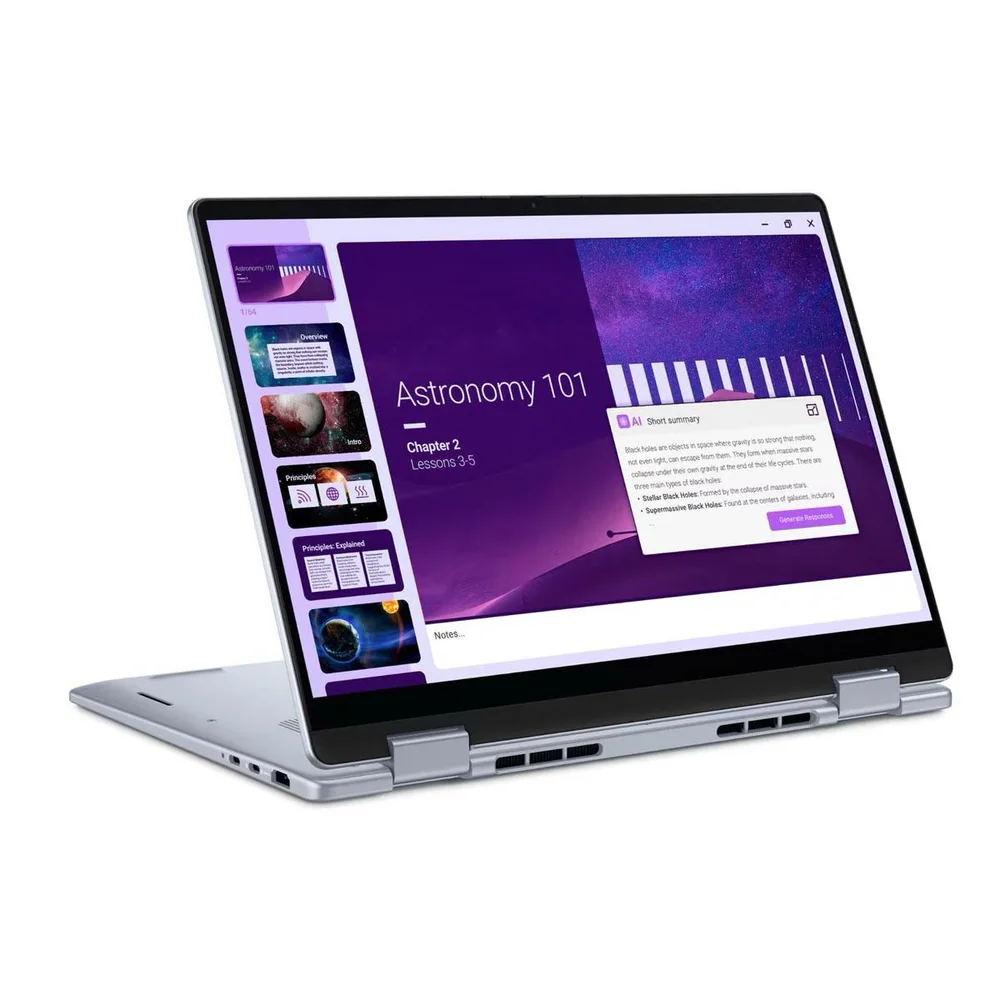
Compare these alternatives if portability, display quality, or graphics performance matters more than a large budget-friendly workspace.
Sources and research notes
Specifications come from manufacturer documentation. Measured results are attributed to independent evaluations.
- Aspire Go 16 AG16-71P-505H product specificationsAcer
Exact model identity, processor, memory, storage, display, battery, connectivity, dimensions, keyboard, and security specifications.
- Acer Aspire Go 16 AG16-71P memory configurationAcer Store UK
Confirmation that the AG16-71P chassis has two memory slots and uses removable DDR5 modules; regional factory configurations can differ.
- How much RAM do you have installed in your Aspire Go 16 AG16-71P?Acer Community
Accepted community answer identifying the AG16-71P-505H stock configuration as 2 x 8GB and the family platform as two DDR5 SO-DIMM slots.
- Aspire AG16-71P user manualAcer
USB-C charging, DisplayPort support, port speeds, keyboard layout, and physical connections.
- Intel Core 5 processor 120U specificationsIntel
Core count, thread count, clock speed, processor power, cache, and integrated graphics specifications.
- Aspire Go 16 AG16-71PT-558A product specificationsAcer
Model-specific confirmation of the touchscreen configuration's Core 5 120U processor, 16GB memory, 512GB SSD, matte ComfyView 1920 x 1200 touchscreen, 60Hz refresh rate, and backlit keyboard.
- Acer Aspire Go 16 AG16-71PT-558A Amazon listingAmazon
ASIN, listing identity, current availability, and Creators API product imagery for the touchscreen configuration.
- The Best LaptopsWirecutter
Exact-model identification, reported 3.65-pound weight, and reported roughly seven-hour battery life.
Should you buy the Acer Aspire Go 16?
Choose the AG16-71P-505H for its smoother 120Hz non-touch display, or the AG16-71PT-558A for touch input and a backlit keyboard. Either version makes the most sense for buyers who value a large workspace more than all-day mobility.