
Pickori

Ownership guide

Battery life settings that matter on a fitness watch

Battery life depends more on your settings and habits than the box claim, and a few changes can make charging fit your routine.

Reading time: 8 minutesBest for: Anyone who wants fewer surprise low battery moments and a charging routine that supports sleep tracking
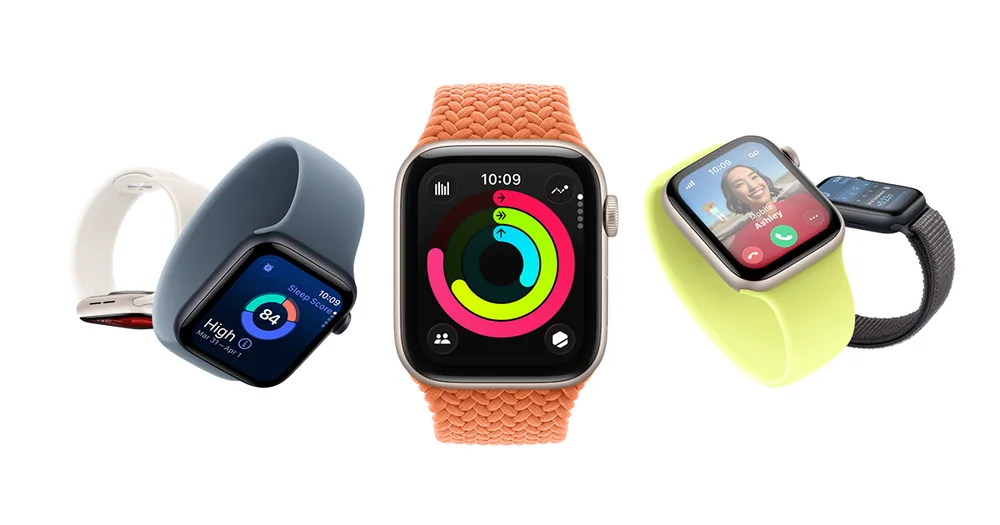
Apple Watch SE 3

Always on display, raise to wake, and brightness tradeoffs

Always-on display means the screen stays lit all the time. It is convenient, but it is one of the most consistent battery drains because it never really rests. Raise to wake uses motion to turn the screen on when you lift your wrist. It usually saves battery compared to always-on, but it can still drain more than you expect if you gesture a lot during the day or if the sensitivity is high. Brightness matters because the screen is a power hungry part of the watch. If you spend time outdoors, you might crank brightness to see it in sunlight, then forget to turn it down. A practical approach is to set brightness to a comfortable indoor level, then use an outdoor boost only when needed. Also check screen timeout. A shorter timeout (screen turns off faster) often saves more battery than people expect.

GPS workouts, music, and notifications: the big drains

GPS is a major drain because the watch is constantly listening to satellites and updating your position. Longer workouts, higher accuracy GPS modes, and route navigation features all increase power use. If you do multiple GPS sessions per week, your "days of battery" will drop quickly compared to someone who only tracks gym workouts. Music is another big drain, whether you store music on the watch or stream it through a phone connection. Wireless headphones also add load because the watch has to maintain a steady connection. Notifications seem small, but frequent buzzing and screen wake-ups add up, especially if you get lots of messages. If battery is tight, start by limiting notifications to the few that matter, like calls and calendar alerts, and turn off the rest.

Battery saver modes and what you lose when you use them

Battery saver modes reduce power by turning off or limiting features. Common changes include dimmer screens, fewer background measurements, reduced GPS accuracy, and less frequent heart rate sampling. That can be fine for travel days or long events, but it changes what your data means. For example, if heart rate sampling is less frequent, stress or recovery style metrics may look different, and sleep details may be less consistent. Use battery saver intentionally, not as a permanent default unless you are comfortable with the tradeoffs. A good pattern is to keep normal mode for most days so your trends are comparable, then switch to a saver mode only when you need extra runtime. If your watch lets you create per-activity power profiles, set a high accuracy profile for key workouts and a lower power profile for long easy sessions.

Charging habits that keep the watch wearable for sleep tracking

Sleep tracking only works if you actually wear the watch overnight, so charging should happen when it is least disruptive. Many people do best with short, regular top-ups instead of waiting for a near-empty battery. For example, charging during a shower, while making coffee, or while sitting at a desk can keep you above a comfortable buffer without losing sleep data. Try to avoid letting the battery hit zero often. Deep discharges can make battery behavior feel less predictable over time. Also keep the charging contacts clean and dry. Sweat and grime can interfere with charging and cause slow or inconsistent charging. If you swim or shower with the watch, rinse it, dry it, then charge later. Charging a wet watch can lead to corrosion over time, even if the watch is water resistant.

What this guide helps you understand

The easiest way to get dependable battery life is to control the constant drains (screen behavior and notifications) and plan short charging windows so you can still wear the watch overnight.

Set a battery buffer goal (for example, never go to bed under a certain percentage) and schedule one daily charging window that fits your routine.

Technique notes

If you change GPS accuracy modes, track how many hours of GPS you actually get. That number is often more useful than "days of battery."

Safety note: Keep the charging port and cable dry. If the watch or cable shows heat, discoloration, or a burning smell while charging, stop using that charger and inspect for damage.

More fitness watches help

← Back to Fitness Watches