
Pickori

Fitness Watch advice

How fitness watches estimate calories and what to do with the number

Calorie burn on a watch is an estimate built from heart rate and personal stats, best used for comparing your own effort over time.

Reading time: 9 minutesBest for: People who want to use calorie estimates for training and habit building without treating them as exact.
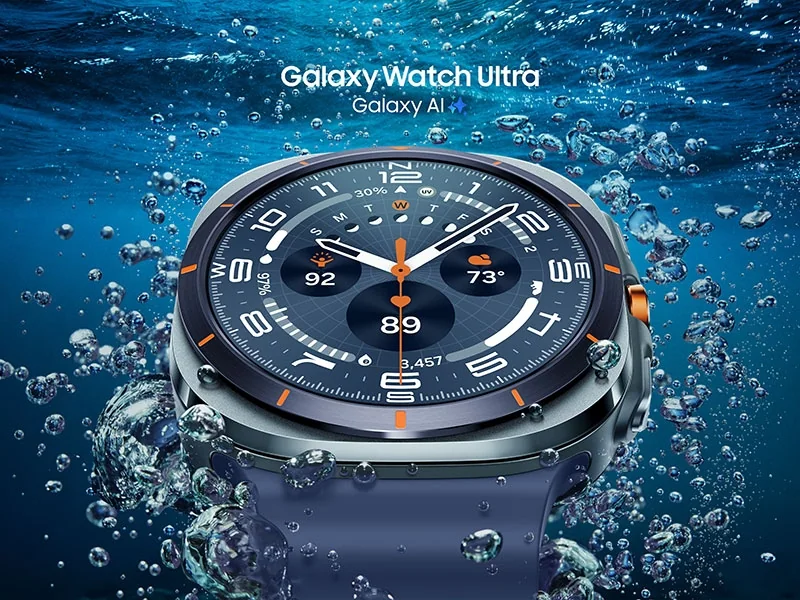
Samsung Galaxy Watch Ultra

What inputs the watch uses to estimate calories

Most watches split calories into two buckets: resting calories (what your body uses just to stay alive) and active calories (extra energy from movement and exercise). Resting calories are usually based on your profile stats and time. Active calories are estimated from a mix of heart rate response, accelerometer data (a motion sensor that detects steps and wrist movement), and sometimes GPS speed and grade. The watch is essentially asking: how hard does your body seem to be working, and for how long? Heart rate is a major driver because it changes with intensity. That is why fit matters. If the optical heart rate sensor loses contact during intervals or strength training, the watch may undercount effort. Movement can also confuse things. For example, cycling can show less wrist movement than running, and lifting can create wrist flex that disrupts readings. The more the watch misunderstands intensity, the more the calorie estimate drifts.

Why the number can be off (even when the watch is good)

Two people can do the same workout and burn different calories because bodies differ in efficiency, muscle mass, and training history. A watch cannot fully capture that. It also cannot see factors like heat, wind, terrain softness, or how tense you are while running. Even hydration and caffeine can change heart rate without changing actual energy use in a simple way. That is why calorie estimates can look "wrong" even when the watch is working normally. Strength training is a common trouble spot. Heart rate can spike from bracing and short bursts, but the relationship between heart rate and energy use is not as steady as it is in continuous cardio. Some watches let you log sets and rest, which helps the session record, but the calorie number is still a rough estimate. Treat lifting calories as a broad indicator of session size, not a precise output.

How to use calorie estimates without getting misled

Use calories to compare you to you. Pick a few repeatable workouts, like a 30 minute easy run, a steady bike ride, or a standard circuit. Watch how the calorie estimate changes when you intentionally change intensity or duration. Over time, you will learn what "easy," "moderate," and "hard" look like in your own data. That is more useful than the absolute number. For weight management, the safest mindset is that watch calories are a feedback tool, not a permission slip. If you eat back every active calorie the watch reports, small errors can add up. A more practical approach is to use the number to keep activity consistent week to week, then adjust food based on real outcomes like body weight trend, hunger, and performance. Consistency beats precision here.

Setup and habits that improve the estimate

Start with accurate profile data. If your weight changes, update it. If the watch offers a fitness level setting or asks about typical activity, answer honestly. Then focus on sensor quality: wear the watch snug, a bit above the wrist bone during workouts, and clean the back of the watch so sweat and lotion do not interfere with the light sensor. If you use an external heart rate strap for some sports, you may get steadier intensity data, which can improve calorie estimates. Also choose the right activity mode. A "run" profile that uses GPS and running-specific assumptions can behave differently than a generic "workout" mode. For indoor cardio, calibrate when the watch allows it, since treadmill pace and wrist motion can disagree. Finally, look at trends over at least a week. Day to day calorie totals bounce around. Weekly patterns are where the number becomes useful for planning.

What this guide helps you understand

Treat watch calories as a consistency and workload signal, not an exact measure you must balance perfectly with food.

Confirm your profile stats are correct, wear the watch snug during workouts, and evaluate calorie trends weekly instead of reacting to single-day totals.

Technique notes

If calorie numbers seem wildly high or low, check heart rate graphs first. A flatline or dropouts often explain the mismatch more than the calorie formula does.

Safety note: If you have a history of disordered eating or calorie fixation, consider hiding calorie fields and focusing on time, distance, or workout completion instead.

More from Fitness Watches

← Back to Fitness Watches