
Pickori

Fitness Watch advice

Fitness watch vs smartwatch: what changes your daily routine

The right choice depends on whether you want training guidance and long battery life, or phone-like convenience on your wrist.

Reading time: 9 minutesBest for: People deciding between training-first tracking and phone-first convenience.
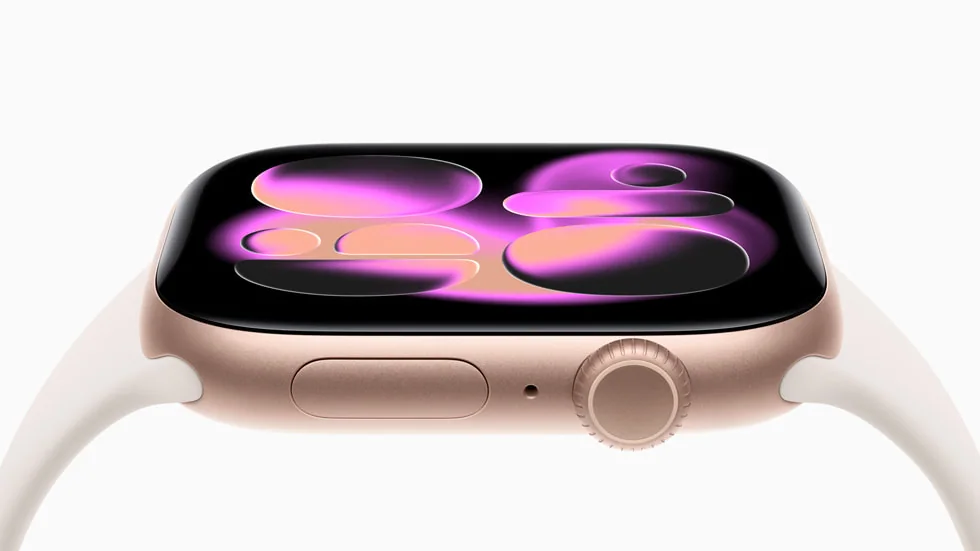
Apple Watch Series 11

Training tools: coaching vs logging

Training focused watches usually give you more ways to structure a workout, not just record it. That can include interval builders (for example, warmup, then repeat 400 meter hard efforts with timed rest), pace or heart rate targets, alerts when you drift out of a zone, and longer term views like weekly training load. The practical benefit is less mental math during a workout and more consistency across weeks. Smartwatches often do a solid job logging runs, rides, and gym sessions, but the training depth can be lighter. You might get basic zones and summaries, yet fewer tools for planning and fewer knobs to tune what the watch shows mid workout. If you mostly want a record and a rough sense of effort, that is fine. If you want the watch to help you execute a specific session, the training-first approach matters.

Apps and phone integration: convenience has a cost

Smartwatches shine when you want to handle small tasks without pulling out your phone. Notifications, quick replies, calls, calendar nudges, music controls, and third party apps can genuinely change your routine. The tradeoff is attention. More alerts and more on-wrist interactions can pull you out of workouts, meetings, or sleep, unless you take time to set up focus modes and notification filters. Fitness watches usually keep apps simpler and more limited on purpose. That can be a benefit if you want fewer distractions and a more consistent interface during exercise. Before buying, think about which moments you actually want your wrist to interrupt. If you only need texts from a few people and workout controls, you can often get that with a simpler watch and careful notification settings.

Battery life: the hidden deal breaker

Battery life is not one number. It changes dramatically with GPS workouts, always-on display, screen brightness, music playback, and how often the watch wakes up for notifications. Smartwatch style devices often ask you to charge more frequently because the screen and app features are more power hungry. If you miss charges, you miss sleep tracking and recovery trends, which makes the data less useful. Fitness watches often last longer in typical use, especially if you do not use an always-on display. That longer runway makes it easier to build the habit of wearing the watch overnight and during long workouts. When you compare options, picture your week: how many GPS sessions, how long they are, whether you travel, and whether you are willing to top up daily. Choose the charging routine you will actually follow.

Comfort and wearability: the watch you will wear wins

Comfort is not just about size. Weight, thickness, case shape, button placement, and strap material all affect whether you keep the watch on for sleep and all day wear. A watch that shifts on your wrist can also hurt sensor quality because the optical heart rate sensor needs steady skin contact. If the watch is too loose, heart rate and sleep tracking can get noisy. If it is too tight, it can be uncomfortable and you will take it off. Smartwatches often use larger, brighter screens that can feel more like a mini phone on your wrist. Fitness watches often prioritize lighter builds and physical buttons that are easier to use with sweat or gloves. If you can, pay attention to how the watch feels when you bend your wrist, type, or do pushups. The best feature set is the one you will still be wearing after the novelty wears off.

What this guide helps you understand

Choose based on the routine you want: training guidance and long battery life, or phone-like convenience and apps.

List your top three daily uses (workouts, sleep tracking, notifications, calls, navigation) and pick the watch type that supports those without adding a charging routine you will resent.

Technique notes

Plan your notification settings on day one. A watch that buzzes all day is more likely to end up in a drawer, even if the fitness tracking is good.

Safety note: If you use a watch for navigation or long outdoor workouts, carry a backup plan (phone, map, or route notes) in case battery or GPS performance is worse than expected.

More from Fitness Watches

← Back to Fitness Watches