Choose the right gaming laptop screen by understanding how each panel type handles motion, brightness, HDR, and long-term daily use.
Reading time: 9 minutesBest for: Gamers choosing between OLED, IPS, and mini LED based on motion clarity, HDR, and daily-use tradeoffs
How each panel type makes an image
IPS (in-plane switching) is a common LCD type. It uses a backlight behind the panel, so blacks are never perfectly black, but color and viewing angles are usually solid. OLED (organic light-emitting diode) is self-emissive, meaning each pixel makes its own light. That is why OLED can show true black by turning pixels off. Mini LED is still an LCD, but it uses many small backlight zones to dim parts of the screen independently.
In practice, IPS looks consistent and "normal" across lots of content, with fewer surprises. OLED makes dark games look richer and can make colors pop, but it can also reveal compression artifacts and banding more clearly because blacks are so deep. Mini LED sits between them for blacks, but it introduces a new behavior called blooming, a halo around bright objects on dark backgrounds, because the backlight zones are larger than individual pixels.
Motion clarity: refresh rate vs response time
Refresh rate (measured in Hz) is how many times per second the screen can update. Response time is how quickly pixels change from one color to another. You can buy a 240 Hz screen that still looks smeary if pixel response is slow, especially in darker transitions. This is why "high Hz" alone does not guarantee crisp motion in shooters.
OLED usually has extremely fast pixel response, so motion can look very clean at the same refresh rate. IPS varies a lot by panel quality and tuning. Many laptops use overdrive, which pushes pixels harder to transition faster, but too much overdrive can cause inverse ghosting (bright trails). Mini LED panels are typically IPS-type LCDs underneath, so motion behavior is closer to IPS than OLED. If you play competitive games, prioritize a proven fast panel, not just a big Hz number.
HDR and brightness: what mini LED is trying to solve
HDR (high dynamic range) is about showing bright highlights and deep shadows at the same time. OLED excels at per-pixel darkness, so HDR contrast can look dramatic, but overall full-screen brightness can be limited compared with the brightest mini LED implementations. IPS often struggles most with HDR because it cannot dim small areas well, so blacks lift and highlights do not stand out as much.
Mini LED's advantage is higher peak brightness and better local dimming than standard IPS, which can make HDR highlights look more intense in games with good HDR support. The tradeoff is blooming and occasional brightness shifts when the dimming zones react to changing scenes. For laptop use, also think about your room. If you play in daylight or near windows, higher sustained brightness can matter more than perfect blacks.
Ownership tradeoffs: static UI, battery, and long sessions
Gaming laptops show a lot of static elements: health bars, minimaps, taskbars, and browser UI. OLED can be more sensitive to long-term wear from static content, so habits matter. Use auto-hide taskbar, enable screen timeout, avoid leaving a paused game or bright HUD on for hours, and vary content when possible. IPS and mini LED do not have the same pixel-level wear concern, though any screen can age over time.
Power and heat also show up in daily use. Very bright modes and HDR can increase power draw, which can reduce battery runtime and add heat inside the chassis. Glossy coatings, common on some OLED laptops, can look great in a dim room but reflect more in bright spaces. If you do school or office work on the same machine, consider text clarity, glare, and how often you will run at high brightness.
What this guide helps you understand
Pick a gaming laptop screen that matches your room lighting, the types of games you play, and your tolerance for blooming, glare, and static UI habits.
Before buying, decide whether you care more about dark-scene contrast (OLED), predictable all-around behavior (IPS), or brighter HDR highlights with some blooming risk (mini LED).
Products that fit this gaming laptop advice
As an Amazon Associate I earn from qualifying purchases.
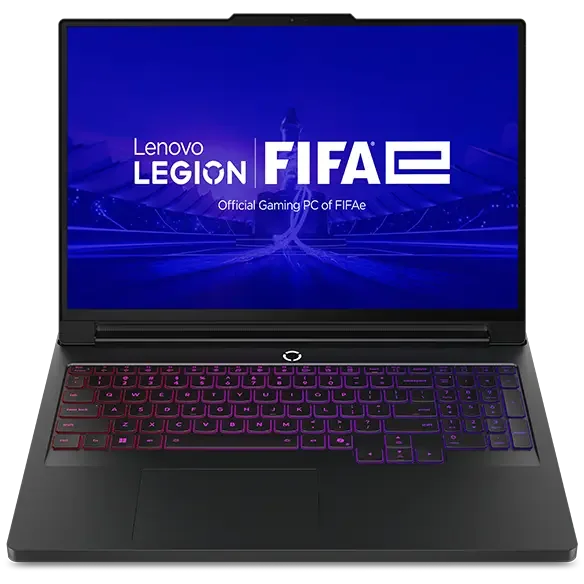
Lenovo Legion Pro 7i (Gen 10) makes sense for players who care about sustained performance in long AAA sessions and want a machine that prioritizes keeping power on tap.
If you use an external monitor most of the time, the built-in panel matters most for travel, couch play, and everyday work, so prioritize comfort and glare control over peak specs.
Safety note: Keep vents clear when using high brightness and HDR for long sessions, since extra heat inside a laptop can raise surface temperatures.