Work through charging, cleaning, connection, and reset checks before deciding whether a silent earbud needs service or replacement.
Few small tech failures are more irritating than putting in your earbuds, pressing play, and getting sound from only one side. The good news is that a dead-seeming earbud is often not actually dead. It may have missed a charge, lost contact with the case, picked up debris, or fallen out of sync with its partner. Start with the simple physical checks before resetting anything. Charge both earbuds and the case, clean the contact points and speaker grille carefully, then reconnect them to your phone. If one side still will not charge, pair, or play after a full reset, the problem is more likely a worn battery, damaged component, or case issue that calls for service.
Reading time: 8 minutesBest for: True wireless earbud owners dealing with sound from only one side
Confirming the earbud is charging
Put both earbuds in the case and connect the case to power with a known-good cable and charger. Leave it there long enough to rule out a nearly empty case, then check the case lights or companion app if your model has them. A light on the case does not always prove that the troublesome earbud is charging. The useful clue is whether that individual earbud shows a charging indicator, battery percentage, or other response when seated.
Remove the problem earbud and place it back in the case slowly. It should settle into its magnetic position without needing to be held down. If it only charges when you press on it, the earbud may not be reaching the charging pins consistently. Compare its position with the working side, and make sure a silicone tip, stabilizing fin, or loose bit of packaging is not keeping it from sitting fully in the well.
Cleaning the charging contacts
Charging contacts are the small metal points on the earbud and the spring-loaded pins inside the case. Skin oil, pocket lint, dried sweat, and makeup can create a thin barrier between them. With the case unplugged, wipe the metal contacts on the earbud with a dry, soft, lint-free cloth. A dry cotton swab can help reach the recessed contacts in the case.
If grime remains, use only a lightly dampened swab with a small amount of isopropyl alcohol, keeping liquid away from speaker openings and seams. Let every surface dry completely before returning the earbuds to the case. Do not scrape contacts with a pin, knife, or other metal tool. It is easy to bend a charging pin or damage its coating, turning a cleaning job into a hardware problem.
Checking for blocked speaker grilles
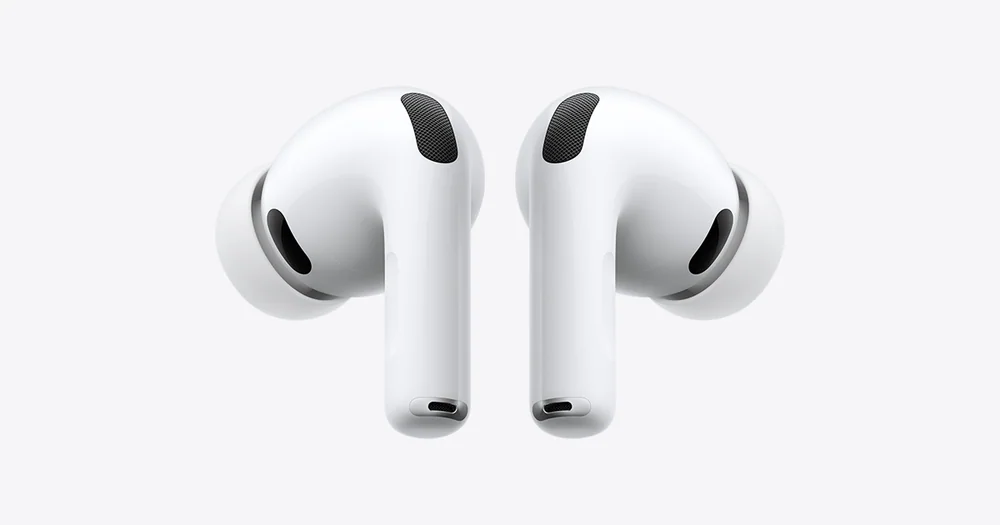
An earbud can be connected and fully charged yet sound silent or strangely quiet because its speaker grille is blocked. Earwax and debris often collect under the removable ear tip or across the fine mesh at the nozzle. Take off the tip, inspect the grille in bright light, and compare it with the working earbud. A visible film or uneven buildup is a strong clue, especially if the quiet side still responds to touch controls or appears connected in Bluetooth settings.
Brush the grille gently with a clean, dry, soft-bristled brush. Keep the earbud facing downward so loosened debris falls away rather than being pushed farther inside. Do not rinse the earbud, blow into the grille, or force a sharp object through the mesh. Water resistance is not permission to flood the speaker, and puncturing the mesh can permanently change the sound or expose internal parts.
Re-pairing the earbuds
If both earbuds charge and the grille is clear, the issue may be the wireless connection rather than the speaker. In your phone, tablet, or computer Bluetooth settings, check whether the earbuds appear connected and whether the device is sending audio to them. Also check the balance control in accessibility or audio settings. A balance slider moved all the way left or right can make one side seem broken with no fault in the earbuds themselves.
Next, forget or remove the earbuds from the device's Bluetooth list. Put both earbuds in the case, close it briefly, then open it and follow the maker's normal pairing steps. Pair them again as one set, not as two separate devices if your device list shows old entries for each side. Test with a second app or another source device after reconnecting. That separates a pairing issue from an app setting, a bad audio file, or a problem with the original phone.
Resetting the earbuds and case
A reset clears stored pairing information and can restore the link between the left and right earbuds. The exact button presses, touch gestures, and light patterns vary by brand, so use the instructions for your specific model rather than guessing. In many cases, you first forget the earbuds from Bluetooth, place both in the case, and hold a case button or both touch surfaces until the status light changes.
Before resetting, make sure both earbuds and the case have enough charge to complete the process. A reset will usually remove saved devices and may return controls or sound settings to their defaults, so expect to pair again and reapply any preferred equalizer, noise cancellation, or touch-control settings. If the silent earbud never lights up, never registers in the app, or cannot enter reset mode while the other one can, the reset result itself points toward a charging or hardware fault.
When service or replacement is the next step
Move beyond home fixes when the earbud will not charge after clean contacts and a charged case, stays absent from every device, has obvious physical damage, or remains silent after a proper reset. Check the warranty period and the manufacturer's support options before buying anything new. Some brands can replace a single earbud or charging case, but the replacement must match the exact model and generation. Similar-looking versions are not always compatible.
Replacement can make more sense when the pair is older, battery life has become unreliable, or the cost of a single replacement approaches a new set. Do not keep using an earbud with a swollen battery, cracked housing, exposed wiring, unusual heat, or a burning smell. Stop charging it, place it on a nonflammable surface away from people and fabrics, and contact the manufacturer or a local electronics recycling program for guidance.
What this guide helps you understand
Treat a one-sided earbud failure as a short elimination process: confirm that the earbud is actually charging, clear the contacts and grille, rule out device settings, then re-pair and reset. If it still cannot charge or rejoin the pair, the issue is likely physical rather than something another Bluetooth toggle will fix.
A charged earbud case, a known-good charging cable, and access to the device's Bluetooth settings
A soft lint-free cloth, dry cotton swabs, and a soft brush for careful cleaning
The earbud model name or manual for its correct reset sequence
Technique notes
Test the earbuds with a second phone, tablet, or computer before concluding that the earbud itself has failed.
If only one app has the problem, check that app's audio output and accessibility settings before resetting the earbuds.
Keep replacement ear tips matched to the correct side and size, since a poor seal can make one earbud seem much quieter than the other.
Safety note: Do not use a damaged, swollen, hot, or leaking earbud or charging case, and do not puncture the battery or speaker mesh while cleaning.