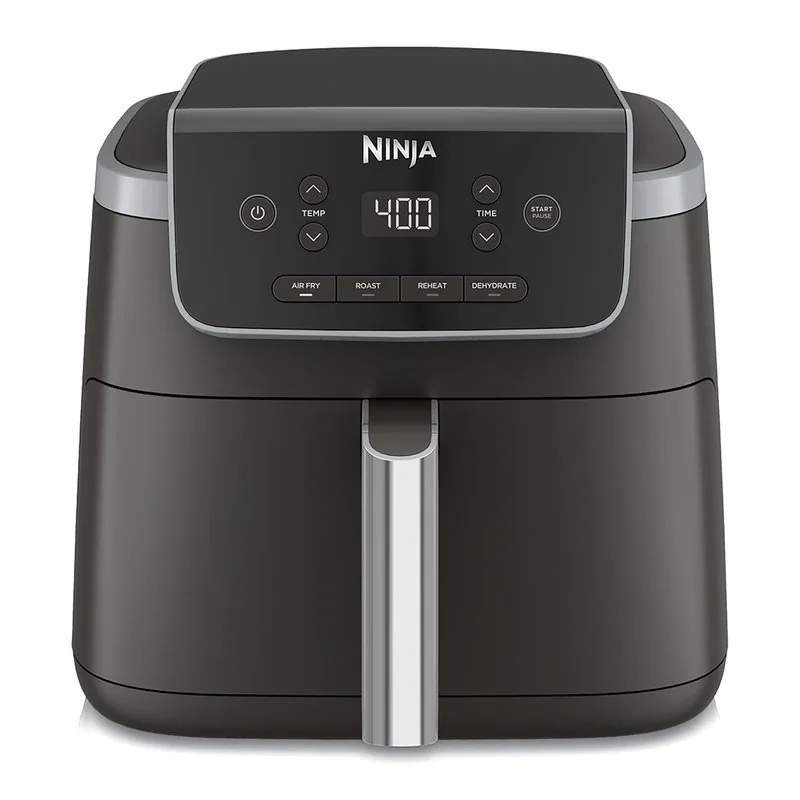
Air fryer presets are saved time and temperature settings, not automatic instructions that account for every portion or recipe.
Reading time: 9 minutesBest for: New owners learning when to trust, adjust, or skip air fryer preset buttons
A Preset Is a Saved Starting Setting
Most presets simply combine a temperature and a cooking time chosen for a general type of food. Some may also activate a reminder to shake food or use a particular fan setting. They are convenient for familiar tasks, but the label on the button does not mean the appliance knows whether you are cooking fresh or frozen food, a single serving or a full basket, or thin pieces versus thick ones.
Use a preset to get close, then take control of the result. Before starting, look at the food's package directions or recipe and compare them with the preset. If the food is especially small, thin, sugary, or already cooked, begin checking early. If it is thick, cold from the refrigerator, or packed closely together, expect it to need more time. For meat and poultry, confirm doneness with a food thermometer rather than a preset timer.
Quantity and Basket Layout Change the Timing
Air needs open paths around food to dry the surface and brown it. A small portion in a loose layer receives more direct airflow than a full basket. When the basket is crowded, moisture released by the food stays trapped longer. The result can be pale fries, soft breading, and uneven cooking. Adding more food usually requires more than simply adding a few minutes because the layout itself has changed.
For foods that can move freely, shake the basket during cooking to expose different surfaces. For larger pieces, turn them with tongs and rearrange them if some areas brown faster. Cook in batches when food is piled high or tightly packed. This may feel slower at first, but it often avoids the longer total time spent trying to crisp an overloaded basket. A wide basket is generally more useful than a deep, narrow one for crisp foods.
Thickness, Moisture, and Starting Temperature Matter
Thin foods cook faster than thick foods, even when both fit under the same preset category. A thin fish fillet, a thick chicken breast, and bone-in chicken pieces need different timing because heat takes longer to reach the center of thicker food. Food taken directly from the refrigerator also starts colder than food that has rested briefly during prep, which can affect the finish time.
Moisture changes browning as well. Frozen foods often release water as they cook, while fresh vegetables can steam if crowded. Sauces and sugary glazes can darken quickly, so apply them later in cooking when possible. A light coating of oil can help some dry foods brown and help seasoning stick, but too much oil can drip below the crisper plate, smoke, and leave a greasy surface. Adjust based on the food, not the button label.
Build a Repeatable Check-and-Adjust Routine
Set the preset or manual controls, then check food before the displayed time ends. Look for even browning, but also test texture. Fries should be crisp at the edges, vegetables should be tender to your preference, and breaded foods should not feel soggy underneath. Turn or shake food as needed, then continue in short intervals until it reaches the result you want.
Keep simple notes for foods you make often. Record the portion size, whether it was fresh or frozen, the basket position, the temperature, and the total time that worked. This is more useful than memorizing a preset because it reflects your appliance and your preferred texture. Clean the basket and crisper plate after greasy cooking, since built-up residue can smoke and make later batches brown or smell differently.
What this guide helps you understand
Use presets to begin cooking, then adjust for portion size, food thickness, moisture, and the browning level you want.
Check food before the preset timer ends, especially for thin, small, sugary, or already cooked items.
Shake or turn food when pieces overlap or brown unevenly.
Use a food thermometer to confirm meat, poultry, and substantial leftovers are cooked through.
Technique notes
A preset cannot compensate for a dirty basket or blocked crisper plate. Remove grease and crumbs so airflow can move through the cooking area.
Safety note: Do not treat a chicken or meat preset as a doneness guarantee. Check the thickest part of the food before serving.