
What to know first
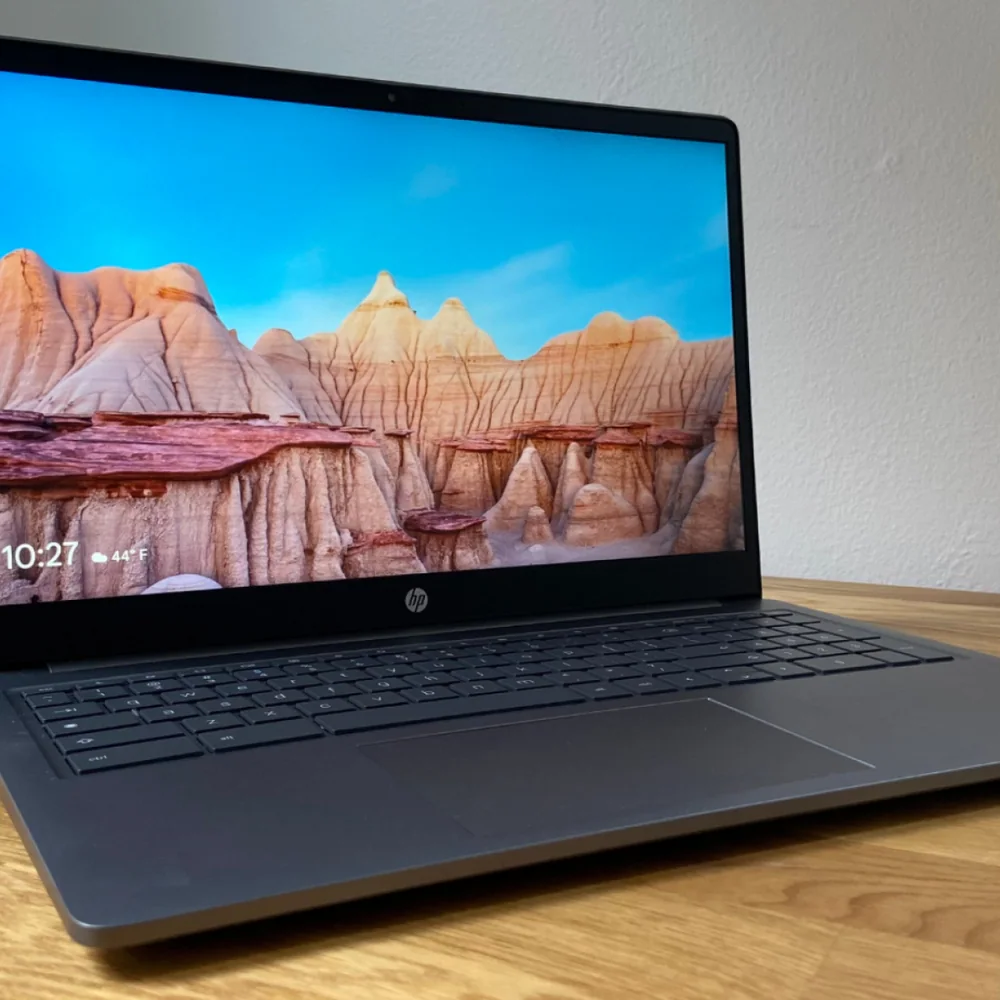
- 15.6-inch, 1920x1080 IPS anti-glare display is the standout feature for streaming and everyday reading
- Intel Core i3-N305 with 8GB RAM and 128GB storage covers browser-based multitasking, not heavy creative work
- One independent evaluation flagged battery life as a real weakness, not a nitpick
- Plastic shell looks metallic (Mineral Silver finish) but picked up a scratch during one reviewer's evaluation period
- Runs cool and quiet according to hands-on evaluation, useful for lap use and shared spaces
- Base configuration (2 USB-C, 1 USB-A, SD card, headphone jack) is sold exclusively through Best Buy; HP.com sells a pricier variant with a 144Hz screen and backlit keyboard
Where the Chromebook Plus 15.6 fits in HP's lineup
This is HP's entry in Google's Chromebook Plus tier, a label that guarantees a minimum bar: at least a 2022-or-newer Core i3 or Ryzen 3 7000-series chip, 8GB of RAM, 128GB of storage, and a 1080p IPS display with a 1080p webcam. The Chromebook Plus 15.6 hits that floor rather than clears it by much, running an Intel Core i3-N305 with Intel UHD graphics, 8GB of RAM, and 128GB of UFS storage.
That positioning matters because Chromebook Plus exists to fix a real problem: buyers couldn't tell a capable Chromebook from a sluggish one just by the name. HP's version leans into the screen size instead of raw horsepower, giving you a 15.6-inch canvas at a price where most competitors offer 13 or 14 inches. If you've been annoyed by tiny Chromebook displays for years, that's the actual pitch here.
Two configurations exist and it's easy to confuse them. The base model, sold exclusively at Best Buy, sticks with a 60Hz refresh rate and no backlit keyboard. A separate variant sold directly through HP adds a 144Hz panel, backlit keys, and a faster WiFi 6E card, at a noticeably higher price. Know which one you're looking at before you compare prices online.
The screen does the heavy lifting
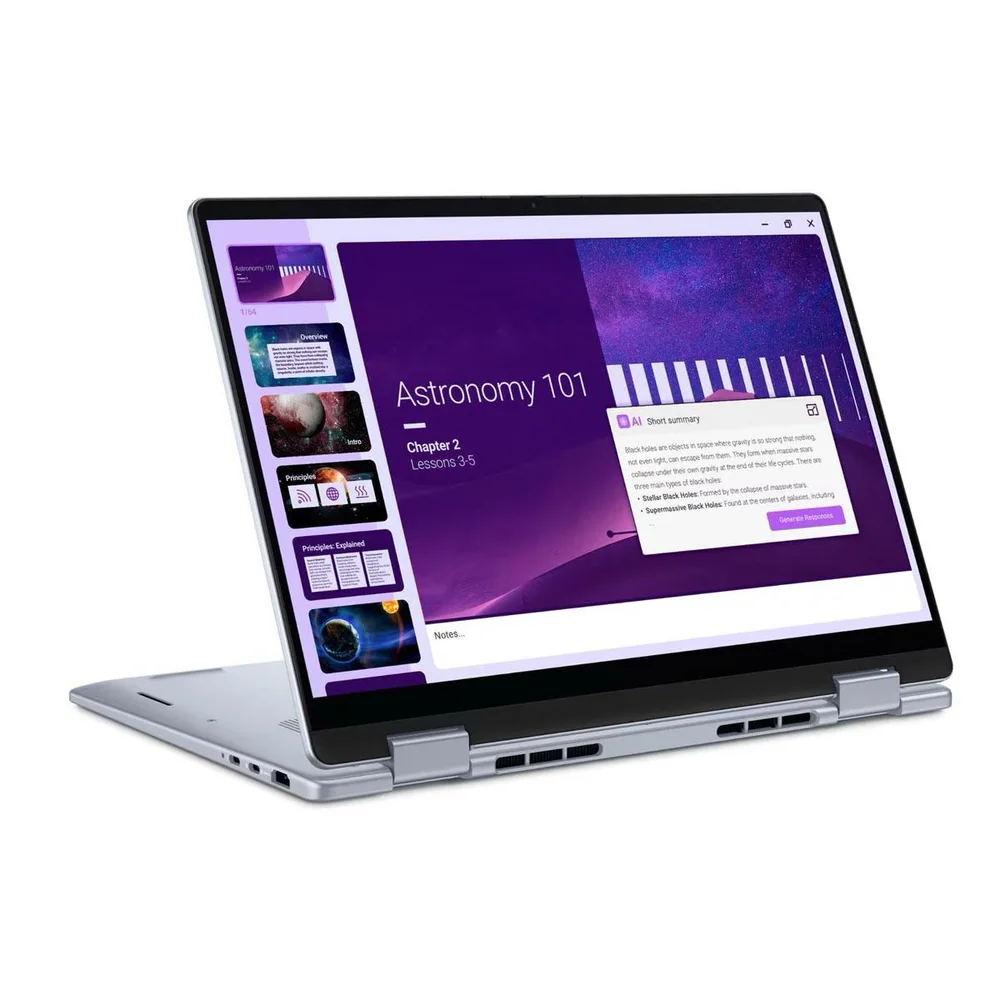
A 15.6-inch, 1920x1080 IPS panel with an anti-glare coating is the reason to want this laptop over a smaller Chromebook Plus alternative. Anti-glare coatings specifically help near windows or under overhead lighting, situations where glossy screens turn into mirrors. One hands-on evaluation called the display large, colorful, and well-suited to entertainment, which lines up with what an IPS panel at this size should deliver: wide viewing angles and accurate color without the washed-out look of cheaper TN panels.
Thermal behavior is the other quiet win. Running cool and quiet under normal use means the fan noise that plagues a lot of budget laptops during video calls or streaming sessions isn't a factor here, and a cooler chassis is more comfortable resting directly on your legs. For a laptop this size, that's not a given.
None of this makes the i3-N305 a performance chip in the way a gaming laptop's processor is. It's built for browser tabs, Google Docs, streaming video, and light photo editing in web apps like Photopea, the kind of workload Chromebooks were designed around from the start. Expecting it to handle demanding creative software or heavy multitasking with dozens of tabs and background apps will expose its ceiling quickly.
Living with the keyboard, touchpad, and ports
Day to day, the Chromebook Plus 15.6 covers the basics without fuss: two USB-C 3.0 ports, one USB-A 3.0 port, an SD card slot, and a headphone jack spread across both sides. That SD slot is worth noting since it's disappearing from a lot of thin laptops; if you shoot photos on a camera with a memory card, you can skip the dongle.
The touchpad and keyboard need a short adjustment period. One reviewer described the touchpad as accurate and responsive but oddly grippy, almost like it needed to be waxed, a texture quirk rather than a functional flaw. It is a thing you stop noticing after a week, but it's worth trying in a store if you're sensitive to touchpad feel.
At 3.81 pounds and 0.78 inches thick according to one measured evaluation, it's not the lightest 15.6-inch laptop you'll find, but it's manageable to carry one-armed between rooms. The Mineral Silver finish gives it a metallic look despite being plastic underneath, and HP kept the hinge tight enough that it doesn't creak or wobble during normal use.
The battery number that should change your shopping list
Battery life is the detail that separates this laptop's ideal owner from someone who'll be disappointed. One independent evaluation called battery life poor, listing it plainly as a downside alongside the plastic build and muffled speakers. That's a single evaluation, not a broad consensus, but it's specific enough to take seriously: if all-day, unplugged use matters to you, plan around this rather than hope it improves.
Audio and video calling are the other soft spots. The same evaluation flagged an unimpressive webcam and muffled speakers, both common budget-laptop compromises but worth knowing if you rely on video calls for work or school. Pair this laptop with a decent headset or external speaker if sound quality matters to you.
Build quality asks for a gentle hand. The plastic shell looks good but isn't rugged: one reviewer's loaner picked up a nick on the lid just from being carried between a desk, couch, and kitchen table. Nothing catastrophic, but it's a signal that this isn't a laptop built to survive drops or rough backpack duty.
The specs that matter
The processor sets the ceiling for everyday responsiveness and demanding coursework. Clock speed is only one part of performance, but the exact chip helps shoppers compare the right configuration.
Memory determines how comfortably the laptop can keep browser tabs, documents, video calls, and school apps open together.
Storage capacity determines how quickly local files and applications force you to manage space; SSD storage is also faster than eMMC or UFS storage.
The graphics processor matters for games, 3D work, video effects, and some technical applications. Integrated graphics are normally enough for documents, streaming, and basic creative work.
Screen size and resolution affect reading comfort and split-screen work, while brightness, panel type, and refresh rate shape how the display looks and feels.
Battery capacity and measured or rated runtime help estimate whether the laptop can cover a class day without a charger. Real runtime changes with brightness and workload.
Weight matters when the laptop travels between classes every day; larger screens usually trade some portability for working space.
Ports and wireless support determine which monitors, drives, chargers, and campus accessories work without extra adapters.
Who this product fits
The student who lives in Google Docs
For a student writing papers, managing a class schedule in Sheets, and streaming lectures or video between classes, the big anti-glare screen and quiet, cool operation make this a comfortable daily driver, as long as there's an outlet nearby between classes to offset the battery limitation.
The traveler who needs all-day power
Anyone who wants to leave the charger at home for a full workday or a long flight should look elsewhere in the Chromebook Plus lineup; the battery flag here is specific enough that it's not worth gambling on for genuinely unplugged use.
The budget shopper comparing screen size to price
Someone who's been frustrated by cramped 13-inch Chromebook screens at this price point gets real value here: a 15.6-inch 1080p IPS panel is a rare find in this bracket, and the metallic-look finish makes it feel less like a budget machine than it is.
What else to compare
If all-day battery life matters more than screen size, it's important to compare this against smaller Chromebook Plus models before deciding.
HP Chromebook Plus 15.6 FAQ
Is the HP Chromebook Plus 15.6 good for gaming?
No. The Intel Core i3-N305 and Intel UHD graphics are built for browser-based tasks and light apps, not gaming. Android and cloud gaming apps will run, but demanding titles are outside its intended use.
Does the HP Chromebook Plus 15.6 have a backlit keyboard?
The base configuration sold at Best Buy does not. A separate, higher-priced variant sold directly through HP adds a backlit keyboard along with a 144Hz display and faster WiFi.
How is the battery life on the HP Chromebook Plus 15.6?
One independent evaluation specifically flagged battery life as a downside, calling it poor rather than merely average. If unplugged, all-day use is a priority, treat this as a real limitation rather than a minor concern.
Can I upgrade the RAM or storage later?
Chromebooks in this class typically ship with soldered memory and storage, so buy based on the 8GB RAM and 128GB storage configuration you need rather than planning to upgrade afterward.
Is the SD card slot useful for photographers?
Yes. It's a genuine convenience since many thin laptops in this price range have dropped SD slots entirely, and it lets you move photos off a camera without a separate dongle.
Worth it if you stay near an outlet
The HP Chromebook Plus 15.6 earns its keep with a genuinely good screen and a chassis that stays cool and quiet through normal use, two things that make daily browsing, streaming, and document work pleasant in a way a lot of budget laptops don't manage. It meets rather than exceeds Google's Chromebook Plus baseline on power, which is fine for the workload it's built for and limiting if you expect more.
The honest reason to hesitate is battery life, flagged specifically and plainly in one independent evaluation. If you're buying this for a desk, a dorm room, or a house where an outlet is always within reach, that limitation barely changes your day. If you need a laptop that goes the distance unplugged, keep looking within the Chromebook Plus lineup instead.