
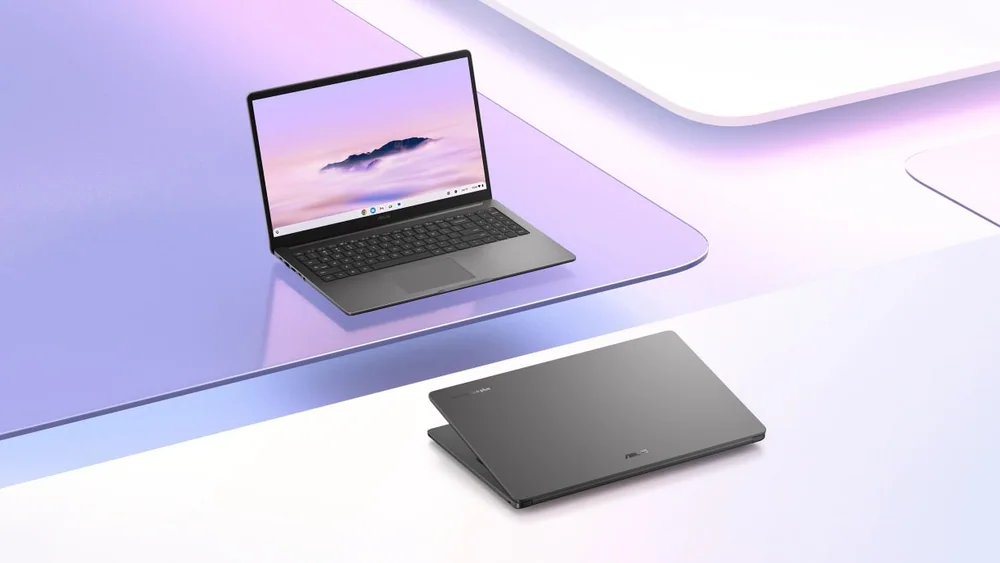
What to know first
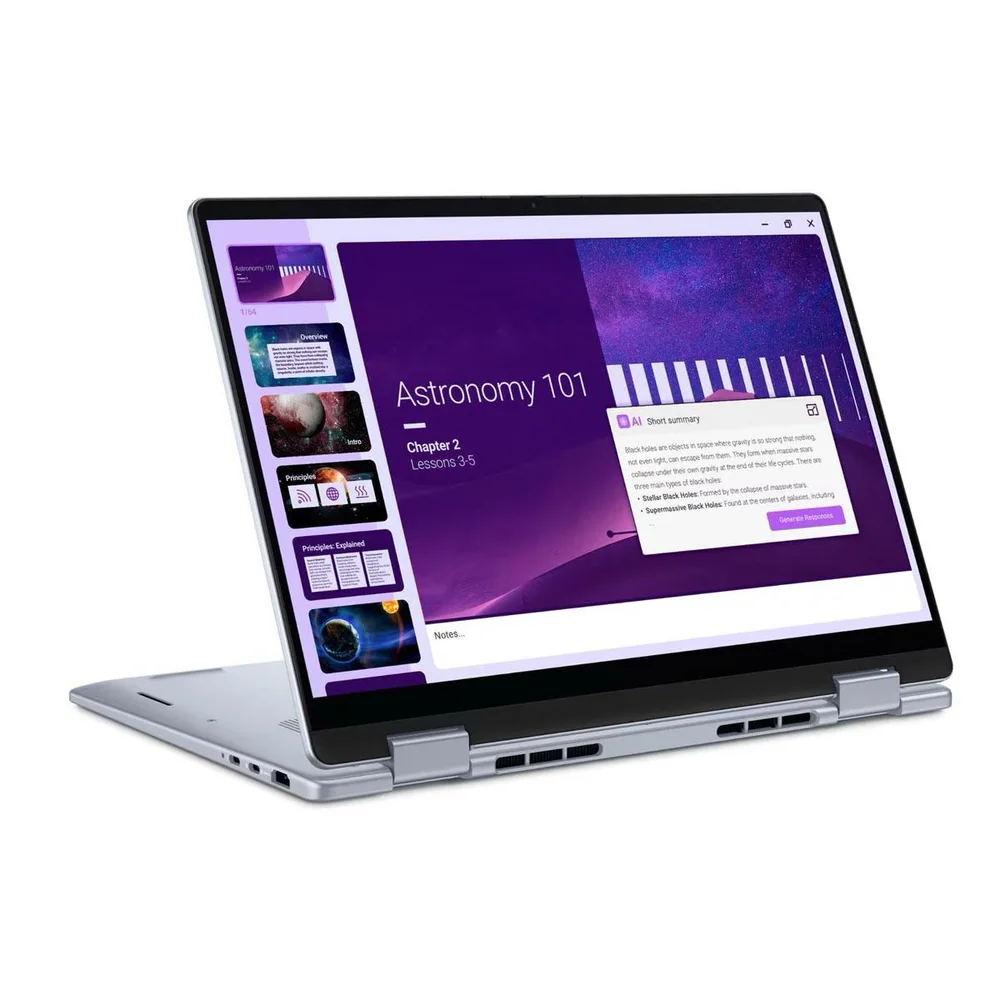
- 15.6-inch, 300-nit anti-glare display with an 87% screen-to-body ratio, non-touch on this configuration
- Intel Core 3-N355 processor (8 cores, up to 3.9GHz) paired with 8GB of onboard LPDDR5 memory
- 128GB eMMC storage, fixed and not upgradeable, meant to work alongside cloud storage rather than replace it
- 42Wh battery charged over USB-C with a 45W adapter, useful for topping up from a phone charger or power bank
- MIL-STD 810H durability evaluation, a privacy shutter, and a spill-resistant keyboard for everyday knocks
- Weighs 1.59 kg (3.51 lbs), noticeably heavier than an 11 or 13-inch Chromebook but reasonable for its screen size
A budget Chromebook that doesn't feel like a downgrade to look at
Most Chromebooks in this price range top out at 11 or 13 inches, forcing a compromise between portability and comfort. The CX1505 goes the other direction: a 15.6-inch panel with an 87% screen-to-body ratio, which means the bezels are thin enough that the laptop doesn't feel oversized just because the screen is big.
It carries the Chromebook Plus label, which Google reserves for hardware that clears a minimum bar for RAM, storage, and processing power, and that badge is the real reason to consider this over a cheaper, non-Plus Chromebook. The Intel Core 3-N355 is an 8-core, 8-thread chip rated up to 3.9GHz, more headroom than the low-end Celeron chips that still show up in budget Chromebooks.
This isn't a laptop trying to compete with a MacBook Air or a mainstream Windows ultrabook, and it shouldn't be judged that way. It's a browser-first machine for people whose daily work already lives in Google Docs, Gmail, and a dozen open tabs, priced and built accordingly.
Screen size over storage: the trade that defines this machine
The defining decision ASUS made here is obvious once you look at the spec sheet: a bigger, brighter display instead of a bigger drive. The 300-nit anti-glare panel is bright enough for a well-lit room and forgiving near a window, and the wide-view coating keeps colors from washing out if you're not sitting dead center.
Compare that to the 128GB eMMC storage, which is the CX1505's clearest compromise. EMMC is slower than the SSDs found in pricier Chromebooks and most Windows laptops, and 128GB fills up fast if you're storing photos or downloaded video locally. For a Chromebook, though, that's a smaller problem than it sounds: most of what you do runs through the browser and saves to Google Drive automatically, so the drive mostly needs to hold the OS, some apps, and offline files.
The 8GB of LPDDR5 memory is soldered on, not upgradeable, which is standard for Chromebooks but worth flagging for anyone used to adding RAM later. For the tab-heavy, multi-app workflow this machine is built for, 8GB is enough to avoid the stutter you'd get on a 4GB Chromebook, but it's also the ceiling. If your idea of multitasking includes a dozen Chrome tabs plus a couple of Android apps running simultaneously, this is about as much memory as you'll want to push it.
Living with it: charging, typing, and the small conveniences
Charging goes through USB-C with a 45W adapter, which means you can top up the CX1505 with the same charger you use for a phone or a small power bank in a pinch, not a proprietary brick you have to remember to pack. The 42Wh battery isn't the largest in its class, so plan on plugging in during a long day of streaming or video calls rather than treating it as an all-day machine on a single charge.
The keyboard has 1.35mm of key travel and a spill-resistant design, a detail that matters more than it sounds for a laptop likely to end up on a kitchen table or a student's desk near a coffee cup. A privacy shutter over the camera is a small but genuinely useful inclusion for anyone who leaves their laptop open in shared spaces.
ASUS backs the build with MIL-STD 810H evaluation, the same military-grade durability standard used across its laptop lineup, which is a reasonable hedge against drops and knocks for a machine likely to get tossed in a backpack. At 1.59 kg (3.51 lbs), it's heavier than a compact Chromebook but still light enough to carry daily without complaint.
Where the low price shows up
This configuration doesn't have a touchscreen, which matters if you were picturing tablet-style interaction with Android apps. If touch input is important to how you use ChromeOS, check the specific model variant before buying, since ASUS sells other CX1505 configurations that may differ.
The 128GB eMMC ceiling is the catch that will bite hardest for anyone who treats a laptop as local storage for photos, video projects, or a big Steam library through Linux apps. It's fine for someone who lives in the cloud and syncs everything to Drive, but it's the wrong choice if you're used to keeping everything on the machine itself.
8GB of memory is comfortable for browser-heavy work but will show its limits if you start layering Android apps, Linux containers, and dozens of tabs simultaneously. Anyone doing genuinely heavy multitasking should look at a Chromebook with 16GB before assuming this one will keep up.
The specs that matter
The processor sets the ceiling for everyday responsiveness and demanding coursework. Clock speed is only one part of performance, but the exact chip helps shoppers compare the right configuration.
Memory determines how comfortably the laptop can keep browser tabs, documents, video calls, and school apps open together.
Storage capacity determines how quickly local files and applications force you to manage space; SSD storage is also faster than eMMC or UFS storage.
The graphics processor matters for games, 3D work, video effects, and some technical applications. Integrated graphics are normally enough for documents, streaming, and basic creative work.
Screen size and resolution affect reading comfort and split-screen work, while brightness, panel type, and refresh rate shape how the display looks and feels.
Battery capacity and measured or rated runtime help estimate whether the laptop can cover a class day without a charger. Real runtime changes with brightness and workload.
Weight matters when the laptop travels between classes every day; larger screens usually trade some portability for working space.
Ports and wireless support determine which monitors, drives, chargers, and campus accessories work without extra adapters.
Who this product fits
A student who writes papers and researches in Google Docs
The 15.6-inch display makes long research and writing sessions easier on the eyes than a cramped 11-inch screen, and 8GB of memory keeps a dozen research tabs open without slowdown. Cloud-based schoolwork fits neatly within the 128GB eMMC drive since most files live in Drive anyway.
A household's second laptop for streaming and video calls
For a shared family laptop that mostly handles Zoom calls, email, and Netflix, the CX1505's screen size and Chromebook Plus performance are more useful than storage capacity. It's not a machine anyone will fill up with local video files.
A buyer who needs local storage for large files or a media library
The fixed 128GB eMMC drive and lack of local storage expansion make this a poor fit for anyone who wants to keep photos, downloaded video, or large project files on the machine itself. A Chromebook with SSD storage, or a Windows laptop, is the better match.
What else to compare
If local storage or touch input matters more than screen size, it's worth checking other Chromebook Plus configurations before settling on this one.
ASUS Chromebook Plus CX15 (CX1505) FAQ
Does the ASUS Chromebook Plus CX15 (CX1505) have a touchscreen?
The configuration detailed here has a non-touch, anti-glare display. ASUS offers other CX1505 variants, so confirm the exact model number if touch input matters to you.
Can I upgrade the RAM or storage later?
No. The 8GB of LPDDR5 memory is soldered onboard and the 128GB eMMC drive is fixed, so whatever configuration you buy is what you'll have for the life of the laptop.
How long does the battery last?
ASUS rates the battery at 42Wh, but the published product information doesn't include an independently measured runtime. Expect real-world battery life to run shorter with higher brightness, video calls, and heavy browser use, so plan on charging during a demanding day rather than expecting all-day unplugged use.
What charger does it use?
A 45W USB-C adapter, which means you can charge it with a compatible 45W USB-C charger or power bank in a pinch, not just the included brick.
Is 128GB of storage enough for a Chromebook?
For a browser-first workflow that relies on Google Drive and cloud apps, 128GB is workable. If you plan to store a lot of media, large files, or Linux apps locally, it fills up faster than an SSD-based laptop with similar capacity.
Is this a good laptop for gaming?
Not really. The Intel UHD integrated graphics and eMMC storage are built for browser-based work and light apps, not for demanding local games. Cloud gaming services would run better than anything installed locally.
Big screen, small drive: does that trade work for you?
ASUS made a clear bet with the Chromebook Plus CX15 (CX1505): spend the budget on screen size and Chromebook Plus-grade processing instead of storage speed or capacity. For anyone whose daily computer use already happens inside a browser tab, that bet pays off in a laptop that's comfortable to look at all day and quick enough to handle real multitasking without complaint.
The catch is storage, not performance. If 128GB of eMMC and no local upgrade path sounds limiting, that's an honest signal this isn't your laptop. But for students, casual streamers, and anyone who wants a bigger screen without paying Windows-laptop prices, the CX1505 delivers exactly what it promises and doesn't pretend to be more than that.