Knob controls vs touch controls on cooktops: daily usability differences
Published Updated
Knobs and touch controls can both work well, but they feel very different in speed, cleanup, and how confidently you can adjust heat mid-cook.
Reading time: 8 minutesBest for: Shoppers choosing between knob and touch control cooktops who care about everyday cooking feel, cleanup effort, and accessibility
Speed and precision: what feels different while cooking
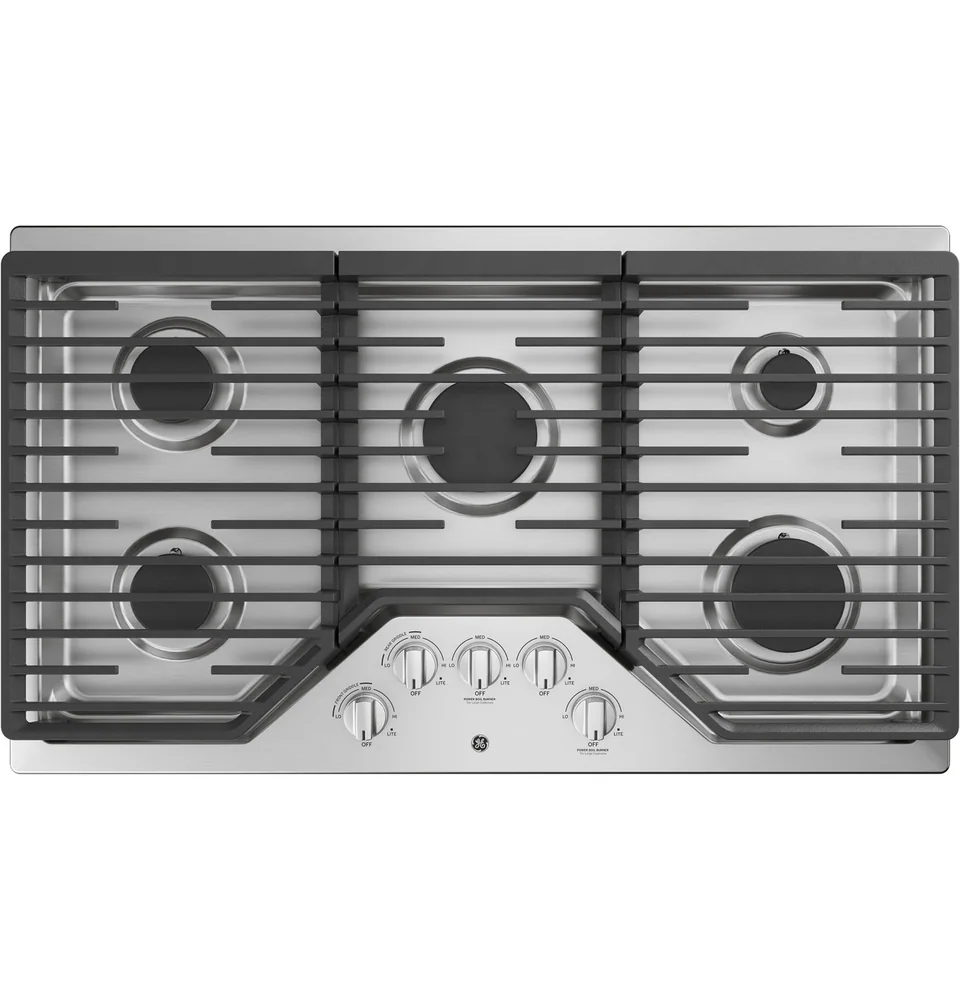
Knobs are fast because you can grab and turn without looking closely. That matters when you are managing multiple pans or reacting to a boil-over. Many cooks also find it easier to make small adjustments by feel, especially for simmering. On gas, knobs often map directly to flame size, which gives immediate visual feedback. On electric and induction, the knob still gives a simple, continuous motion even if the cooktop uses numbered power levels behind the scenes.
Touch controls can be precise, but the precision depends on the interface. A dedicated "plus and minus" button setup can feel slow if you have to tap repeatedly to move from low to high. A slider can be quicker, but only if it responds reliably and is easy to hit accurately. Touch panels also tend to require more attention, especially when you are wearing glasses, cooking in low light, or trying to adjust heat while stirring. If you frequently make quick changes, prioritize controls that let you do it in one motion.
Cleaning: spills, smudges, and crevices
Touch controls are easy to wipe because the surface is flat. That is the main advantage. The tradeoff is smudges and streaks, which show up quickly on glossy glass. Spills can also interfere with touch sensors. If a boil-over runs across the control area, the cooktop may beep, lock out, or misread inputs until you wipe it up. That can be frustrating in the middle of cooking, especially if the cooktop requires a specific sequence to resume normal operation.
Knobs create crevices where grease and crumbs collect. Over time, that can make the area around the knobs look grimy unless you clean it regularly. The best knob setups have removable knobs and a surface shape that does not trap spills in seams. If you choose knobs, plan to pull them off occasionally and wipe around the stems. If you choose touch, plan to keep a towel handy for quick wipe-ups so the panel stays responsive and readable.
Gloves, wet hands, and accessibility considerations
Knobs are generally easier with wet hands, oven mitts, or when you have limited finger dexterity. You can often use the side of your hand or a knuckle to turn a knob. The physical position also helps some users confirm settings by feel. For households with kids, knobs can be a concern because they are easy to bump or turn. Some cooktops address this with push-to-turn knobs or tighter detents, but it is still a factor.
Touch controls can be harder with wet fingers, flour-dusted hands, or gloves. Some panels ignore inputs if they detect moisture, which is good for safety but can slow you down. On the other hand, touch panels often include a control lock, which can help prevent accidental activation. If accessibility is a priority, look for large, high-contrast markings, simple steps to turn a burner on, and clear confirmation that the setting changed. If possible, avoid controls that require long presses or multi-step menus for basic heat changes.
What to look for in labeling and feedback
Good labeling reduces mistakes. With knobs, look for clear markings that show direction and a readable scale. If the cooktop has multiple burner sizes or dual elements, the knob should make it obvious how to select the inner versus outer ring. With touch controls, look for high-contrast icons and a display that is readable from a standing position. Tiny, dim indicators can make it hard to confirm which burner you are adjusting, especially when several pans are going at once.
Feedback is just as important as labeling. Knobs give tactile feedback through resistance and stops. Touch controls need visual and sometimes audible feedback to confirm inputs. A good touch panel responds quickly, shows the power level clearly, and makes it hard to accidentally change the wrong zone. Also consider how the cooktop behaves after a power interruption and how it indicates residual heat. Clear hot-surface indicators help prevent accidental burns, especially on glass-top electric and induction where the surface can look cool even when it is not.
What this guide helps you understand
Choose controls based on your busiest, messiest cooking moments. Knobs usually win for fast, no-look adjustments, while touch controls usually win for wipe-down cleanup, as long as you are comfortable managing smudges and occasional spill interference.
Before buying, confirm you can clearly see and operate the controls from your normal cooking position, and confirm how the cooktop handles spills on the control area (lockout behavior, wipe-to-resume steps).
Technique notes
If multiple people cook in the home, prioritize controls that are intuitive without a learning curve. Confusing controls lead to overheating, undercooking, and more boil-overs.
Safety note: Always verify the cooktop is off after cleaning. Touch panels and bumpable knobs can be activated accidentally, especially when wiping around controls.