Auto shutoff, child lock, and hot surface lights: what they actually do
Published Updated
These features can reduce accidents and mistakes, but they do not replace good habits, ventilation, and attention around heat.
Reading time: 8 minutesBest for: Households with kids, frequent multitasking, or anyone choosing between knob controls and touch controls
Auto shutoff: common triggers and limitations
Auto shutoff usually means the cooktop will turn off after a period of time, after inactivity, or if it detects overheating. The exact trigger varies. Some systems look for unchanged settings for a long time. Others react when a pan is removed (more common with induction) or when the control area gets too hot. The benefit is straightforward: it can reduce the chance of leaving a burner on for hours.
The limitation is that auto shutoff is not mind reading. If you are simmering stock for a long time, an auto shutoff timer could be annoying. If you are actively cooking but not changing settings, it may still count as "inactive." On gas cooktops, auto shutoff may not exist at all, or it may only apply to certain electronic functions. Treat it as a backstop, not a guarantee that a distracted moment cannot cause smoke, scorching, or a boil over.
Child lock vs control lock: what gets locked
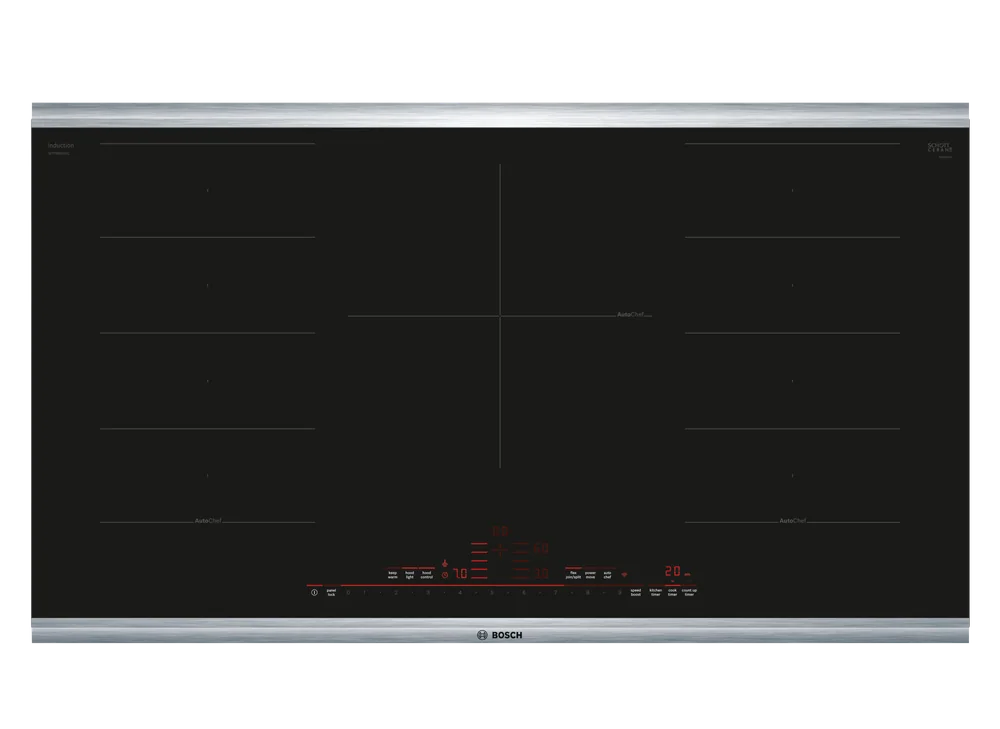
A child lock is typically designed to prevent the cooktop from being turned on. A control lock often prevents changes to settings once cooking has started, or it disables touch controls so wiping the surface does not change power levels. The naming is inconsistent, so you need to read what the lock actually does. On touch control cooktops, locks are especially useful because a wet cloth or a leaning hip can register as an input.
Locks do not physically block access to hot cookware. A locked cooktop can still have a hot pan sitting on it, and a child can still touch the pan or pull a handle. On knob controlled gas cooktops, "lock" features are less common, and the practical safety step is choosing knobs that are harder to bump and that have clear off positions. If your main worry is accidental activation, prioritize a lock that prevents turning on, not just changing settings.
Hot surface indicators: why they matter on glass tops
Hot surface indicators are lights or messages that tell you the glass is still hot after cooking. This matters most on electric radiant and induction cooktops because the surface can look the same whether it is cool or dangerously hot. With radiant electric, the glass itself gets very hot because the element heats the glass, then the glass heats the pan. With induction, the pan is heated directly, but the glass can still get hot from contact with the hot pan and from residual heat.
These indicators help prevent burns during cleanup and help you avoid setting items on a hot surface. They are not perfect thermometers. The light may stay on longer than you expect, or it may turn off while the surface is still uncomfortably warm in a small area. Build the habit of treating the area as hot until you can hover your hand near it comfortably. Also use the indicator as a reminder to wait before using cleaners that are not meant for hot glass.
What to prioritize for busy households
If your kitchen has kids, pets, or lots of traffic, prioritize features that prevent accidental activation and accidental changes. A reliable lock that disables turning on is more valuable than a long list of cooking modes. If you multitask, auto shutoff can be helpful, but you should make sure it will not interrupt the way you actually cook, like long simmers or slow reductions.
Also think about control style. Touch controls can be easier to wipe clean, but they can be easier to trigger unintentionally without a lock. Knobs are intuitive and fast, but they can be bumped and they collect grime. Pair features with habits: keep handles turned inward, keep flammables away from the cooktop, and use timers you will actually hear. Features reduce certain errors, but they do not replace attention around heat.
What this guide helps you understand
Choose safety features based on the mistakes you are most likely to make: locks help with accidental activation and bumped settings, hot surface lights help prevent burns on glass tops, and auto shutoff is a helpful backstop but not a substitute for supervision.
Verify what the lock feature actually prevents (turning on vs changing settings) and confirm the cooktop provides a clear hot surface indicator if it has a glass top.
Technique notes
If you often wipe the cooktop while cooking, a control lock that disables touch inputs can prevent sudden power changes or beeps mid-meal.
Safety note: Even with locks and auto shutoff, treat cookware and nearby surfaces as hot, and keep handles and towels away from active burners or elements.